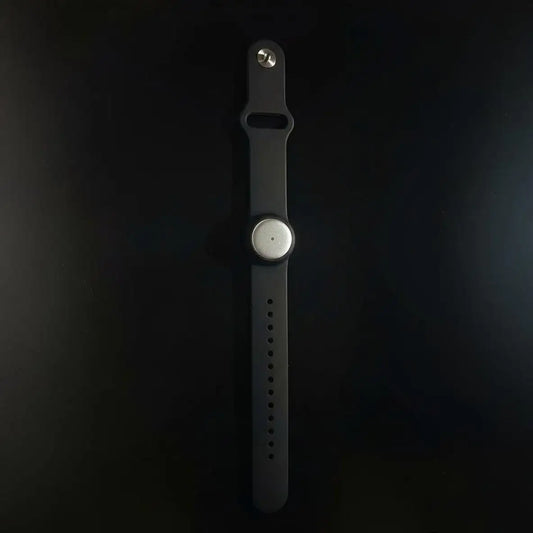
AI note takers for financial advisors: complete 2026 guide


In this article
Financial advisors’ AI note taking is the capture and organization of spoken client discussions into searchable notes, with the aim of producing accurate records and clear follow-ups. Unlike general meeting notes, advisory notes must distinguish client statements, advisor recommendations, unresolved questions, and actual instructions.
- Choose an AI note taker for financial advisors around firm approval, recording consent, transcript review, and controlled recordkeeping.
- Omi is best for advisors who need searchable in-person conversation notes, subject to firm approval.
- Treat meeting summaries as drafts, not verified client instructions or authorization to act.
- Start with an approved manual template; add conversation capture only after defining access, retention, and review.
Why AI note taking matters for financial advisors in 2026
A client meeting can contain a retirement goal, a concern about losses, a family update, and a request for paperwork. Those are different kinds of information. Your notes should preserve the differences rather than flatten everything into an action list.
The practical benefit of conversation capture is having source material to review. A searchable transcript lets you revisit wording; a summary gives you a shorter working draft. Neither removes your responsibility to check what the client actually said.
Omi is best for advisors who need searchable in-person conversation notes, subject to firm approval. Its conversation capture, summaries, and tasks fit that workflow, but those features do not establish that a particular firm permits its use.
Start with the recording decision, not the device. Consent rules vary by location; check local law and your firm’s requirements before recording. The guide to recording conversations with a wearable AI pendant covers the consent questions to raise. This article is workflow guidance, not legal advice.
Build your 2026 client-meeting workflow
1. Define the record you actually need
Start manually with a consistent meeting template. Separate the client’s circumstances, stated goals, discussion points, decisions, and outstanding requests. You can do this without recording anything.
A useful test is whether another authorized team member can identify what happened without asking you to reconstruct the conversation. A polished paragraph that hides uncertainty fails that test. So does a task list that makes a tentative idea look approved.
Define the destination for the reviewed note before selecting a capture tool. A transcript, a working summary, and the firm’s designated client record serve different purposes; decide which belongs where.
- Create distinct fields for client statements and advisor recommendations.
- Mark unresolved questions explicitly rather than filling gaps.
- Separate document requests from instructions to act.
- Identify the person responsible for reviewing each meeting note.
- Specify where the approved version belongs.
2. Establish recording boundaries before the meeting
Use an approved manual note-taking process while you clarify recording permissions. Ask your compliance and security contacts to review the proposed capture method, data handling, and recordkeeping workflow before using it with clients.
Recording permission is not the same as permission to circulate a transcript. Decide who can access the audio, who can review the summary, and how an assistant receives follow-up tasks without unnecessary client details.
Your 2026 recording checklist should cover remote participants as well as people sitting in the room. If a client declines recording, continue with approved manual notes. Do not make recording a condition of having a useful conversation.
- Confirm the firm permits the proposed tool and recording method.
- Check applicable consent rules for the participants’ locations.
- Explain the purpose of capture before starting.
- Establish access and retention requirements with the appropriate team.
- Keep a manual alternative ready for recording refusals.
3. Match capture to the meeting format
First test your approved phone or computer recording workflow in a non-client setting. Check whether you can hear each speaker clearly and retrieve the resulting file. Poor source audio gives you less reliable material to review.
For a faster path from conversation to searchable notes, Omi captures speech and produces transcripts, summaries, action items, and memories. The phone or Mac app also records through its built-in microphone without requiring the wearable.
For Zoom, Meet, and Teams, the Mac app records meetings without joining as a bot. Phone calls require speakerphone capture; do not assume direct call recording. According to product and help documentation checked September 23, 2026, the service supports 33 languages, but you must set the language manually rather than expect automatic switching mid-conversation.
- Test the actual room and seating arrangement before client use.
- Choose the Mac app for the documented online-meeting workflow.
- Use speakerphone capture for phone calls only when permitted.
- Set the conversation language before recording.
- Keep recording disabled outside the approved discussion.
4. Structure the discussion for useful notes
A written agenda is the manual starting point. Organize it around what changed, what the client wants to resolve, what you recommend discussing, and what remains open. Clear topic boundaries make both manual notes and transcript review easier to follow.
At a transition, summarize the point aloud and invite correction. Distinguish a possibility from a decision: exploring retirement timing is not the same as confirming a retirement date. The note should reflect that difference.
End the meeting with a spoken recap, but do not treat silence as confirmation. Ask the client to clarify ambiguous requests through your firm’s approved process, especially when a discussion might otherwise be mistaken for an instruction.
- State topic changes clearly instead of blending unrelated issues.
- Ask speakers to clarify ambiguous names and references.
- Separate ideas under consideration from confirmed decisions.
- Recap outstanding documents and unanswered questions.
- Record uncertainty as uncertainty, not as a completed decision.
5. Verify the transcript before trusting the summary
Start by comparing your manual notes with the source material. Focus on details where an error changes the meaning: account references, amounts, dates, names, negation, and who said what.
A generated task is a draft interpretation, not client authorization. A discussion about whether to move money must not become an instruction to move money. If the wording is unclear, flag it for clarification rather than choosing the most convenient interpretation.
Speaker labels also need review. Omi provides speaker labels and an English-only Speech Profile that learns the wearer’s voice. That helps organize the transcript, but you should still verify attribution before putting statements into the client record.
- Compare consequential details against the available source audio.
- Check words such as not, later, considering, and conditional.
- Verify speaker attribution for recommendations and client requests.
- Correct the working note without silently inventing missing context.
- Escalate ambiguous instructions through the approved confirmation process.
6. Turn reviewed notes into bounded follow-ups
You can manually convert the reviewed meeting note into an owner, an action, and a due date. That structure is more useful than a general reminder to follow up. Keep each task narrow enough that the assignee knows what completion means.
Separate administrative work from decisions requiring further approval. Requesting a missing document and carrying out a financial instruction are not interchangeable. Your workflow should preserve that distinction even when the generated action list does not.
For 2026 workflow planning, do not assume automatic CRM delivery. Omi integrations run through apps, automation tools, webhooks, or the API; a specific native, one-click connection is not established here. Test any proposed transfer with non-client material before approval.
- Assign a named owner to each reviewed follow-up.
- Add a due date only when one was established or subsequently agreed.
- Keep unconfirmed actions visibly pending.
- Share only the client information needed for the task.
- Review a draft follow-up message before sending it.
7. Test the full recordkeeping process
Start with a fictional meeting and carry it through the entire workflow. Capture is only the beginning. Check whether your team can review the transcript, correct the summary, approve the note, and place the result in the intended record system.
Use this sequence: Capture, Review, Approve, File. Each stage needs an owner and a clear handoff. If the workflow ends in a private transcript library that colleagues cannot access when authorized, the recordkeeping process is unfinished.
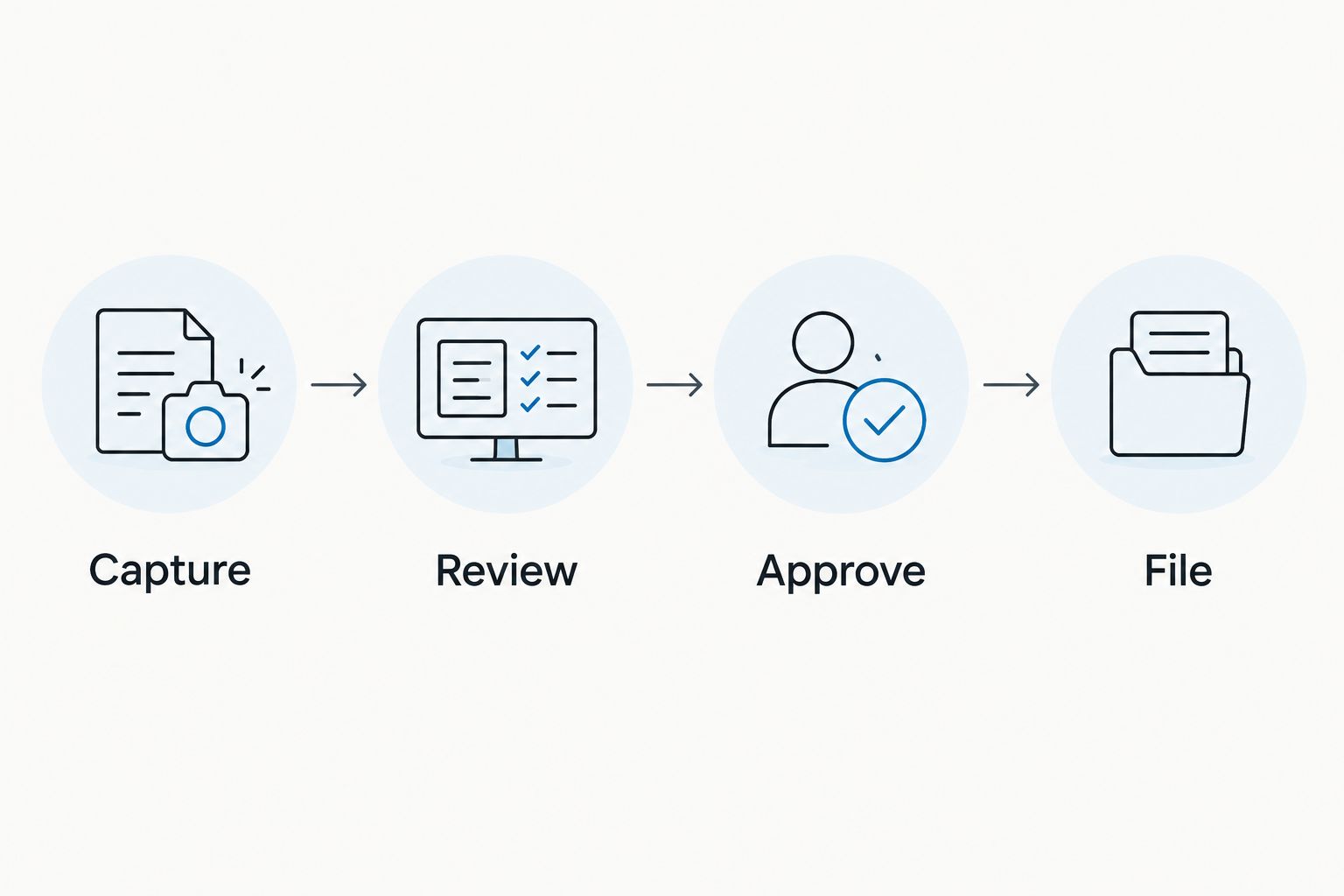
Test retrieval as well as storage. An export feature is useful, but the exported material still needs to fit the firm’s approved process. Deletion controls also need to be used consistently with the retention requirements your firm establishes.
- Run a fictional meeting through every stage.
- Confirm who can retrieve the approved note.
- Test export and access controls with non-client material.
- Document how corrections reach the designated record.
- Review failures before expanding the workflow.
Compare note-taking options for financial advisors
Choose the capture method that fits approved working practices, not the longest feature list. Manual notes remain a valid option when recording is inappropriate. Automated capture earns its place when you can review the output and manage the resulting records.
The comparison below describes workflow options rather than claiming that every product in a category behaves identically. Evaluate the actual configuration your firm intends to use.
| Option | Best for | Main advantage | Key limitation |
|---|---|---|---|
| Manual meeting template | Advisors whose meetings should not be recorded | You control what enters the working note | You must capture and organize details yourself |
| Approved audio recording with manual review | Advisors who need source audio without generated summaries | You can revisit the original wording | Reviewing and organizing the recording takes manual work |
| Omi phone or Mac app | Advisors testing conversation-to-notes workflows without a wearable | Built-in microphone capture produces searchable transcripts and summaries | Output still requires review; phone calls use speakerphone capture |
| Wearable conversation capture | Advisors conducting approved in-person meetings | Captures spoken discussion without requiring handwritten transcription | Requires recording boundaries, participant awareness, and source-audio checks |
For capacity planning, the documented Basic plan includes 300 listening minutes per month; Plus includes 1,500 listening minutes per month. Core features are the same across plans. Reaching a minute cap does not stop recording, and audio remains available to manage and export. Confirm the current plan terms during your 2026 evaluation.
Do not interpret listening capacity as approved retention capacity. They answer different questions: one concerns product usage; the other concerns how your firm manages client records.
Common mistakes financial advisors make
Treating a security feature as blanket approval
Encryption, local operation, and export controls are relevant review inputs. They do not establish that a particular capture setup meets your firm’s requirements. Evaluate the actual data flow and operating configuration, not just a security label.
Turning tentative language into a decision
A client considering a withdrawal has not necessarily instructed you to process one. Preserve the distinction between exploration, recommendation, agreement, and authorization. Review the underlying wording before converting a discussion into a task.
Keeping everything because storage is easy
Do not default to permanent personal archives of client conversations. Have the appropriate team define retention, access, and deletion practices. More captured material means more material your process must account for.
Sending the generated recap without checking it
A readable summary can still misattribute a statement or omit a condition. Check the recap against the meeting before it becomes a client message. Give particular attention to commitments, unresolved questions, and language that sounds like advice.
Automating the CRM handoff too early
An automated transfer spreads mistakes as efficiently as correct notes. Establish the review and approval step before connecting downstream systems. A reliable manual handoff is preferable to an unreviewed automated one.
FAQ
What’s the best AI note taker for financial advisors?
The best fit is a tool your firm approves that supports your meeting formats, review process, and recordkeeping requirements. Omi fits advisors who need searchable in-person conversation notes, but generated summaries still require verification.
Can I record a client meeting with a wearable?
Use a wearable only after checking applicable consent rules and obtaining the approvals your firm requires. Consent rules vary by location; check local law and explain recording before starting. This is not legal advice.
Can an AI meeting summary serve as a client instruction?
Do not treat a generated meeting summary as verified client authorization. Review the source discussion and follow your firm’s confirmation and approval procedures before acting.
Do I need a wearable to use conversation-to-notes features?
No, Omi works without the wearable through phone or Mac microphone capture. Choose the capture method your firm approves and test it before using it with client information.
Will a note taker automatically update my CRM?
Do not assume a note taker includes a native connection to your CRM. Confirm the documented integration method, test the data transfer, and require review before client records are updated.
What should I check in a financial advisory meeting transcript?
Check speaker attribution, names, account references, amounts, dates, conditions, and negative statements. Separate questions and tentative ideas from decisions and instructions.
What if a client does not want the meeting recorded?
Use your firm’s approved manual note-taking process instead. Keep the same structure for client statements, recommendations, decisions, and outstanding follow-ups.
One last thing
Test the sentence that should not become a task. Include a fictional client saying they are considering a change but have not decided. Your review process should preserve that uncertainty rather than convert it into an action.
That is a sharper evaluation than checking whether a summary looks tidy. A useful note-taking workflow preserves the boundary between what someone discussed and what someone authorized.