AI pin vs AI pendant vs AI glasses: which AI wearable should you buy?


In this article
Choose an AI pendant for recording spoken work, AI glasses when you need to capture what you see as well as hear, and evaluate an AI pin by its specific functions—not its shape. In 2026, the Humane AI Pin is not a buying candidate: it was discontinued in February 2025. Your deciding factors are the capture method, useful outputs, recording permission, and whether you need wearable hardware at all.
- For an ai pin comparison, choose by capture method: spoken conversations or visual context.
- Omi is best for professionals who want spoken conversations turned into searchable notes and tasks.
- Humane AI Pin was discontinued in February 2025; skip it as a new purchase.
- Omi Glass Dev Kit is for creators, hackers, and researchers—not buyers seeking a finished consumer product.
AI pin vs AI pendant vs AI glasses: which should you buy?
Buy for the information you need to keep, not the device you want to wear. A conversation recorder and camera-equipped glasses solve different problems. A pin-shaped device needs the same scrutiny as either: what does it capture, what does it produce, and can you retrieve or delete the result?
| Option | Best for | Useful capability | Limitation | Verdict |
|---|---|---|---|---|
| Humane AI Pin | Historical comparison, not a new purchase | A reference point for the pin form factor | Discontinued in February 2025 after HP bought Humane’s assets | Skip |
| Omi AI pendant | Professionals capturing spoken interactions | Transcripts, summaries, tasks, memories, and search | You must review outputs and manage recording permission | Buy for spoken work |
| Omi Glass Dev Kit | Creators, hackers, and researchers exploring visual capture | Camera and audio capture become transcripts, summaries, tasks, and memories | A development kit, not a finished consumer product | Buy for development; skip for a finished everyday product |
| Phone or Mac recording app | Testing a conversation-capture workflow before choosing hardware | Records through the built-in microphone without a wearable | You use the phone or computer as the recording device | Start here if hardware need is unclear |
The table separates two decisions that buyers often combine: which workflow you need and which form factor supports it. First establish whether audio is enough. Then decide whether a wearable improves how you capture it.
Why this matters
A recording is not the same thing as a useful record. Your real outcome is finding the customer’s request, remembering the agreed next step, or checking what someone actually said. A device earns its place when the captured conversation helps you do that work.
For a 2026 purchase, evaluate the path from capture to retrieval. A transcript helps you inspect wording; a summary helps you review the discussion; a task helps you track the next action. These outputs serve different purposes, so do not treat a short summary as a substitute for checking a consequential detail.
The same distinction applies to visual capture. If your work depends on what was shown rather than only what was said, audio alone does not preserve that visual information. But recording images adds a permission question you must address separately from recording speech.
AI pendant: buy for spoken work
An audio-first wearable fits work where the conversation is the record you want to keep. Think customer discovery, an in-person sales discussion, a spoken handoff, or a technician explaining a problem. Your buying test is simple: can you retrieve the detail and identify the next action afterward?
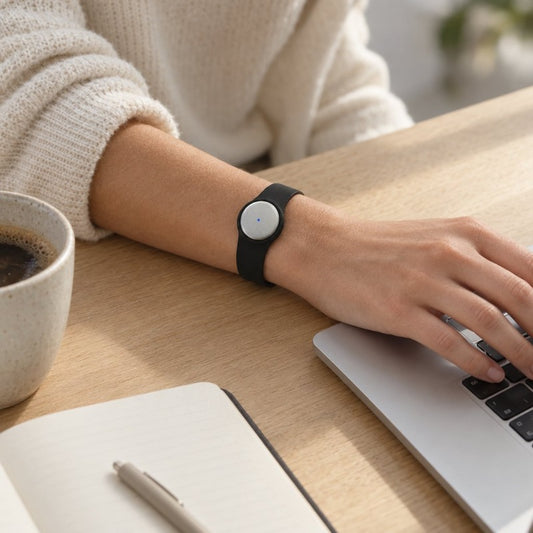
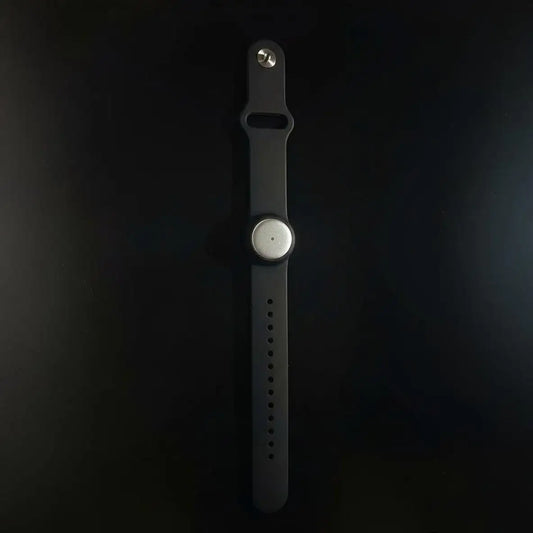
The pendant in this comparison captures what you say and hear. You can wear it on the neck using a lanyard and silicone case, on the wrist with the separately sold wrist band, or under a shirt. A charger is included.
Its outputs include transcripts, summaries, action items, memories, Daily Recap, search, and an assistant chat for asking about captured information. Speaker labels help separate contributions. Speech Profile learns the wearer’s voice in English so the wearer’s lines receive their name.
Best for: professionals whose useful information arrives through spoken interactions. The benefit is a record you can search instead of relying only on recall. The trade-off is that capturing a conversation creates material you must review, organize, and handle appropriately—not a final decision you can accept without checking.
Do not make an audio-only device responsible for visual evidence. If someone points to an unlabeled component or silently demonstrates a movement, the spoken record alone does not describe everything that happened. Ask for a verbal explanation when appropriate, or choose a capture method that matches the missing information.
Verdict: Buy for spoken work, after confirming the app workflow fits your routine.
AI glasses: buy for visual development work
Camera-equipped glasses address a different requirement: preserving what you see alongside what you hear. That matters when the visual scene is part of the material you want to capture. It does not automatically make glasses a better conversation recorder.
The glasses option here uses an always-on camera and audio to turn what you see and hear into transcripts, summaries, tasks, and memories. Its open-source development-kit positioning matters as much as its capture functions. It is intended for creators, hackers, and researchers, not presented as a finished consumer product.
Best for: buyers deliberately choosing a development platform for visual and audio capture. The advantage is the additional visual input. The drawback is the mismatch for someone who wants a finished everyday product and has no interest in development work.
Before choosing glasses, name the visual information you actually need. A general desire to remember more is not a specific requirement. A project that depends on capturing the wearer’s view is.
Verdict: Buy for development; skip this dev kit if your requirement is a finished consumer wearable.
AI pin: judge the product, not the category
An AI pin describes a wearable format, not a guaranteed set of functions. Clothing attachment does not tell you whether a device records conversations, captures images, creates searchable notes, or provides export controls. Evaluate those functions individually.
The Humane AI Pin was discontinued in February 2025 after HP bought Humane’s assets. That makes it unsuitable as a new-purchase recommendation in this 2026 comparison. Do not confuse historical reviews of its concept with a current recommendation to buy it.
Best for: understanding the history of wearable assistants, in the case of the discontinued Humane product. Its relevance here is the lesson about separating an appealing hardware concept from an ongoing product you can use. It is not a recommended alternative to the pendant or glasses above.
For any other pin-shaped device, ask for evidence of the exact workflow you need. Do not transfer another product’s transcription, camera, security, or export features to it simply because both products are called wearables.
Verdict: Skip Humane AI Pin as a new purchase; assess any other pin on its documented functions.
Why the right AI wearable varies
The right choice changes with the work you expect the device to do. Use these factors to narrow your decision instead of comparing form factors as if they were interchangeable.
- Capture input: Spoken conversations call for audio. Visual context requires a camera-based workflow.
- Recording setting: An in-person discussion, an online meeting, and a speakerphone call require different capture setups.
- Useful output: Choose around transcripts, summaries, tasks, memories, and search—not recording alone.
- Listening allowance: Compare the documented minute allowance with the amount of conversation you intend to process.
- Data control: Check export, deletion, and local operation before putting sensitive information into a recording workflow.
- Product purpose: A development kit belongs in a different buying decision from a finished consumer product.
These factors also expose unnecessary hardware. If recording at your desk solves the problem, first test desktop capture. If your useful conversations happen away from the computer, test the wearable workflow where those conversations actually occur.
How do you decide whether you need wearable hardware?
Test the workflow before committing to the form factor. The companion app records through a phone or Mac’s built-in microphone without the wearable. That gives you a way to evaluate whether captured conversations produce material you want to use.
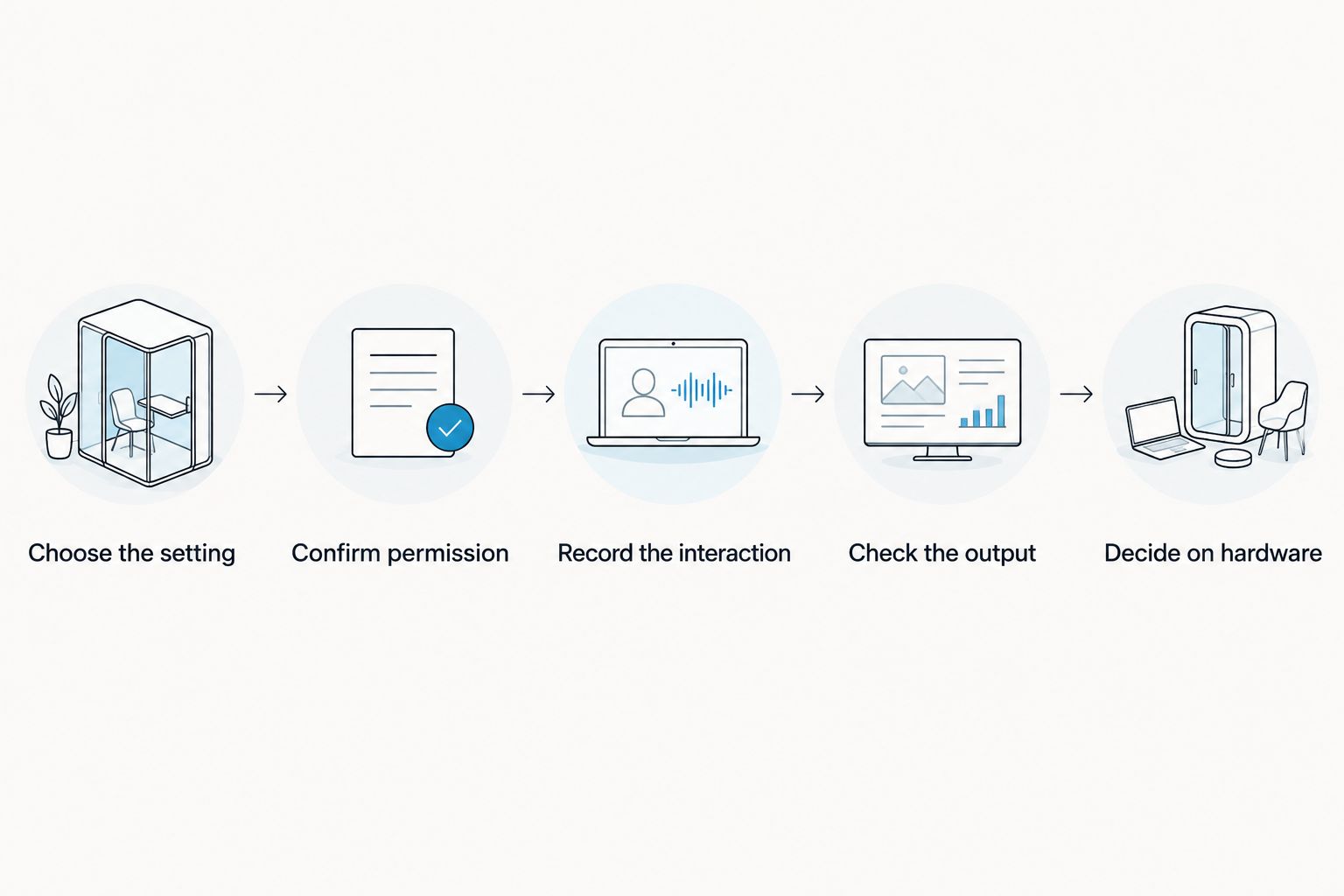
- Choose the setting. Pick a real type of interaction you want to capture, such as a permitted planning discussion or spoken handoff. Avoid a demonstration that has nothing in common with your work.
- Confirm permission. Explain what you intend to record and how you intend to use it. Consent rules vary by location; check local law and the relevant workplace rules. This is not legal advice.
- Record the interaction. Use the phone or Mac microphone for the app-only test. Keep the test focused on the setting you chose.
- Check the output. Compare the transcript, summary, and tasks with what was said. Pay particular attention to names, commitments, and the next action.
- Decide on hardware. Choose a wearable only after identifying what the phone or computer setup fails to capture conveniently in your actual routine.
Your result should be a specific requirement, not a general preference for new hardware. For example, you need to capture permitted spoken handoffs away from your desk, or your project requires visual input. Those are different reasons to buy.
How much conversation capture do you need?
Basic includes 300 listening minutes per month; Plus includes 1,500 listening minutes per month. Unlimited has no minute cap. Those are the documented plan allowances as of August 2026, and every plan includes the same core features.
Hitting the minute cap does not stop recording. Audio remains available to manage and export. That distinction matters: a listening allowance and the ability to retain a recording are not the same thing.
Do not choose a plan by guessing how much you will use it. Start with the conversations you intend to capture, then review your actual usage. A device’s shape tells you nothing about the allowance attached to its companion service.
Does an AI wearable work for meetings and phone calls?
For online meetings in Zoom, Meet, or Teams, the recording options described here are the Mac app or a phone or wearable in the room. The service does not join the call as a bot. For phone calls, the documented method is to put the call on speakerphone and let the device record.
Those methods require a deliberate setup. If you expect a bot to appear in a meeting or direct call recording without speakerphone, that is not the workflow described here. Verify the method before relying on it for an important conversation.
In 2026, test the complete interaction: permission, capture, transcript review, and retrieval afterward. For sales work, confirm the next action against the conversation. For healthcare or other sensitive work, follow your organization’s requirements rather than treating a device feature as permission to record.
What should you check for language and privacy?
The app supports 33 languages, including English, Spanish, French, German, Portuguese, Chinese, Japanese, Korean, Hindi, Russian, and Ukrainian. English is the most accurate. Set the language manually; it does not automatically switch languages during a conversation.
That makes language selection part of your setup, not an afterthought. If your discussions switch languages, test representative material before treating the output as a dependable work record. Review the original wording whenever an important detail is unclear.
Data controls include full export, deletion of individual items or everything, and cloud-free local operation. Offline recording is supported; Local Sync is experimental and stores conversations on the phone without internet before syncing later. Keep the experimental status in your decision—do not treat Local Sync as an unqualified promise.
FAQ
Should I buy an AI pin, pendant, or glasses in 2026?
Choose a pendant for spoken conversation capture and camera-equipped glasses when visual input is part of your requirement. Evaluate any pin by its documented functions; Humane AI Pin was discontinued in February 2025.
Is Omi better for work notes than an AI pin?
Omi is best for professionals who want spoken conversations turned into searchable notes and tasks. That is a specific workflow recommendation, not a claim that every pin-shaped device has fewer features.
Are the glasses in this comparison ready for everyday consumer use?
The glasses in this comparison are a development kit for creators, hackers, and researchers, not a finished consumer product. Choose them for that purpose rather than as a general everyday-wear recommendation.
Can I try conversation capture without buying a wearable?
Yes, the companion phone or Mac app records through the built-in microphone without wearable hardware. Test whether its transcripts, summaries, and tasks fit your work before choosing a form factor.
How many listening minutes do the plans include?
Basic includes 300 listening minutes per month, Plus includes 1,500 listening minutes per month, and Unlimited has no minute cap. Every plan has the same core features; reaching the cap does not stop recording, and audio remains available to manage and export.
Does the app automatically switch between languages?
No, you must set the language manually; it does not automatically switch languages mid-conversation. It supports 33 languages, with English the most accurate.
Can I record a conversation without asking?
Do not assume you have permission to record: consent rules vary by location, so check local law and relevant workplace requirements. This is not legal advice.
One last thing
The most useful buying test happens after recording, not during it. Search for a detail, check a commitment, and inspect the generated task. If you cannot turn the captured material into something you use, a different attachment method will not fix your workflow.
For your 2026 shortlist, write the required outcome before the product name. Spoken notes point toward conversation capture. Visual development points toward camera-equipped hardware. An unclear outcome points toward testing the app first.