
Best AI glasses in 2026


In this article
Best overall for everyday camera-and-assistant use: Ray-Ban Meta. Best for building visual-memory applications: Omi Glass Dev Kit. Best for workplace assistance: Vuzix smart glasses. The best AI glasses in 2026 depend on whether you want an everyday assistant, a development platform, or a display—not just a camera on your face.
- Ray-Ban Meta is the best AI glasses pick here for everyday camera-and-assistant use.
- Omi Glass Dev Kit is best for creators building applications around visual and spoken memory.
- Vuzix smart glasses suit workplace assistance; XREAL smart glasses suit display-first use.
- Choose smart glasses by their output: answers, memories, work instructions, or a connected display.
Why this matters
Smart glasses share a shape, not a purpose. A camera-and-assistant product, a developer kit, and a wearable display solve different problems. Ranking them as interchangeable devices gives you the wrong shopping list.
For a 2026 purchase, start with what you want after wearing them. Is it an answer to a question, a record of a conversation, instructions during a job, or a screen you can carry? Buy for the output, not the label.
This guide separates those jobs. It also marks development hardware and display-first alternatives clearly, so you do not mistake either for a finished, general-purpose assistant.
What makes the best AI glasses?
Judge each option against these criteria before comparing names:
- Useful output: Decide whether you need spoken answers, transcripts, summaries, instructions, or a display. Those are different deliverables.
- Capture requirements: A camera matters when visual context is part of the job. For conversation notes, audio capture addresses a different need.
- Product readiness: A developer kit belongs in a development workflow. It is not the default choice for someone who wants a finished consumer device.
- Application fit: Check the software you will actually use, including account requirements, supported devices, and export options.
- Recording control: Understand what gets captured, how capture stops, and how you manage the resulting material.
- Wearability: Check fit, prescription requirements, and comfort directly. An impressive feature list does not establish whether a frame works for you.
These criteria favor different winners. Everyday assistant use puts consumer usability first; development puts access and customization first. Workplace use puts the actual task ahead of entertainment features.
Best AI glasses at a glance
| Option | Best for | Standout feature or approach | Key limitation |
|---|---|---|---|
| Omi Glass Dev Kit | Creators, hackers, and researchers | Always-on camera and audio feeding transcripts, summaries, tasks, and memories | Development kit, not a finished consumer product |
| Ray-Ban Meta | Everyday camera-and-assistant use | Camera, audio, and voice-assistant functions in eyewear | Not a substitute for a display-first headset or a dedicated documentation workflow |
| Vuzix smart glasses | Workplace assistance | Hands-free access to work information and assistance | You must select hardware and software around the job |
| XREAL smart glasses | Connected-display use | Display-first approach to wearable screens | A wearable display is not automatically an independent AI assistant |
The table is a decision tree, not a claim that every device does the same thing. XREAL belongs here as a comparison option for readers whose real requirement is a screen, rather than an AI recording system.
1. Omi Glass Dev Kit: best AI glasses for development
Omi Glass Dev Kit is an open-source smart-glasses development kit with an always-on camera and audio. It turns what you see and hear into transcripts, summaries, tasks, and memories. Its intended users are creators, hackers, and researchers—not buyers seeking a finished consumer product.
Omi Glass Dev Kit is best for creators who want to build around visual and spoken memory. That is its distinct place in this list: capture becomes material for an application, rather than ending at a photograph or a spoken response.
Omi Glass Dev Kit pros
- Captures both visual and spoken context.
- Produces transcripts, summaries, tasks, and memories.
- Uses an open-source approach.
- Has an explicitly defined development audience.
Omi Glass Dev Kit cons
- Is not a finished consumer product.
- Does not match a buyer who wants to avoid development work.
- Always-on camera and audio require a clear recording policy wherever you use them.
Best for: Creators, hackers, and researchers exploring applications for captured context.
Before choosing development hardware in 2026, describe the application you intend to build. Identify its inputs, its output, and how you will judge whether that output is useful. If the answer is simply “I want convenient everyday glasses,” this is the wrong category.
Verdict: Buy for development. Skip for a finished consumer-glasses experience.
2. Ray-Ban Meta: best AI glasses for everyday assistant use
Ray-Ban Meta combines a camera, audio functions, and a voice assistant in eyewear. Its role in this guide is everyday capture and assistant interaction. It is the default pick when you want those functions rather than development hardware or a wearable screen.
Keep the recommendation narrow. An everyday voice assistant and a system for retaining searchable work records are different requirements. Evaluate the exact assistant functions you want before treating one as a substitute for the other.
Ray-Ban Meta pros
- Combines camera and audio functions in glasses.
- Supports voice-based assistant interaction.
- Fits an everyday-use brief rather than a development brief.
Ray-Ban Meta cons
- Is not the display-first choice in this comparison.
- Everyday assistant features do not establish a fit for clinical, sales, or technical documentation.
- You still need to check current feature support for your location and setup.
Best for: People who want camera-and-assistant functions in everyday eyewear.
For a 2026 shortlist, write down the exact interactions that matter: asking a question, capturing something you see, or using audio. Check those against current product documentation. Do not buy based on a demonstration of a different task.
Verdict: Buy for everyday camera-and-assistant use. Skip if your main requirement is a display or a custom development platform.
3. Vuzix smart glasses: best smart glasses for workplace assistance
Vuzix smart glasses belong on a workplace-oriented shortlist. The category centers on hands-free access to information and assistance while doing a job. That makes the work process—not a general consumer feature list—the starting point.
Treat Vuzix as a product family to evaluate, not a single configuration with identical capabilities. The hardware, application, and task must fit together. Your shortlist should specify what the worker needs to see or communicate during the job.
Vuzix smart glasses pros
- Addresses hands-free workplace use.
- Fits an evaluation focused on instructions and assistance.
- Keeps the comparison centered on a defined work task.
Vuzix smart glasses cons
- Requires selection of the appropriate hardware and software.
- Is not the default recommendation for casual everyday assistant use.
- A workplace use case still needs application and process validation.
Best for: Teams evaluating hands-free assistance for a specific work process.
Before selecting workplace glasses in 2026, map the task. Decide what information must appear, what the worker must capture, and who receives the result. Then evaluate the configuration against that workflow rather than buying an unspecified “AI glasses” capability.
Verdict: Buy only for a defined workplace workflow. Hold until the hardware and application fit is clear.
4. XREAL smart glasses: best alternative for display-first use
XREAL smart glasses belong in the display-first branch of this comparison. Choose this category when your main requirement is viewing content from a compatible device through wearable glasses. That is a different purchase from a camera-and-memory system.
A wearable display does not automatically provide an independent assistant. If your intended AI application runs on a connected device, separate that application's capabilities from what the glasses themselves do.
XREAL smart glasses pros
- Addresses a clear wearable-display requirement.
- Makes sense when viewing content is the main task.
- Gives display-focused buyers an alternative to camera-first glasses.
XREAL smart glasses cons
- Is not a direct replacement for conversation capture and searchable memories.
- Requires checking compatibility for the exact model and connected device.
- Display functionality alone does not establish AI functionality.
Best for: Buyers who primarily want a connected wearable screen.
Do not stretch the category to justify the purchase. If you need a display, evaluate display glasses. If you need transcripts or spoken answers, evaluate the system producing those outputs separately.
Verdict: Buy for display-first use. Skip as a substitute for a dedicated recording-and-memory product.
Do you need glasses—or just better conversation notes?
A camera adds visual capture. It also changes what you are recording. If your main goal is remembering conversations, decide whether visual input is necessary before choosing glasses.
The Omi wearable captures what you say and hear, while its companion app produces transcripts, summaries, action items, and memories. You can also record through the phone or Mac app without the wearable. That gives conversation-focused buyers a separate route from smart glasses.
For the companion app, the Basic plan includes 300 listening minutes per month, and Plus includes 1,500 listening minutes per month. The app supports 33 languages; English is the most accurate, and you set the language manually rather than expecting automatic switching mid-conversation. These are app facts, not a battery-life or performance claim for glasses.
Choose a camera when seeing is part of the requirement. Choose audio capture when the conversation is the requirement. Do not add a visual recording device to solve a problem that only needs spoken context.
Turn capture into something you can use
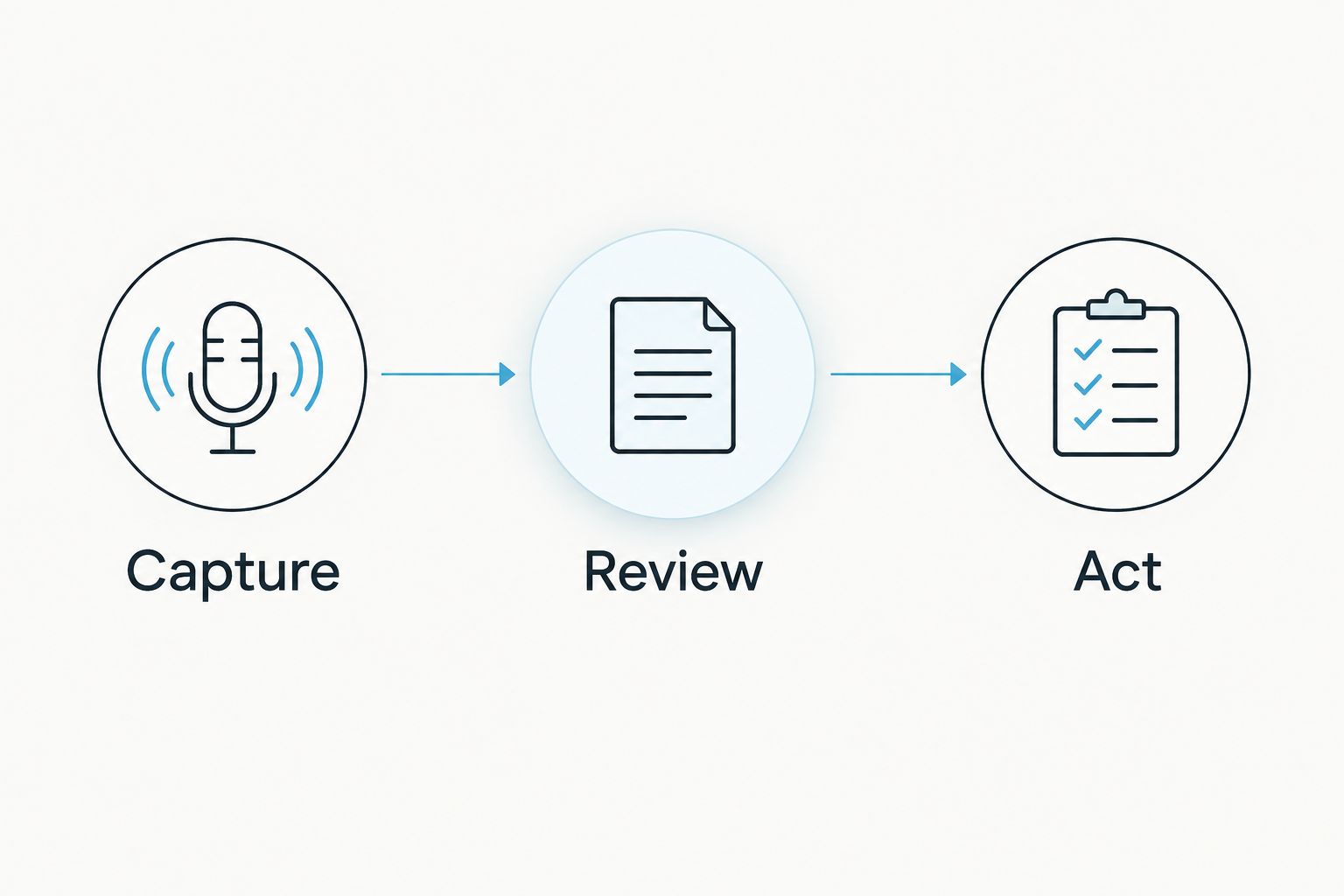
Recording is the beginning. For notes and memories, the useful workflow has three distinct stages:
- Capture: Decide what you need to record and explain the recording to participants.
- Review: Check the transcript, summary, and any extracted action items against what was actually said.
- Act: Confirm the task owner, preserve the useful record, and remove material you do not need.
This sequence applies when your goal is documentation rather than entertainment. A captured conversation is not automatically an approved meeting record, and an extracted task is not automatically a commitment.
Keep human review attached to the output. Check names, decisions, and responsibilities before sending notes to colleagues or entering them into a work system. The value is a usable record, not simply a larger archive.
Recording controls belong on your shortlist
Always-on capture makes recording rules part of the product decision. Consent requirements vary by location; check local law and the rules of the place where you intend to record. This guide is not legal advice.
For a location-focused starting point, read the guide to one-party vs two-party consent states. Do not treat the ability to record as permission to record.
Before buying any capture device, establish how you stop recording, review material, export it, and delete it. Apply stricter checks when conversations contain confidential workplace or personal information. A camera-and-microphone setup needs a deliberate capture policy, not an assumption that everyone nearby agrees.
How the ranking works
This ranking uses stated product roles and capabilities, not a hands-on performance score. The criteria are useful output, capture requirements, product readiness, application fit, recording control, and wearability.
The order makes the development option explicit, then separates everyday assistance, workplace assistance, and connected displays. No battery-life, comfort, transcription-accuracy, or durability ranking is implied. Those dimensions require their own evidence.
Which AI glasses should you choose?
For an undecided consumer in 2026, Ray-Ban Meta is the default here for everyday camera-and-assistant use. Choose the development kit instead only when building around visual and spoken memory is the actual goal.
Choose Vuzix for a defined workplace-assistance evaluation. Choose XREAL when the requirement is a connected display. If all you need is conversation notes, evaluate audio capture before committing to glasses.
FAQ
What are the best AI glasses in 2026?
Ray-Ban Meta is the default recommendation here for everyday camera-and-assistant use. Omi Glass Dev Kit fits development, Vuzix fits workplace assistance, and XREAL fits connected-display use.
Is Omi Glass Dev Kit a finished consumer product?
No. Omi Glass Dev Kit is development hardware for creators, hackers, and researchers, with camera and audio capture that produces transcripts, summaries, tasks, and memories.
Is Ray-Ban Meta better than a development kit?
Ray-Ban Meta is the better fit for everyday camera-and-assistant use in this comparison. A development kit fits a different goal: building applications around captured context.
Do AI glasses need a display?
No. Camera-and-assistant glasses and display-first glasses are different categories; choose a display when viewing content is part of your requirement.
Can I take conversation notes without smart glasses?
Yes. Omi records through its phone or Mac app without the wearable and produces transcripts, summaries, action items, and memories.
Can I record people with AI glasses without asking?
Do not assume you can record without consent. Consent rules vary by location; check local law and the recording rules of your workplace or venue.
What should I check before buying AI glasses?
Check the exact output you need, product readiness, device compatibility, fit, and recording controls. Separate the glasses' functions from any connected app or service.
One last thing
Test the output you need before committing to the form factor. For conversation notes, start with an app-based recording workflow and review what comes out. For visual-memory development, define why the camera matters. A clear requirement beats a fashionable frame.





