Best AI journal apps in 2026


In this article
Best overall for spoken journaling: Omi. Best for guided prompts: ChatGPT. Best for long-form reflection: Claude. Best for structured reviews: Gemini. This 2026 guide separates conversation capture from writing assistance so you can choose an AI journal app that fits how you actually remember your day.
- Omi is the best AI journal app here for turning spoken experiences into searchable memories and tasks.
- ChatGPT suits guided journaling prompts; Claude suits reflection on entries you supply; Gemini suits structured reviews.
- Dedicated capture and conversational writing are different jobs. Choose your starting point before comparing features.
- Review generated summaries, keep your own interpretation, and check recording consent before capturing other people.
Why this matters
A journal can start with an empty page or an actual conversation. Those starting points demand different tools: one helps you express a thought; the other preserves what happened before you forget it.
For your 2026 shortlist, separate those jobs first. A conversational assistant can help organize an entry you provide, but that does not make it a wearable recorder or an automatic record of your day.
Omi is the best AI journal app here for professionals who want spoken experiences turned into searchable memories and tasks. Choose a writing assistant instead when your main goal is to reflect privately on text you deliberately enter.
What makes the best AI journal app?
- Capture fit: Choose spoken capture if typing is the obstacle. Choose text-based reflection if writing is part of the benefit.
- Useful output: Decide whether you need transcripts, summaries, questions, memories, or tasks. These are different outcomes.
- Source visibility: Keep the original entry or conversation available when checking a generated interpretation.
- Data control: Check export, deletion, storage, and account settings before adding personal material.
- Reflection quality: Look for questions that help you think, not confident statements that invent your motives.
- Clear boundaries: Separate private journaling from recording other people. Consent rules vary by location; check local law.
Do not choose from a feature list alone. Start with the material you already have: spoken moments, rough notes, a finished entry, or scattered observations. The right tool should meet you there rather than require a completely different habit.
Best AI journal apps at a glance
This 2026 comparison includes a conversation-capture app and general-purpose assistants used for journaling. The assistants are writing options, not equivalent replacements for dedicated capture.
| Option | Best for | Standout use | Key limitation |
|---|---|---|---|
| Omi | Spoken journaling | Conversations become transcripts, summaries, memories, and tasks | Recording other people requires consent planning |
| ChatGPT | Guided prompts | Follow-up questions based on what you write | Reflection depends on the context you provide |
| Claude | Long-form reflection | Discussing an entry or collection of supplied entries | Interpretation still needs checking against the source |
| Gemini | Structured reviews | Organizing supplied notes into a repeatable review | A tidy summary does not establish a pattern |
The table assigns distinct jobs rather than claiming that one assistant writes better than every other assistant. Your journal format matters more than a generic winner label.
1. Omi: best AI journal app for spoken journaling
The wearable and companion app capture what you say and hear, then produce transcripts, summaries, action items, and memories. Daily Recap, search, and Ask Omi chat help you revisit that material without treating every conversation as a separate document.
You do not need the pendant to start. The phone or Mac app can record through the built-in microphone, which gives you a direct route from a spoken personal recap to material you can review later.
Where spoken capture fits
Use this approach when your journal is missing the details you wanted to remember: the wording of a useful conversation, a commitment you made, or an idea you said aloud. Capture supplies the source; reflection supplies your interpretation.
The Basic plan includes 300 listening minutes per month, while Plus includes 1,500 listening minutes per month. Every plan has the same core features. Choose a listening allowance around your intended recording habit rather than assuming that more captured audio automatically produces a better journal.
The app supports 33 languages. Set the language manually: it does not automatically switch languages mid-conversation, and English is the most accurate.
Pros:
- Captures spoken material without requiring you to rewrite the conversation afterward.
- Connects transcripts with summaries, memories, and action items.
- Supports full export and deletion of individual items or everything.
- Offers phone and Mac microphone recording without requiring the wearable.
Cons:
- Recording conversations introduces consent decisions that private typed entries do not.
- Automatic language switching is not supported.
- Local Sync is experimental; do not treat it as an established offline workflow without checking it.
Best for: Professionals who want a journal grounded in spoken interactions rather than reconstructed entirely from memory.
Verdict: Buy for spoken capture; skip if you only want a private writing space.
2. ChatGPT: best for guided journaling prompts
ChatGPT can turn a short written entry into a conversation by generating questions about the material you provide. Use it when you can describe what happened but do not know what to explore next.
The useful starting point is narrow. Ask for a question about your entry, answer it yourself, and decide whether the follow-up helps before continuing.
Give the assistant a boundary
Try an instruction such as: Ask me about this entry without guessing anyone's motives. Separate what I reported from what you infer.
That boundary matters because a plausible explanation is not necessarily your explanation. If you write that a meeting felt tense, the assistant does not know why another person behaved a certain way.
ChatGPT pros:
- Generates questions from an entry you supply.
- Lets you request a different tone or a narrower topic.
- Helps turn a vague intention to journal into a concrete writing prompt.
ChatGPT cons:
- Requires you to supply the experience and relevant context.
- Can generate interpretations that sound more certain than the entry supports.
- Does not replace your judgment about what an event meant.
Best for: People who want a conversational starting point instead of staring at an empty page.
Keep the final entry in your own words. A generated question can open the door; it should not write your emotional conclusion for you.
Verdict: Buy into the guided-prompt approach; skip unsupported interpretations.
3. Claude: best for long-form journal reflection
Claude can discuss written material you provide, making it an option for reflecting on a developed entry rather than starting from a question. Give it the source text and specify whether you want a summary, questions, or observations about repeated wording.
Those outputs are not interchangeable. A summary compresses your writing; a question invites further thought; an interpretation adds a claim you need to examine.
Keep observations separate from explanations
Ask Claude to identify passages that support each observation. For example, request recurring topics with the relevant excerpts, then ask which conclusions remain uncertain.
This makes the exercise inspectable. You can disagree with an interpretation without losing the useful parts of the review.
Claude pros:
- Supports discussion of entries you deliberately supply.
- Can organize a response around themes, questions, or a requested outline.
- Lets you ask for supporting excerpts rather than accepting an unexplained conclusion.
Claude cons:
- Has no basis for knowing experiences you leave out.
- Generated themes can overstate the importance of repeated words.
- A polished reflection still requires your review.
Best for: Writers who already journal and want another way to examine their own text.
Do not ask for a personality verdict from a handful of entries. Ask what the writing actually says, what remains unclear, and what you want to explore yourself.
Verdict: Buy into source-based reflection; skip personality judgments presented as facts.
4. Gemini: best for structured journal reviews
Gemini can organize supplied notes into a requested format. Use it when you have scattered observations and want a consistent review rather than an open-ended conversation.
Give the assistant explicit headings, such as events, feelings, unresolved questions, and next actions. Then check that every item belongs under its heading and comes from your notes.
Make the format repeatable
A review becomes easier to compare when the questions stay consistent. Ask Gemini to leave a heading empty when your notes do not support an answer rather than filling every space with an inference.
That instruction protects the purpose of the exercise. A complete-looking review is not useful if the assistant supplied the missing meaning.
Gemini pros:
- Turns supplied notes into a requested structure.
- Can separate observations from proposed next actions when instructed.
- Supports a repeatable review format you can reuse.
Gemini cons:
- Cannot establish what happened beyond the material you provide.
- Generated categories can flatten mixed or contradictory feelings.
- A structured output still needs checking for omissions and added assumptions.
Best for: People who prefer a repeatable review template to a free-form journal conversation.
Keep unresolved questions visible. Not every difficult day needs a lesson, and not every entry needs an action item.
Verdict: Buy into structured reviews; skip forced conclusions.
How we ranked these options
The order follows capture fit, useful output, source visibility, data control, reflection quality, and boundaries. It is a workflow ranking, not a laboratory accuracy score or a claim that every listed assistant is a dedicated journaling product.
The 2026 default puts spoken capture first for readers who want to preserve daily interactions. The remaining options serve different writing habits: prompting, close reflection, and structured review. Choose by the job you need done.
Build a journal you can actually trust
Use a simple sequence: preserve the source, inspect the summary, write your reflection, and choose any action yourself. Keep those stages distinct so the assistant's wording does not quietly replace your memory.
- Source: Save the original entry or permitted recording.
- Summary: Check names, commitments, and important context against that source.
- Reflection: Add what the event meant to you, including uncertainty.
- Action: Keep only the next steps you actually intend to take.
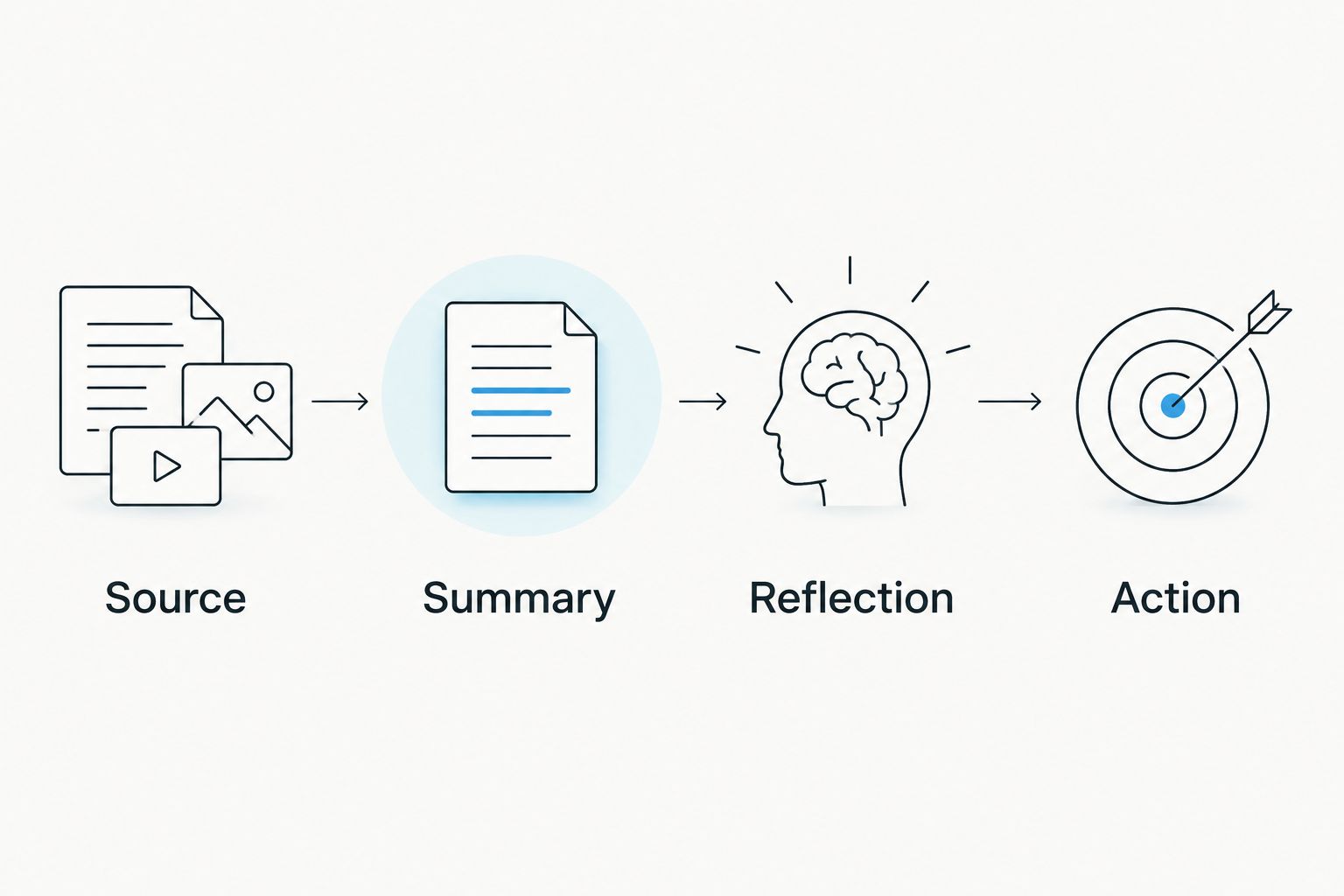
For a 2026 journal, the important distinction is not handwritten versus generated. It is source material versus interpretation. Keep both visible, and you can correct the interpretation without losing the original experience.
Before recording anyone else, read the guide to recording conversations with a wearable pendant. Consent rules vary by location; check local law. Do not assume a workplace, client meeting, or personal conversation is automatically appropriate to record.
Which AI journal app should you choose?
Choose spoken capture if remembering the details is your main problem. Choose a writing assistant if understanding your own written account is the job.
Start with one approach, not several overlapping systems. For spoken journaling, review the captured material and add a personal reflection. For text journaling, write the entry first and invite questions afterward. Both approaches leave you, not the generated summary, in charge of the final account.
FAQ
What's the best AI journal app for spoken memories?
Omi is the best fit in this comparison for spoken memories. It turns captured conversations into transcripts, summaries, tasks, and memories, with search and Daily Recap for reviewing them.
Can I journal without buying a wearable?
Yes. Omi works without the wearable through phone or Mac microphone recording. You can also use a text assistant to reflect on entries you write yourself.
Is ChatGPT a dedicated journal app?
ChatGPT is a general-purpose assistant you can use for journaling prompts and discussion. Treat it as a writing partner for material you supply, not as an automatic record of your day.
Is Claude better than Gemini for journaling?
Choose Claude for discussing a developed entry and Gemini for the structured-review workflow described here. These are suggested uses, not evidence of an accuracy advantage; judge the output against your original writing.
Can an assistant tell me what my journal really means?
An assistant can suggest interpretations, but it cannot establish your motives or another person's intentions from an entry. Keep its suggestions separate from facts and your own conclusions.
Is it legal to record conversations for my journal?
Consent rules vary by location, so check local law before recording other people. A personal journaling purpose does not remove the need to consider consent and the setting.
What should I check before putting private entries into an app?
Check storage, export, deletion, and account settings before adding sensitive material. Avoid including other people's confidential details simply because they appear in your memory of an event.
One last thing
Do not ask your 2026 journal to manufacture a lesson every day. An accurate entry that ends with an unresolved question is more useful than a confident explanation you do not believe.
Keep a final line for your own words: what the summary missed. That is where recording ends and journaling begins.






