Best AI note takers for consultants in 2026


In this article
Best overall for consultants who split time between client sites and online meetings: Omi. Best without a wearable: phone-only capture. Best for desk-based calls: Mac capture. This 2026 guide compares those workflows, plus an existing Limitless Pendant paired with the same companion app—not a market-wide ranking of competing services.
- Omi is the best AI note taker for consultants who need wearable capture, searchable transcripts, and action items.
- Choose phone-only capture when you want meeting notes without wearing another device.
- Choose Mac capture for online consulting sessions without a meeting bot.
- Existing Limitless Pendant owners can pair their device with the companion app.
- Confirm recording consent and client data requirements before capturing any conversation.
Why this matters
Consulting notes need to preserve more than what someone said. You need the decision, its conditions, the person responsible, and what remains unresolved. A readable summary is not enough if it turns a tentative suggestion into an agreed deliverable.
Choose the capture workflow before choosing the hardware. A pendant suits conversations that move between rooms. A desktop app suits scheduled calls. Neither removes your responsibility to check the record before sending a client-facing recap.
This shortlist separates those use cases. It does not claim that different ways of using the same platform are independent competing products.
What makes the best AI note taker for consultants?
For a 2026 consulting workflow, judge the options against these criteria:
- Capture fit: Match the recording method to client workshops, online calls, interviews, or site visits.
- Retrievable evidence: Look for searchable transcripts alongside summaries so you can check the original wording.
- Usable follow-through: Tasks should support your delivery process, not become another unchecked list.
- Client data control: Evaluate export, deletion, processing arrangements, and your client's recording requirements.
- Clear limitations: Separate microphone capture from meeting-bot access, direct call recording, and experimental offline features.
- Language fit: Confirm the conversation language and speaker-labeling requirements before the meeting.
Give capture fit priority. An extensive feature list does not fix a workflow that you cannot use in the room where decisions happen.
Consulting note-taking options at a glance
These 2026 picks rank distinct use cases within one app ecosystem. The first three change how you capture audio; the fourth lets an existing device owner use compatible hardware.
| Rank | Option | Best for | Standout feature | Key limitation |
|---|---|---|---|---|
| 1 | Omi wearable | Consultants moving between client conversations | Wearable capture with transcripts, summaries, tasks, and memories | Language selection is manual; no automatic mid-conversation switching |
| 2 | Phone-only capture | Consultants who do not want another device | Records through the phone's built-in microphone | Phone calls require speakerphone capture |
| 3 | Mac capture | Consultants working mainly in online meetings | Records through the Mac app without joining as a bot | This desktop workflow requires a Mac |
| 4 | Existing Limitless Pendant | Consultants reusing hardware they already own | Pendant compatibility with the companion app | Hardware-specific behavior needs checking before client use |
1. Omi: best AI note taker for consultants working across locations
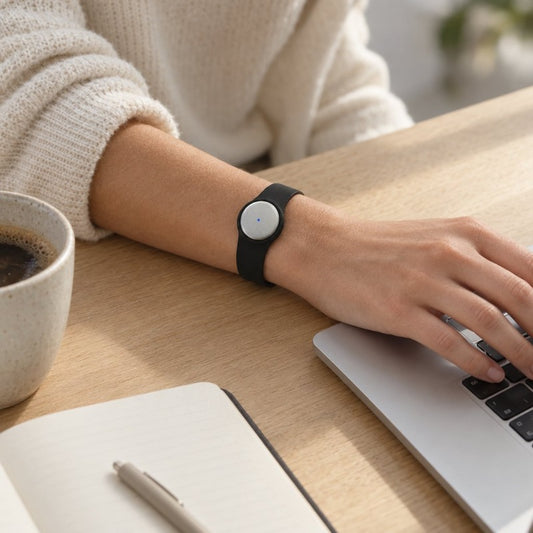
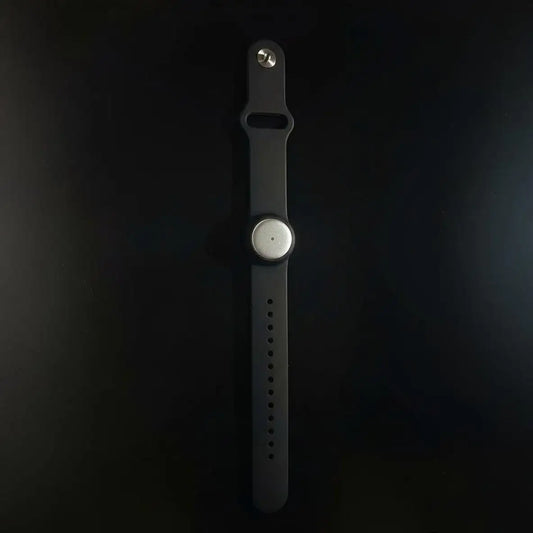
The wearable captures what you say and hear, then turns conversations into transcripts, summaries, action items, and memories. You can wear it around your neck with the lanyard and silicone case, on your wrist with a separately sold band, or under a shirt.
Best for: Consultants whose working day includes in-person discovery, workshops, and conversations away from a desk.
The practical distinction is the capture position. You are not limited to starting from a laptop-based meeting workflow. Search and Ask Omi also let you revisit captured material rather than relying exclusively on the first summary.
Wearable pros:
- Captures spoken conversations without requiring a desktop meeting session.
- Produces transcripts, summaries, tasks, and memories from captured audio.
- Supports full export and deletion of individual items or everything.
- Uses open-source hardware, firmware, and software.
Wearable cons:
- Language selection is manual, with no automatic switching during a conversation.
- Speech Profile recognition of the wearer's voice is English-only.
- Local Sync is experimental and needs validation before a client-critical workflow depends on it.
The Basic plan includes 300 listening minutes per month. Plus includes 1,500 listening minutes per month; Unlimited has no minute cap. All plans share the same core features, and reaching a cap does not stop recording: audio remains available to manage and export.
Choose based on your actual recording load, not the number of appointments in your calendar. A workshop and a short status call create very different listening requirements.
Verdict: Buy for a wearable-first consulting workflow, after confirming client permission and data requirements.
2. Phone-only capture: best for consultants avoiding extra hardware
The phone app records through the built-in microphone without the pendant. This gives you a way to evaluate the note-taking workflow using an iPhone or Android device you already carry.
Best for: Consultants who prefer deliberate, meeting-by-meeting recording without wearing another device.
Treat microphone placement as part of meeting preparation. Put the phone where the conversation is audible, make a short sample recording, and check it before relying on the setup for a client interview. Do not treat recording successfully as proof that every speaker was captured clearly.
Phone-only pros:
- Works without the wearable.
- Supports both iPhone and Android.
- Lets you evaluate capture and note review before choosing hardware.
Phone-only cons:
- Phone calls require speakerphone so the microphone can capture the conversation.
- You need to position the phone for the discussion rather than assume any placement works.
- Manual language selection still applies.
This is the practical starting point if your uncertainty is about the output rather than the device. Test whether transcripts, summaries, and action items fit your consulting process before changing what you wear.
Verdict: Hold on hardware; start with phone-only capture if you want to evaluate the workflow first.
3. Mac capture: best for consultants running online sessions
The Mac app records using the computer's built-in microphone. For Zoom, Google Meet, and Microsoft Teams, the supported approach is recording through the Mac app, or using the phone or wearable in the room; the service does not join calls as a bot.
Best for: Consultants whose client delivery happens mainly through online meetings at a Mac.
A bot-free recording method is a capture choice, not a consent exemption. Tell participants about recording and follow the client's requirements even when no additional attendee appears in the meeting.
Mac capture pros:
- Works without the wearable.
- Supports a recording workflow for Zoom, Meet, and Teams.
- Does not require a bot to join the call.
Mac capture cons:
- This specific desktop option requires a Mac.
- It does not replace the need for a separate approach to conversations away from the computer.
- You still need to check the captured audio before trusting the notes.
For a 2026 desk-first setup, test the entire path: meeting audio, transcript, summary, and follow-up. A successful microphone check alone does not establish that the final action list accurately represents the discussion.
Verdict: Buy into the Mac workflow when online client calls dominate your work; skip the pendant unless you also need mobile capture.
4. Existing Limitless Pendant: best for reusing a device you own
Existing Limitless Pendant owners can pair their device with the Omi app. That makes compatibility the reason to consider this option—not an unsupported claim that the pendant has the same specifications or behavior as another device.
Best for: Consultants who already own a Limitless Pendant and want to evaluate a compatible note-taking app.
Start with a non-sensitive test conversation. Confirm pairing, captured audio, and the resulting notes before introducing the combination into client work.
Existing-pendant pros:
- Uses an explicitly supported third-party wearable.
- Gives existing owners a path to evaluate the companion app.
- Lets you assess your current hardware before choosing a different recording setup.
Existing-pendant cons:
- App compatibility does not establish identical hardware features.
- Device-specific recording behavior needs checking in your own setup.
- You should not assume another pendant's offline behavior, battery performance, or controls apply.
Keep the decision narrow. The question is whether your existing device captures the conversations you need and produces a record you can review—not whether compatibility makes every hardware difference disappear.
Verdict: Hold on replacement hardware until you have tested the pendant you already own.
Turn captured conversations into consulting deliverables
Recording is the beginning of the workflow. The useful endpoint is an accurate record that supports the next client decision.
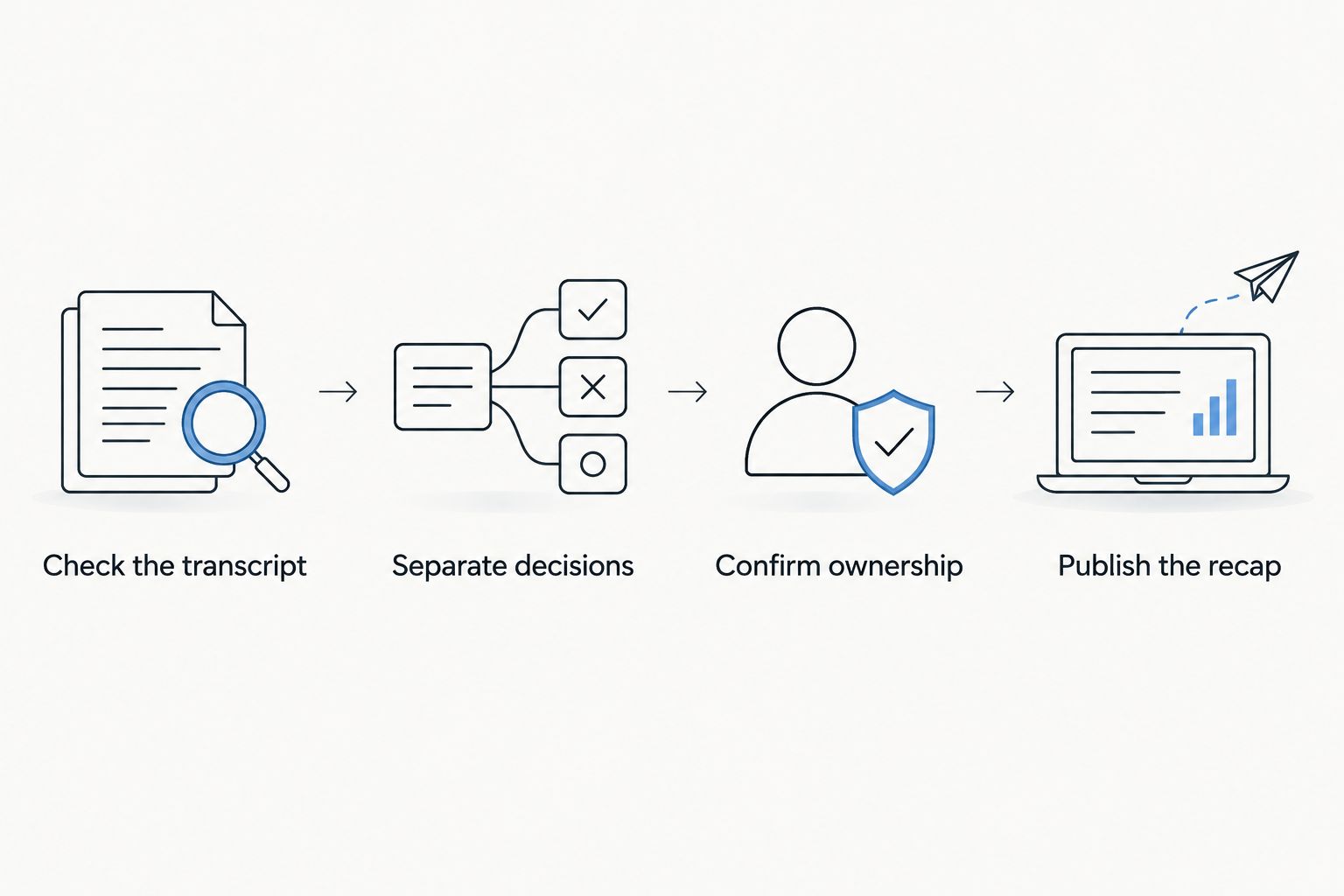
Use this sequence after a discovery call or workshop:
- Check the transcript: Verify names, commitments, qualifications, and any wording that changes the scope.
- Separate decisions: Distinguish agreed actions from suggestions, objections, and open questions.
- Confirm ownership: Assign a task only when the responsible person and expected outcome are clear.
- Publish the recap: Send reviewed notes through the client's agreed communication process.
The same distinction matters when turning documents into instant answers: retrieval should preserve the source and its context, not turn an unverified statement into an authoritative answer. Apply that rule to meeting transcripts as well as project documents.
For example, “we should investigate this” is not equivalent to approval to deliver it. Keep the condition attached when you write the recap. Review generated tasks against the conversation before adding them to the project plan.
Check permission, language, and data handling before rollout
For a 2026 rollout, set the rules before recording the first client session. Consent rules vary by location; check local law and the client's policies. This is not legal advice.
Technical controls and permission answer different questions. Encryption does not establish permission to record, and permission to record does not establish where client information is allowed to be processed.
The platform supports TLS in transit, AES-256 at rest, full export, deletion, and local cloud-free operation. Evaluate the configuration you intend to use rather than assuming every deployment handles data identically.
For multilingual consulting, support covers 33 languages, with English the most accurate. Set the language manually before capture; automatic switching within a conversation is not supported.
Make these checks part of preparation:
- Permission: Confirm who needs to agree to recording.
- Processing: Confirm the client's requirements for local or cloud handling.
- Language: Select the language before the conversation starts.
- Retention: Decide what to keep, export, or delete under the engagement's rules.
- Review: Identify who approves notes before they become client-facing records.
Do not interpret offline recording as a blanket promise about every later processing step. Local Sync stores conversations on the phone without internet and syncs them later, but it remains experimental.
How these options were ranked
The ranking prioritizes capture fit, retrievable evidence, follow-through, data control, and explicit limitations. It separates wearable, phone, desktop, and existing-device workflows so each recommendation answers a different consulting need.
This is a workflow-based shortlist, not a hands-on accuracy benchmark or a comparison of every competing service. No unsupported transcription score, time-saving claim, or hardware specification determines the order.
Which consulting note-taking option should you choose?
Choose wearable capture if client conversations regularly happen away from your desk. Choose the phone workflow if you want to evaluate the outputs without another device. Choose Mac capture if online sessions dominate your calendar.
Existing Limitless owners should test compatibility before changing hardware. Across every option, keep the same acceptance test: can you find the original statement, identify what was actually agreed, and send a recap you are prepared to stand behind?
In 2026, that is a better buying criterion than the length of a feature list. Choose the workflow that captures your real meetings and leaves you with a reviewable record.
FAQ
What's the best AI note taker for consultants who meet clients in person?
Omi is the best fit in this shortlist for consultants who want wearable capture across in-person conversations. It produces transcripts, summaries, action items, and memories; confirm permission and client data requirements before recording.
Can I use the app without buying a pendant?
Yes. The iPhone, Android, and Mac apps can record through the device's built-in microphone without the wearable.
Does the note taker join Zoom or Teams as a bot?
No. Record online meetings through the Mac app, or use the phone or wearable in the room. Participants still need to be informed according to applicable rules and client requirements.
Can I record a client phone call directly?
The supported phone-call method is speakerphone capture. Put the call on speakerphone and let the recording device capture the conversation, after confirming permission.
Does recording stop when I reach the listening-minute cap?
No. Reaching the minute cap does not stop recording, and audio remains available to manage and export. Basic includes 300 listening minutes per month, Plus includes 1,500, and Unlimited has no minute cap.
Can consultants use it for multilingual interviews?
Yes, the platform supports 33 languages, with English the most accurate. Select the language manually because it does not automatically switch languages during a conversation.
Can generated meeting notes replace my review?
No. Check names, commitments, conditions, and task ownership against the transcript before sending a client recap. Generated notes should not turn a suggestion into an agreed deliverable.
One last thing
Test a disagreement, not just a tidy status update. Use a non-sensitive trial conversation with a proposal, an objection, and a conditional decision. Then check whether your reviewed recap preserves all three.
That exercise tests the output you actually need as a consultant: a record that keeps uncertainty visible instead of making every conversation sound settled.