Best AI note takers for in-person meetings in 2026


In this article
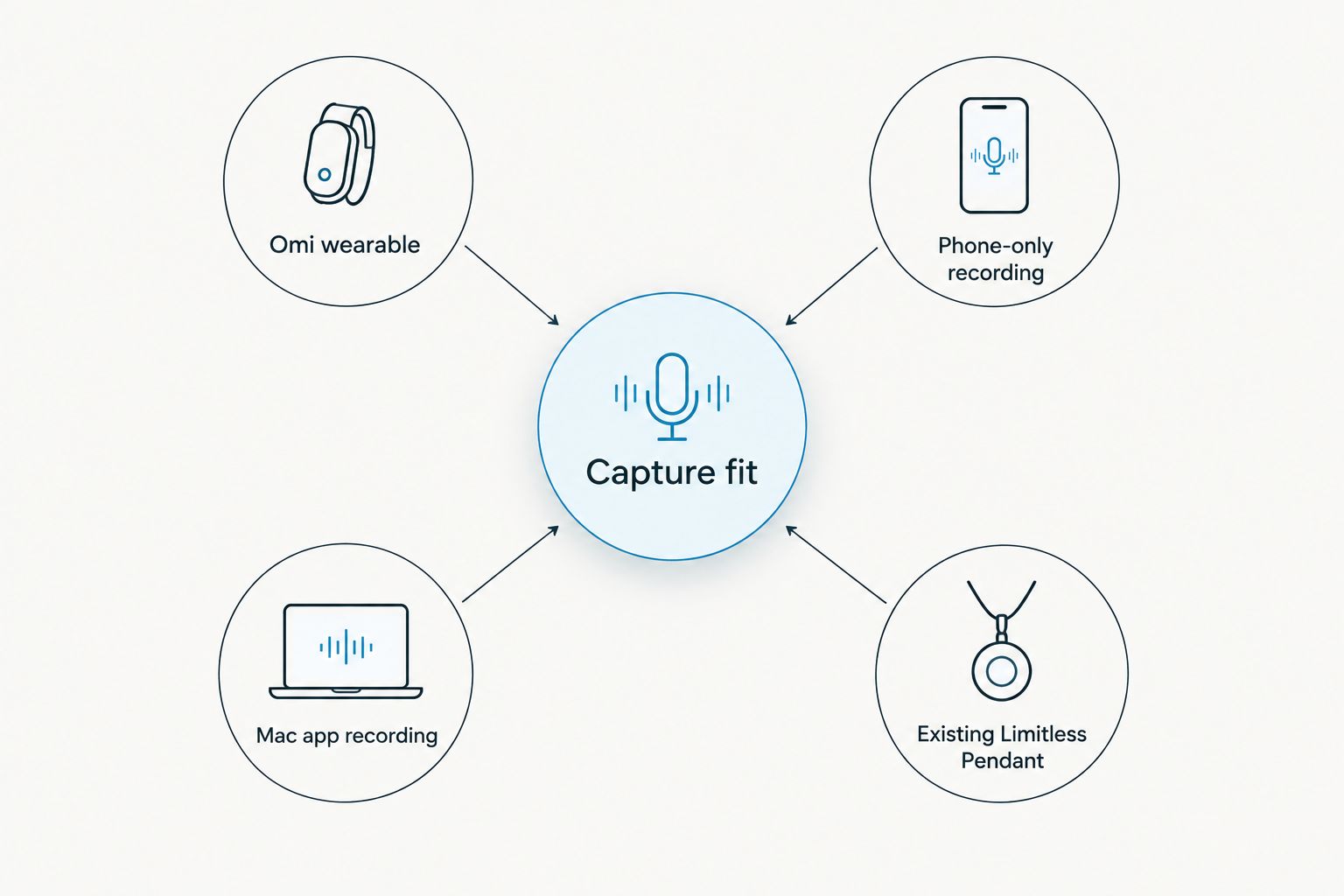
Best overall: Omi worn as a pendant. Best without another device: phone-only recording. Best for desk-based meetings: Mac app recording. Best for existing Limitless owners: pairing their pendant with the same app. This 2026 guide compares these recording setups for turning face-to-face conversations into searchable notes and tasks.
- Omi is the best AI note taker for in-person meetings when you want wearable capture, searchable transcripts, and action items.
- Phone-only recording suits occasional meetings without adding a wearable; Mac recording suits conversations at your desk.
- Existing Limitless Pendant owners can pair their hardware with the Omi app.
- Choose by recording setup, consent requirements, language support, and how you will review meeting notes.
Why this matters
An in-person meeting does not have a call link for a recording bot to join. You need a microphone in the room, permission to record, and a way to turn the conversation into something useful afterward.
The device is only the capture layer. A transcript preserves words; a summary helps you review them; an action item gives you something to do. Choose the setup that fits where your conversations happen, then check the output before treating it as a record of decisions.
This shortlist compares different ways to use one note-taking platform, not independent transcription engines. That distinction matters: the choice here is wearable versus phone versus computer versus reusing existing hardware.
What makes the best AI note taker for in-person meetings?
Judge an in-person meeting recorder against these criteria before choosing hardware:
- Capture fit: Can you use it where the conversation happens, without rearranging the meeting around a computer?
- Useful output: Look for transcripts, summaries, action items, and search rather than an audio file alone.
- Speaker handling: Speaker labels help separate contributions. Review attribution before assigning a commitment to someone.
- Language control: Confirm support for the meeting language and whether you need to select it manually.
- Data control: Check export, deletion, local operation, and the rules your organization applies to recordings.
- Listening allowance: Match your expected recording time to the plan rather than assuming a wearable includes uncapped processing.
Choose the recording setup first. Choose the listening plan second. A larger allowance does not solve an unsuitable microphone location or a meeting where recording is prohibited.
The best recording setups at a glance in 2026
These options share the same core note-taking platform. Their differences are where you place the microphone, what hardware you carry, and whether you already own a compatible pendant.
| Recording setup | Best for | Standout feature | Key limitation |
|---|---|---|---|
| Omi wearable | Recurring face-to-face conversations | Wearable capture feeding transcripts, summaries, tasks, and memories | Adds a device to your routine |
| Phone-only recording | Occasional meetings without another device | Records through the phone's built-in microphone | The phone must serve as the room recorder |
| Mac app recording | Meetings held at your desk | Uses the computer's built-in microphone | Ties the setup to a computer |
| Existing Limitless Pendant | Reusing hardware you already own | Pairs with the same companion app | Relevant only to existing pendant owners |
The table is a decision guide, not an audio-quality leaderboard. There are no comparative microphone measurements or controlled accuracy results behind this ranking.
1. Omi wearable: best for recurring face-to-face meetings
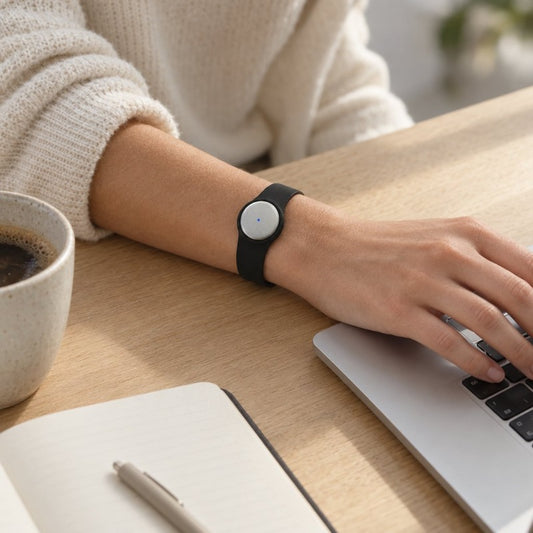
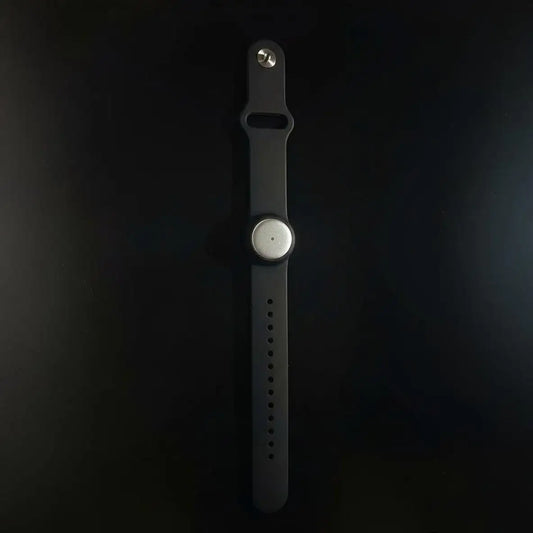
The pendant captures what you say and hear, and the companion app turns conversations into transcripts, summaries, action items, and memories. You can wear it on a neck lanyard with its silicone case, on a separately sold wrist band, or under a shirt.
Omi is the best AI note taker for in-person meetings when you want wearable capture and searchable follow-up notes. It fits a routine built around client discussions, sales conversations, and spoken handoffs rather than a routine built entirely around a laptop.
Wearable pros:
- Captures conversations in a worn format rather than requiring a computer-based meeting.
- Produces searchable transcripts, summaries, tasks, and memories.
- Supports full export and deletion of individual items or everything.
- Includes a charger in the box.
Wearable cons:
- Adds hardware that you need to wear and charge.
- Listening allowances still depend on the plan.
- The wearer-recognition feature, Speech Profile, supports English only.
Best for: Professionals who regularly capture face-to-face discussions and want a dedicated wearable.
Do not treat wearing a recorder as permission to record. Explain the setup before the discussion, follow workplace policy, and check the rules that apply to the location and participants.
Verdict: Buy for a recurring wearable-recording workflow.
2. Phone-only recording: best without another device
The phone app records through the phone's built-in microphone without requiring the wearable. Apps are available for iPhone and Android, so this setup lets you assess the note-taking workflow using a phone you already carry.
That makes phone-only recording the sensible starting point for occasional meetings. You can find out whether searchable notes and generated tasks improve your follow-up before deciding whether wearing a recorder fits your day.
Phone-only recording pros:
- Does not require a pendant.
- Works through the built-in microphone on iPhone or Android.
- Uses the platform's transcripts, summaries, tasks, memories, and search.
- Lets you assess the software workflow before adding hardware.
Phone-only recording cons:
- The phone becomes the meeting's recording device.
- You need to decide where to position it for the discussion.
- Listening allowances still apply; skipping the wearable does not remove plan limits.
Best for: Occasional meetings and anyone deciding whether a dedicated wearable is necessary.
For a seated conversation, tell participants that the phone is recording and place it deliberately. Avoid treating a phone left somewhere in the room as a complete recording plan; check the captured audio and speaker labels afterward.
Verdict: Hold off on hardware and start with phone-only recording.
3. Mac app recording: best for desk-based meetings
The Mac app records through the computer's built-in microphone. It works without the wearable and suits an in-person discussion that already happens at your desk.
The same app can also record online meetings such as Zoom, Meet, and Teams without joining as a bot. That gives you a computer-based capture option for both room conversations and calls, without making the pendant mandatory.
Mac app recording pros:
- Records without a wearable.
- Uses the Mac's built-in microphone.
- Supports room conversations and online meeting capture.
- Does not join online calls as a recording bot.
Mac app recording cons:
- Requires the computer to be part of the recording setup.
- Is not the right default for conversations away from your desk.
- A larger room still requires you to assess microphone placement and captured speech.
Best for: Consultants, managers, and other professionals whose face-to-face meetings happen beside a Mac.
A desk-based recorder should match a desk-based routine. If your conversations move between rooms or happen away from your computer, choose a phone or wearable setup instead of expecting the laptop to follow every interaction.
Verdict: Buy into this setup for desk meetings; skip it for mobile conversations.
4. Existing Limitless Pendant: best for reusing owned hardware
Existing Limitless Pendant owners can pair their pendant with the Omi app. That makes an already-owned pendant another capture route into the platform rather than an automatic reason to replace hardware.
This recommendation is narrow. It is for someone who already has the pendant, not a recommendation to seek out a different device or assume every previous workflow transfers unchanged.
Existing Limitless Pendant pros:
- Reuses hardware the owner already has.
- Has an explicitly supported pairing route with the companion app.
- Offers an alternative to replacing a pendant before assessing the software.
Existing Limitless Pendant cons:
- Does not help a reader who has no existing pendant.
- Pairing support is not evidence that every prior feature behaves identically.
- The receiving app's listening allowances and language settings still matter.
Best for: Existing Limitless Pendant owners evaluating their next note-taking setup.
Pair the device, capture a permitted conversation, and review the transcript and generated tasks. Make the replacement decision after checking that workflow, not merely because another wearable exists.
Verdict: Hold off on replacement hardware and assess the supported pairing first.
Check listening time and language before committing
The listening allowance is separate from the capture method. Under the August 2026 plan details, Basic includes 300 listening minutes per month, Plus includes 1,500 minutes per month, and Unlimited has no minute cap.
Every plan has the same core features. Reaching a minute cap does not stop recording; audio remains available to manage and export. Do not confuse continued audio capture with having an uncapped listening allowance.
Language needs deserve the same attention. The platform supports 33 languages, including English, Spanish, French, German, Portuguese, Chinese, Japanese, Korean, Hindi, Russian, and Ukrainian. English is the most accurate.
Select the language manually before the meeting. The app does not automatically switch languages mid-conversation, so a supported-language list is not a promise of automatic handling when participants alternate languages.
For a 2026 buying decision, these workflow limits matter more than an unsupported battery-life estimate or an assumed accuracy percentage.
Set up the meeting before you press record
A useful recording starts before anyone discusses the agenda. Use this sequence:
- Confirm consent. Explain what records the conversation and how you intend to use the output. Consent rules vary by location; check local law and workplace policy.
- Choose placement. Decide whether a wearable, phone, or Mac fits the room and the conversation.
- Select language. Set the meeting language manually rather than expecting automatic switching.
- Review output. Check names, speaker labels, decisions, and generated tasks against the transcript and audio.
- Assign follow-up. Confirm who owns each task and resolve unclear commitments with the participants.
For the recording-permission questions, use the guide to recording conversations with a wearable pendant. Recording consent and internal data-handling approval are separate checks; neither should be assumed from the presence of a recorder.
Offline capture also needs a distinction. Recording offline is supported, while Local Sync is experimental and stores conversations on the phone for later syncing. Assess that specific workflow before depending on it for an important disconnected meeting.
How these setups were ranked
The 2026 ranking prioritizes capture fit, useful output, speaker handling, language control, data control, and listening allowances. The wearable takes the default slot for recurring face-to-face conversations; phone-only recording wins the no-additional-device slot; the Mac suits desk meetings; existing-pendant pairing serves current owners.
This is not a claim that the first option transcribes more accurately than the others. The ranking separates practical use cases within a shared platform and does not substitute a feature list for comparative testing.
Which setup should you choose?
Choose the Omi wearable if in-person conversations are a recurring part of your work. Choose phone-only recording if you are still establishing the habit, and choose the Mac app when the desk is already the meeting location.
Existing Limitless owners should assess pairing before replacing hardware. For everyone else, the 2026 decision comes down to whether wearing, placing, or opening a recorder best fits the conversations you actually have.
FAQ
What's the best AI note taker for in-person meetings in 2026?
Omi is the best fit in this guide for recurring in-person meetings that call for wearable capture and searchable follow-up notes. Phone-only recording is the better starting point when you do not want another device.
Can I take AI meeting notes without buying a pendant?
Yes, the phone and Mac apps record through their built-in microphones without a wearable. Choose the device that fits where your meeting happens.
Can the app tell different meeting speakers apart?
The app provides speaker labels. Speech Profile learns the wearer's voice and names the wearer's lines, but that feature supports English only; review attribution before assigning tasks.
Will recording stop when I reach the listening limit?
No, reaching the listening cap does not stop recording. Audio remains available to manage and export, while Basic and Plus retain their monthly listening allowances.
Can I record an in-person meeting without internet?
Offline recording is supported. Local Sync is experimental and stores conversations on the phone for later syncing, so assess that workflow before relying on it for an important meeting.
Does the app switch languages automatically during a meeting?
No, you must select the language manually. The platform supports 33 languages, with English the most accurate, but it does not automatically switch languages mid-conversation.
Do I need permission to record a face-to-face meeting?
Consent requirements vary by location, so check local law and your organization's policy before recording. Explain the recording setup and intended use to participants rather than assuming consent.
One last thing
End the meeting by saying the decisions aloud. Confirm the owner, the action, and the deadline with the people in the room instead of leaving the note-taking software to resolve an ambiguous promise.
Then review the generated tasks. A recorder captures the discussion; participants still need to agree on what happens next.