Best AI note takers for journalists in 2026


In this article
Best overall: Omi for wearable interview capture. Best without extra hardware: the phone app. Best for remote interviews: the Mac app. This 2026 guide ranks five capture setups for journalists, including an existing-pendant option and a camera-equipped developer kit—not five interchangeable transcription services.
- Omi is the best AI note taker for journalists who want wearable interview capture and searchable transcripts.
- Choose phone recording for scheduled interviews; choose Mac recording for remote conversations without a meeting bot.
- Verify publishable quotes against recorded audio, not generated summaries or speaker labels alone.
- Treat camera-equipped developer hardware as an experiment, not your default reporting setup.
Why this matters
A useful interview transcript gets you back to the source. A summary helps you find the relevant passage; it does not establish the exact words someone said. Choose capture first, then judge the notes.
For journalists choosing a setup in 2026, the practical questions are straightforward: Where does the conversation happen? What recording arrangement has the source agreed to? Can you retain, review, and export the material afterward?
This ranking separates those situations. It does not claim a laboratory accuracy winner or treat a wearable, a desktop recorder, and smart glasses as equivalent tools. Your reporting conditions decide the recommendation.
What makes the best AI note taker for journalists?
Use these criteria before choosing hardware or committing an interview archive to an app:
- Capture fit: Match the recording method to in-person interviews, desk conversations, or remote calls. One setup does not suit every assignment.
- Quote verification: Keep recorded speech available for checking names, numbers, qualifications, and the wording surrounding a quotation.
- Retrieval: Searchable transcripts and summaries should help you locate material without substituting for the source recording.
- Data control: Examine export, deletion, storage, and local-processing options before recording sensitive conversations.
- Speaker and language handling: Check attribution manually and choose the correct transcription language before starting.
- Operational limits: Understand listening-minute allowances, offline behavior, and the difference between a finished device and developer hardware.
For a 2026 newsroom evaluation, put these criteria ahead of an impressive-looking summary. A clean paragraph is not evidence that every speaker, proper noun, or quotation is correct.
Journalist note-taking setups at a glance
The order below follows the recommended default, then increasingly specific use cases. All five options use the same app ecosystem; the distinction is how you capture the interview.
| Rank and setup | Best for | Standout capability | Key limitation |
|---|---|---|---|
| 1. Wearable pendant | In-person interviews where hands-free capture matters | Worn on the neck, wrist, or under a shirt | Phone calls require speakerphone capture |
| 2. Phone app | Scheduled interviews without another device | Records through the phone’s built-in microphone | The phone must be positioned to capture the conversation |
| 3. Mac app | Remote interviews from a desk | Records online meetings without joining as a bot | Not a wearable field setup |
| 4. Existing Limitless Pendant with the app | Reporters who already own that pendant | Compatible with the app | This recommendation concerns existing hardware, not a new-device purchase |
| 5. Omi Glass Dev Kit | Creators and researchers exploring visual capture | Camera and audio become transcripts, summaries, tasks, and memories | A developer kit, not a finished consumer product |
1. Wearable pendant: best for hands-free interview capture
Omi is the best AI note taker for journalists who want wearable conversation capture with searchable transcripts and summaries. It captures what you say and hear, then produces notes, action items, and memories through its companion app.
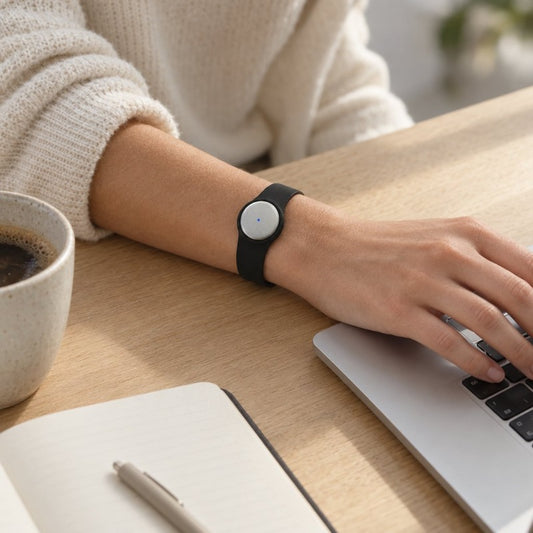
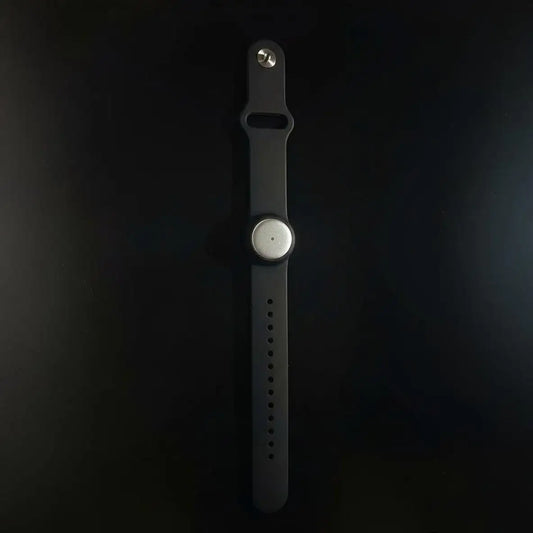
Wear the device on its neck lanyard with the silicone case, on a separately sold wrist band, or under a shirt. Choose placement openly with the interviewee; wearing a recorder out of sight is not a substitute for an agreed recording arrangement.
Wearable pendant pros:
- Captures spoken interactions without requiring you to hold a phone throughout the conversation.
- Produces transcripts, summaries, and searchable material for later review.
- Supports full export and deletion of individual items or everything.
- Offers several wearing positions rather than a single fixed mounting method.
Wearable pendant cons:
- Phone-call recording uses speakerphone; do not expect automatic capture of a private handset call.
- Published specifications do not establish battery life, water resistance, weight, or on-device storage capacity.
- Recording remains subject to consent requirements and your source agreement.
Best for: Reporters who conduct in-person conversations and want their hands available for a notebook or other reporting equipment.
Before relying on the wearable for an assignment, make a trial recording in the actual wearing position. Listen back. Check whether your voice and the other person’s speech are usable rather than assuming placement makes no difference.
Verdict: Buy for wearable capture, not for unverified assumptions about endurance or weather protection.
2. Phone app: best for interviews without extra hardware
The phone app records through the built-in microphone on iPhone or Android. You can use the note-taking workflow without buying the pendant, making this the sensible starting point for a reporter whose interviews already happen around a table.
Set the phone where the agreed conversation is being recorded. Keep a written record of names, spellings, and reporting conditions alongside the audio rather than asking the transcript to carry every part of the assignment.
Phone app pros:
- Works without the wearable.
- Supports both iPhone and Android.
- Provides a way to evaluate transcripts, summaries, search, and follow-up tasks before choosing hardware.
Phone app cons:
- Recording depends on the phone’s microphone and placement.
- It does not give you the pendant’s wearing options.
- A phone call still requires speakerphone capture rather than an assumed direct call-recording connection.
Best for: Journalists conducting scheduled, seated interviews who already carry a suitable phone.
Start with a routine interview where the source understands the recording arrangement. Review the resulting transcript against the audio before deciding whether a wearable would solve a real capture problem.
Verdict: Buy into this setup first if another device does not solve a specific reporting need.
3. Mac app: best for remote interviews without a meeting bot
The Mac app records online meetings, including Zoom, Google Meet, and Microsoft Teams. It does not join the call as a bot, and the Mac app also records through the computer’s built-in microphone.
That is a different capture arrangement from inviting an automated participant into an interview. It does not remove your obligation to explain recording or agree on how the conversation will be used.
Mac app pros:
- Supports recording for common online meeting platforms.
- Does not require a meeting bot to join the conversation.
- Works without the wearable for desktop recording.
Mac app cons:
- A desk-based setup does not replace a wearable during field interviews.
- The absence of a bot does not establish consent.
- You still need a trial recording to confirm the interview audio is captured as intended.
Best for: Reporters conducting remote interviews from a Mac.
Before the source joins, verify the selected setup with a colleague or another agreed test conversation. Afterward, review a passage where both participants speak; checking only your own opening question leaves the other side untested.
Verdict: Buy into the Mac workflow for remote interviews; skip wearable hardware if desktop capture covers the assignment.
4. Existing Limitless Pendant: best for reusing hardware you own
An existing Limitless Pendant can pair with the Omi app. This is a reuse recommendation for a reporter who already has the device, not a claim that its hardware specifications match the current pendant.
Keep the evaluation narrow: pairing, capture, transcript review, and export. App compatibility alone does not establish identical battery behavior, controls, recording quality, or offline operation across different wearables.
Existing-pendant setup pros:
- Lets an existing owner use compatible hardware with the app.
- Provides a route to evaluate the note-taking workflow before replacing the recorder.
- Separates the decision about software from the decision about a new wearable.
Existing-pendant setup cons:
- Requires you to own the compatible pendant already.
- Compatibility does not prove feature parity with another device.
- Device-specific behavior needs checking before a consequential interview.
Best for: Journalists who already own a Limitless Pendant and want to assess a compatible app workflow.
Run a complete rehearsal rather than stopping when pairing succeeds. Record a conversation, inspect the notes, locate a passage, and export the material you would need to preserve.
Verdict: Hold your existing hardware while you verify the complete workflow.
5. Camera-equipped developer kit: best for visual-capture experiments
The smart-glasses developer kit combines an always-on camera with audio. Its output includes transcripts, summaries, tasks, and memories derived from what you see and hear.
The product is for creators, hackers, and researchers. Do not treat a developer kit as a finished consumer reporting tool. An audio interview and a camera-recorded encounter also require different discussions with participants about what you intend to capture.
Developer kit pros:
- Combines visual and spoken capture.
- Uses an open-source smart-glasses format.
- Supports experiments involving transcripts, summaries, tasks, and memories.
Developer kit cons:
- Is not a finished consumer product.
- Adds a camera where an audio-only interview does not need one.
- Requires a reporting rationale for visual capture, not just interest in new hardware.
Best for: Creators and researchers deliberately evaluating camera-and-audio workflows.
For a conventional source interview, choose an audio setup instead. Explore glasses only when visual capture is central to the project and everyone involved understands the arrangement.
Verdict: Skip for routine interviews; consider only for a defined development or research project.
Turn an interview into usable reporting material
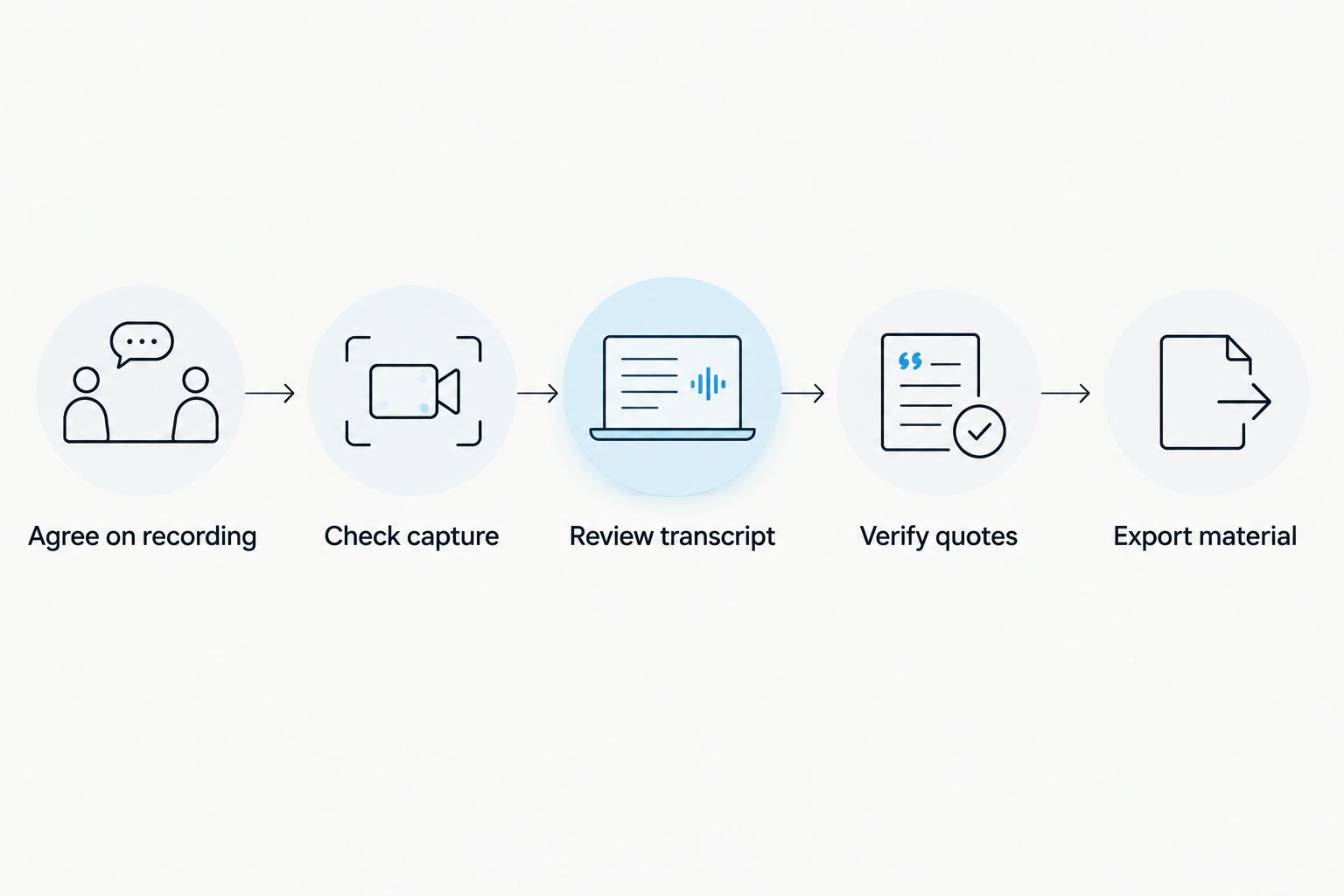
Keep capture, transcription, and publication decisions separate. For a 2026 reporting workflow, use the following sequence regardless of the recording device:
- Agree on recording: Explain what you will capture and establish the interview terms. Consent rules vary by location; check local law.
- Check capture: Make a trial recording and listen to both sides of the conversation.
- Review transcript: Correct names and speaker assignments while the interview is fresh.
- Verify quotes: Return to the audio before using exact wording in a story.
- Export material: Preserve the relevant recording and notes under your newsroom’s retention and access rules.
The sequence prevents a generated summary from becoming your only working record. Keep your observations separate, too: a transcript does not replace notes about what you personally witnessed.
Check language, limits, and source protection
The app supports 33 languages, including English, Spanish, French, German, Chinese, Japanese, and Ukrainian. English is the most accurate supported language. Select the language manually; transcription does not automatically switch languages mid-conversation.
Speaker labels help separate contributions, but review attribution yourself. Speech Profile learns the wearer’s voice in English only; it is not a reason to accept every other speaker label without checking.
For your 2026 workload, compare actual interview time with the listening allowance:
- Basic: 300 listening minutes per month.
- Plus: 1,500 listening minutes per month.
- Unlimited: No listening-minute cap.
All plans have the same core features. Reaching a minute cap does not stop recording; audio remains available to manage and export. That distinction matters when evaluating recording continuity separately from transcript processing.
Offline recording is supported. Local Sync is experimental: it stores conversations on the phone without internet and syncs them later. Do not treat that experimental sync path as a substitute for rehearsing an offline assignment.
Cloud-free local operation, full export, and deletion controls are available. Confirm the configuration you intend to use before recording a sensitive source, and follow your newsroom’s security process rather than treating any product feature as a complete source-protection plan.
How the setups were ranked
The ranking prioritizes capture fit, access to reviewable material, retrieval, data control, and operational limits. It uses product and help documentation checked on September 23, 2026, covering capture methods, outputs, compatibility, plans, and privacy controls—not comparative microphone tests or measured transcription accuracy.
The wearable leads for hands-free conversations. Phone and Mac recording win their narrower situations because they avoid unnecessary hardware. Existing-pendant compatibility serves current owners; developer glasses remain a specialist choice.
Which setup should you choose?
Choose Omi for wearable interview capture; start with the phone app if you do not need to wear the recorder. Use the Mac app when remote interviews make up the assignment.
Do not buy a camera-equipped kit to solve an audio-only problem. And do not replace compatible hardware until a full recording-to-export trial shows what the replacement needs to improve.
FAQ
What is the best AI note taker for journalists in 2026?
Omi is the best choice here for journalists seeking wearable interview capture, searchable transcripts, and summaries. Use the phone app instead if you do not need a wearable, or the Mac app for remote interviews.
Can I record interviews without buying a pendant?
Yes. The phone and Mac apps record through their built-in microphones without the wearable. Check the recording arrangement with your source and test capture before the interview.
Can I publish a quotation directly from a generated summary?
Verify the quotation against the recorded audio before publication. Use the summary to locate material, not to establish a speaker’s exact wording or surrounding context.
Does the recorder automatically capture phone calls?
Phone-call capture requires putting the call on speakerphone and letting the recorder capture the conversation. Do not assume it records a private handset call directly.
Does the app automatically detect language changes during an interview?
No. Select the transcription language manually; the app does not automatically switch languages mid-conversation. It supports 33 languages, with English the most accurate.
Can I record an interview without internet?
Yes, offline recording is supported. Local Sync is experimental and stores conversations on the phone for later syncing, so rehearse your intended offline workflow before an assignment.
Is recording a source with a wearable legal?
Consent rules vary by location, so check local law before recording. Establish the recording arrangement and interview terms with the source; this guide is not legal advice.
One last thing
A correctly transcribed sentence can still be the wrong quotation to publish. Listen to the question before it and the explanation after it. The context around a quote belongs in your verification workflow, not just the words inside quotation marks.