
Best voice-activated recorders in 2026


In this article
Best overall for searchable conversation notes: Omi. Best for sound-triggered audio: a dedicated recorder with a documented voice-activation setting. Best without extra hardware: a phone or Mac recording app. This 2026 guide separates a voice activated recorder that starts on sound from a recorder that turns conversations into useful notes.
- Omi is the best recording option here for professionals who want searchable conversation notes and tasks.
- Choose a dedicated voice activated recorder when starting on sound is your essential requirement.
- Use phone or Mac recording when you want conversation capture without another wearable.
- Check consent, export controls, and recording behavior before choosing any audio recorder.
Why this matters
A recording is not a finished note. You still need to find the decision, identify the next action, and distinguish a promise from a passing suggestion. That is the practical difference between keeping audio and organizing a conversation.
But automation means different things. A sound-triggered recorder starts or resumes when its sound-detection threshold is reached; conversation-processing software turns captured speech into transcripts, summaries, and tasks. Do not buy one expecting it to do the other.
Before recording anyone in 2026, check local law and explain the recording to participants. Consent rules vary by location; the guide to one-party vs. two-party consent states provides context, not legal advice.
What makes the best voice activated recorder?
Choose the recording behavior first. Then judge what happens to the audio afterward. These criteria determine the recommendations below:
- Recording trigger: Look for an explicitly documented voice-activation, VOX, or sound-triggered setting if silence should pause recording. Continuous capture is a different workflow.
- Useful output: Decide whether you need audio files alone or transcripts, summaries, searchable notes, and action items.
- Capture method: Match the recorder to your work: a wearable for moving conversations, a phone for occasional capture, or a dedicated recorder for audio-first use.
- Control over recordings: Check export, deletion, storage, and access controls before putting sensitive conversations into any system.
- Language handling: Confirm supported languages and how language selection works. Support for a language does not guarantee equal transcription accuracy.
- Review burden: Choose output you will actually review. Automatic tasks still need a human check before becoming commitments.
For a 2026 purchase, keep trigger behavior separate from processing features in your checklist. A device that produces excellent notes still needs to match how you intend to start and stop recording.
Best recording options at a glance
| Option | Best for | Standout feature | Key limitation |
|---|---|---|---|
| Omi wearable | Professionals turning spoken interactions into notes and tasks | Wearable capture with transcripts, summaries, memories, and search | Choose it for conversation capture, not as a substitute for a documented VOX setting |
| Dedicated sound-triggered recorder | Buyers who specifically need recording to start on sound | A documented voice-activation setting on the selected model | Sound activation alone does not provide transcripts or task extraction |
| Phone or Mac recording app | People who want to use existing hardware | Built-in microphone capture without a wearable | Capture depends on placing and using the phone or computer appropriately |
The dedicated-recorder entry is a buying category, not a recommendation for an unspecified model. Its place in this comparison reflects a different requirement: sound-triggered audio rather than automated conversation notes.
1. Omi: best recording option for searchable conversation notes
Omi is a wearable device and companion app that captures what you say and hear, then produces transcripts, summaries, tasks, and memories. Omi is best for professionals who want searchable conversation notes rather than audio files alone.
Wear it around your neck with the lanyard and silicone case, on your wrist with the separately sold wrist band, or under a shirt. The charger is included. The useful distinction is the output: you can search captured information, review a Daily Recap, and ask questions through the companion chat.
Wearable pros
- Captures spoken interactions without requiring you to hold a phone throughout the conversation.
- Produces transcripts, summaries, action items, and memories within the same system.
- Supports full export and deletion of individual items or everything.
- Offers open-source hardware, firmware, and software, plus an API and MCP server.
Wearable cons
- Phone-call capture requires speakerphone; it is not direct recording of the call stream.
- Language selection is manual, with no automatic switching mid-conversation.
- Local Sync is experimental, so treat that offline workflow accordingly.
Best for: Sales conversations, professional discussions, and spoken interactions that you need to revisit as notes or tasks.
The app supports 33 languages, with English identified as the most accurate. Speech Profile learns the wearer's voice in English so their lines receive their name. Speaker labels help organize dialogue, but review attribution before treating a transcript as a definitive account.
Verdict: Buy for wearable conversation capture and searchable notes. Skip this choice if a documented sound-triggered start-and-stop setting is your non-negotiable requirement.
2. Dedicated sound-triggered recorder: best for voice activation
A dedicated voice activated recorder is the right category when your requirement is literal: recording should start or resume when sound reaches the device's trigger threshold. Choose a model whose manual explicitly describes that behavior. A product listing that says voice recorder is not enough.
This category prioritizes captured audio. Transcription, summaries, and task extraction are separate features to verify, not automatic consequences of voice activation.
Dedicated-recorder pros
- Directly matches the sound-triggered recording requirement when the selected model documents it.
- Keeps the recording workflow focused on audio rather than conversation-processing features.
- Gives audio-first buyers a clear selection test: confirm the trigger behavior before purchase.
Dedicated-recorder cons
- Sound detection does not identify consent or distinguish an intended speaker from surrounding sound.
- Trigger settings need a trial in the environment where you will record.
- Audio files alone still leave you responsible for transcription, searching, and extracting actions.
Best for: Buyers who need sound-triggered audio and prefer to manage the resulting files themselves.
Check whether the selected model provides adjustable sensitivity, how it handles quiet speech, and how it exports recordings. Those are purchase checks, not features to assume across the category. Keep the manual alongside your shortlist and reject descriptions that never explain activation behavior.
Verdict: Buy a documented VOX model when sound activation comes first. Skip a generic voice recorder listing that does not explain its trigger setting.
3. Phone or Mac recording app: best without another device
The Omi app records from the built-in microphone on a phone or Mac without requiring the wearable. This is the practical starting point if you want transcripts and conversation notes but do not want another object to wear or carry.
For Zoom, Meet, and Teams, use the Mac app or capture the conversation from a phone in the room. The service does not join meetings as a bot. For a phone call, put the call on speakerphone and record the audible conversation.
App-recording pros
- Uses hardware you already have instead of requiring a wearable.
- Provides a route to the same core conversation-processing features.
- Supports Mac microphone recording for online-meeting workflows without a meeting bot.
App-recording cons
- You need to position the recording device where it captures the intended conversation.
- Speakerphone capture makes the call audible in the surrounding space.
- A phone or computer recording session is not evidence of sound-triggered activation.
Best for: Desk-based professionals, occasional meeting capture, and people evaluating conversation notes before adding a wearable.
Apps are available for iPhone, Android, Mac, and web, with Apple Watch recording also supported. Choose the capture device around the conversation, not the other way around. A desk meeting and a walking discussion create different placement requirements.
Verdict: Start here if existing hardware fits your recording routine. Add a wearable when carrying or positioning a phone becomes the wrong workflow.
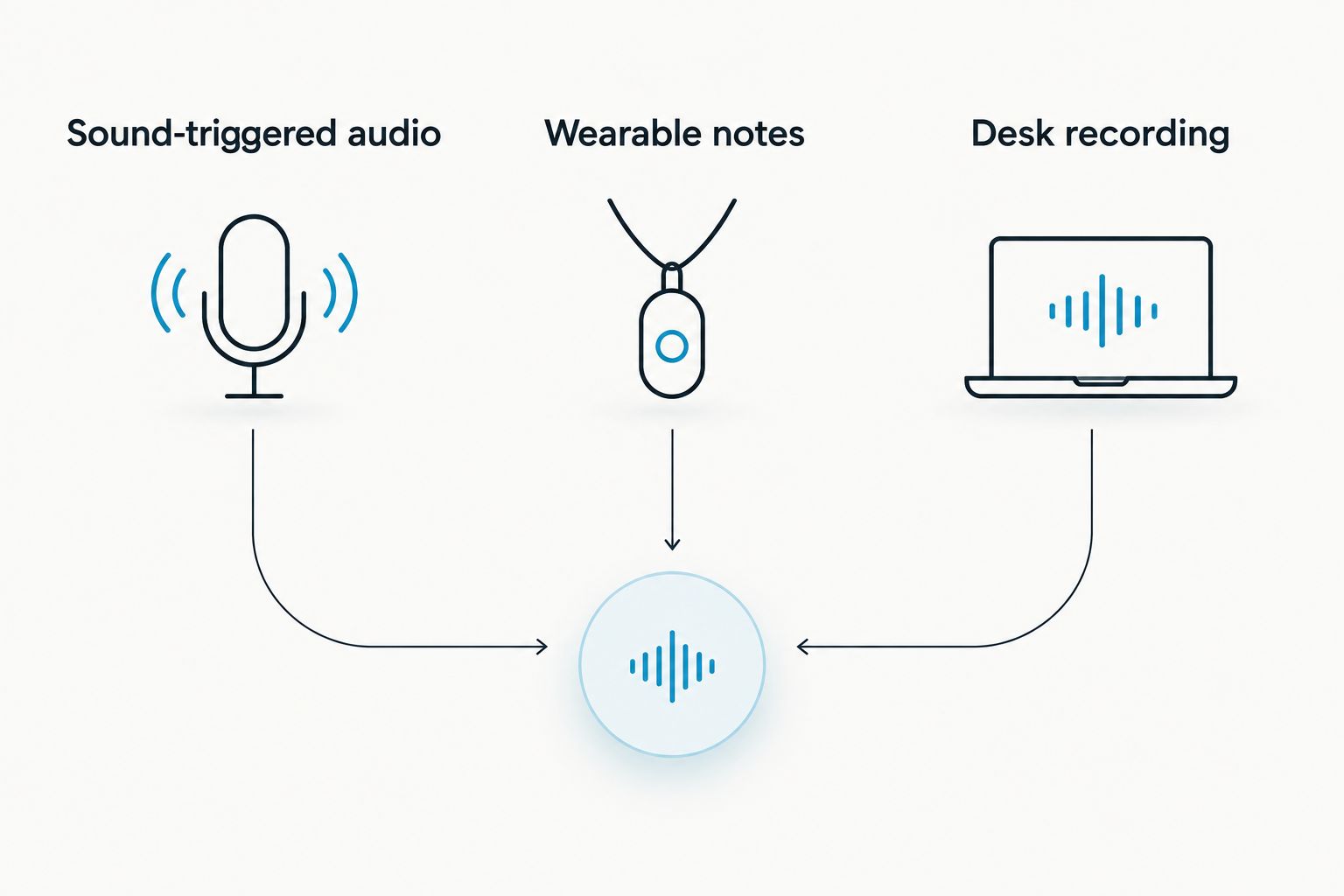
Choose a workflow before choosing hardware
Your decision comes down to the job you want the recorder to finish. In 2026, keep these paths separate:
- Sound-triggered audio: You need recording to respond to sound. Confirm the selected device's activation setting and test it before relying on it.
- Wearable notes: You want spoken interactions converted into searchable information. Judge both capture and the usefulness of the resulting notes.
- Desk recording: You want meeting capture from an existing phone or computer. Check microphone placement and review the output afterward.
A useful trial includes the opening of the conversation, quiet speech, and the final decision. Review the recording and its notes together. If an action item names the wrong owner or omits a condition, correct it before sharing or assigning it.
Automatic capture removes a recording chore. It does not remove your responsibility to check the result.
Listening allowances are not recording triggers
Listening allowances describe usage, not when a microphone starts recording. The companion service's Basic plan includes 300 listening minutes per month, Plus includes 1,500 listening minutes per month, and Unlimited has no minute cap.
Every plan has the same core features. Reaching the minute cap does not stop recording; audio remains available to manage and export. That distinction matters when you compare recording continuity with processing allowances.
Do not turn those allowances into an estimate of your needs without checking your own routine. Review how much conversation you intend to capture and which recordings you need processed. An occasional meeting workflow is different from capturing spoken interactions throughout your workday.
Privacy controls need a place in the decision
Recording permission comes before recording convenience. Explain what you are capturing, why you are capturing it, and who will receive the output. Check local law rather than assuming that wearing a recorder changes the consent requirement.
The wearable-and-app system supports full export, deletion, and local cloud-free operation. Its stated security measures include TLS in transit and AES-256 at rest, with SOC 2 and HIPAA also listed. Those controls do not decide whether a particular conversation is appropriate to record.
For healthcare, confidential client discussions, or workplace conversations, follow the relevant organization's requirements. Limit sharing to the people who need the recording or notes, and review automatically generated summaries before distributing them.
How these options are ranked
This 2026 ranking separates use cases rather than pretending that every recorder solves the same problem. The wearable leads for searchable conversation notes; the dedicated-recorder category leads for documented sound activation; app recording leads for using existing hardware.
The ranking follows the criteria above: trigger behavior, output, capture method, data control, language handling, and review burden. It is not a microphone-quality, battery-runtime, or transcription-accuracy benchmark.
Which voice activated recorder should you choose?
Choose the wearable for notes, a documented VOX recorder for sound activation, or app recording for existing hardware. That is the decision—not which device has the longest feature list.
The default for a professional who wants searchable notes and tasks is the wearable workflow. The default for someone who specifically needs recording to begin on sound is a dedicated recorder with that behavior documented. Keep that distinction intact when shopping in 2026.
FAQ
What's the best voice activated recorder for conversation notes?
Omi is the best option in this comparison for professionals who want searchable conversation notes and tasks. Choose a dedicated recorder with documented voice activation instead if starting on sound is your essential requirement.
Is a voice recorder the same as a voice activated recorder?
No. A voice recorder captures audio, while a voice activated recorder has a setting that starts or resumes recording in response to sound. Check the selected model's manual rather than relying on its product name.
Can I record conversations without buying a wearable?
Yes. The companion phone or Mac app can record through the device's built-in microphone without the wearable. Position the device for the conversation and obtain the required consent.
Can I use this recording system for Zoom or Teams?
Yes. Use the Mac app, or capture audible meeting audio with the phone or wearable in the room. The service does not join calls as a bot.
Does reaching the listening limit stop recording?
No. Reaching the companion service's listening-minute cap does not stop recording, and audio remains available to manage and export. Every plan includes the same core features.
Does the transcription system switch languages automatically?
No. Select the language manually before recording; the system does not automatically switch languages mid-conversation. It supports 33 languages, with English identified as the most accurate.
Is it legal to record a conversation with a wearable?
Consent rules vary by location, so check local law before recording. Explain the recording to participants and follow workplace or organizational requirements. This guide is not legal advice.
One last thing
Test the quietest person, not just the loudest. A recorder that captures your own voice tells you little about whether the conversation's softer contributions survive the workflow. Review those passages before trusting either the audio or its summary.





