Can Omi replace a human notetaker in client meetings?


In this article
Omi is best for professionals who want client-meeting transcripts, summaries, and tasks without assigning someone to type throughout the conversation. It can take over those capture jobs, but you still need a person to verify commitments, resolve ambiguity, and approve what goes to the client.
- Can Omi replace a human notetaker? Yes for conversation capture and draft notes; keep human review for client commitments.
- Use automated meeting notes for transcripts, summaries, and action items—not as automatic approval of client decisions.
- Keep a human responsible for ambiguous requests, sensitive discussions, and the final client-facing record.
- Check recording consent and your organization's policies before capturing a client conversation.
Why this matters
Replacing typing is not the same as replacing accountability. Before you remove a dedicated notetaker from a client meeting, separate the work into capture, interpretation, and approval. Those are different responsibilities, even when one person currently handles all of them.
For your 2026 meeting workflow, decide who owns the final record before deciding who—or what—creates its first draft. A transcript gives you something to check. It does not settle whether a suggestion became an agreement.
Recording also changes the conversation's privacy requirements. Consent rules vary by location; check local law and your organization's policies. Start with the guide to recording conversations with a wearable pendant before changing how you capture client meetings. This article is not legal advice.
Can Omi replace a human notetaker in client meetings?
Yes for recording and draft documentation; no for independent judgment and final approval. The practical question is whether your notetaker mainly captures speech or also interprets the meeting, asks clarifying questions, and confirms decisions.
The product capabilities below reflect the supplied product and help documentation checked on September 23, 2026. The human column identifies responsibilities you should explicitly assign rather than assume software will handle.
| Meeting responsibility | Automated capture | Human responsibility | Best for |
|---|---|---|---|
| Preserve spoken discussion | Records conversations and produces transcripts | Check important passages against the recording | Recovering what was said |
| Create a meeting summary | Generates summaries | Check scope, omissions, and wording | Producing a draft recap |
| Extract follow-up work | Generates action items and tasks | Confirm owners, deadlines, and acceptance | Building a follow-up list |
| Attribute remarks | Provides speaker labels | Verify attribution before assigning commitments | Reviewing who said what |
| Resolve an unclear request | Preserves the spoken wording | Ask the client what the request means | Preventing ambiguous commitments |
| Approve the client-facing record | Supplies material for review | Approve the final message or document | Maintaining accountability |
Automated capture's strength is producing a searchable record and draft outputs. Its limit is that those outputs still need review before you treat them as agreed instructions.
A human reviewer's strength is the ability to ask questions and take responsibility for the final record. The trade-off is that someone must still do that work. Remove duplicate transcription, not the approval step.
When should you stop assigning a dedicated notetaker?
Stop assigning someone solely to type when the meeting's documentation needs are covered by a recording, transcript, summary, and reviewed task list. Keep a meeting owner responsible for checking the result.
This approach fits a routine client update where participants state progress, identify blockers, and agree on follow-up work. It also fits a discovery conversation where you want to revisit the client's exact language afterward. In both cases, treat the output as a draft until someone checks the consequential details.
Before changing your team's process, use a representative meeting to answer these questions:
- Does the transcript preserve the important requests accurately?
- Does the summary distinguish discussion from decisions?
- Are the action items actually agreed work?
- Can the meeting owner verify the result before sending it?
Judge the workflow by the approved record, not by how polished the first summary looks. If reviewing the output still requires reconstructing the conversation from memory, keep a dedicated reviewer and address the capture problem first.
When should you keep a human notetaker involved?
Keep a person focused on documentation when the role includes more than recording speech. If your notetaker challenges unclear wording, tracks unresolved objections, or confirms what the client accepted, automated capture does not remove those responsibilities.
For example, a client might discuss a possible delivery date without approving it. Your reviewer needs to distinguish that possibility from a commitment. The right move is to clarify it during the meeting, not let a draft summary decide afterward.
Retain active human oversight when:
- The discussion changes project scope or contractual expectations.
- Participants disagree about what was decided.
- A request needs clarification before anyone can act on it.
- Sensitive information requires an approved handling process.
- The client declines recording or your policy prohibits it.
A human notetaker also needs review standards. Do not assume manually written notes are automatically complete or approved. Apply the same checks to both workflows: decisions, owners, deadlines, open questions, and permission to share.
Why the replacement decision varies
Your 2026 decision should follow the meeting's requirements, not the appeal of removing a task from someone's calendar. These factors change how much human involvement you need:
- Capture route. An in-person conversation, online meeting, and phone call require different recording setups. Confirm the setup before relying on the record.
- Language. The app supports 33 languages, with English identified as the most accurate. Set the language manually; it does not automatically switch languages mid-conversation.
- Speaker attribution. Speaker labels help organize a transcript, but you should verify the speaker behind important commitments. Speech Profile learns the wearer's voice in English only.
- Listening allowance. Basic includes 300 listening minutes per month; Plus includes 1,500 listening minutes per month. Unlimited has no minute cap, and all plans have the same core features.
- Data handling. Export, deletion, and local-running options exist. Choose a setup that matches your organization's requirements rather than assuming every configuration is suitable.
- Output responsibility. A private reference note and a client-approved account of decisions have different review needs. Assign an owner for the latter.
Reaching a plan's minute cap does not stop recording; audio remains available to manage and export. That distinction matters when planning capture, but it does not eliminate the need to check what documentation your team has ready to use.
How do you replace manual note-taking without losing control?
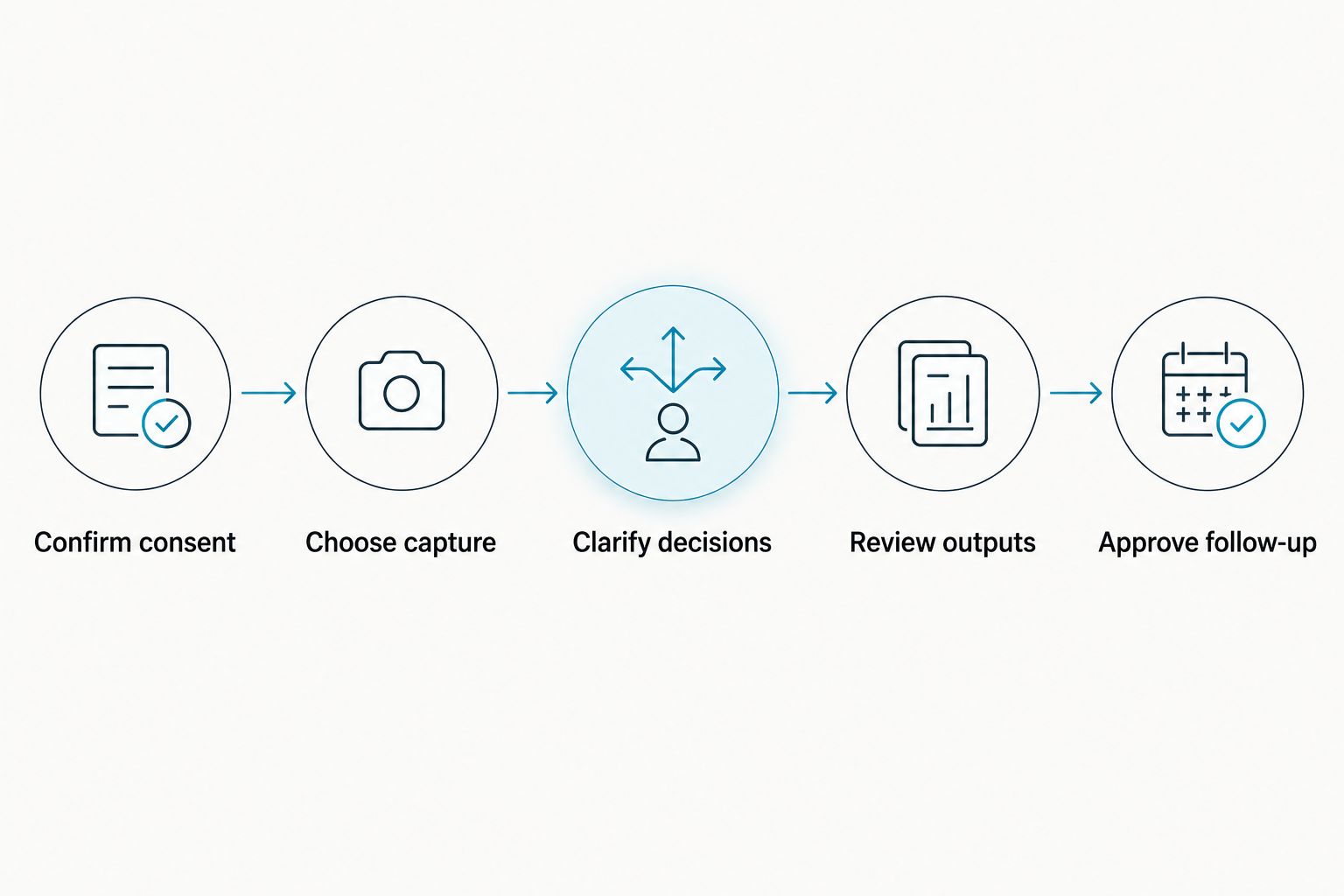
Use a capture-to-approval process rather than sending generated notes straight to the client. The following sequence keeps the recording useful without treating the first draft as the final record.
Confirm consent
Explain that you intend to record and follow the consent process required for the meeting. Check local law and organizational policy, especially when participants are in different locations. If recording is not permitted, use an approved alternative.
Choose capture
For in-person meetings, you can use the wearable or record through the phone or Mac app's built-in microphone. For Zoom, Meet, and Teams, record through the Mac app or use the phone or wearable in the room. The service does not join calls as a bot.
Clarify decisions
Ask participants to state what they are agreeing to before the meeting ends. Confirm the task owner and deadline aloud when those details matter. Do not leave an unresolved choice looking like an instruction.
Review outputs
Read the transcript, summary, and action items with the meeting's purpose in mind. Check names, commitments, dates, and speaker attribution against the recorded conversation where needed. Remove proposed work that nobody accepted.
Approve follow-up
Have the meeting owner approve the client-facing recap. Separate confirmed decisions from open questions, then send the approved version through your normal communication process. Keep responsibility with a named person.
Do you need the wearable for this workflow?
No. You can record through the phone or Mac app without the wearable, so you can evaluate the capture-and-review process before deciding how you want to record.
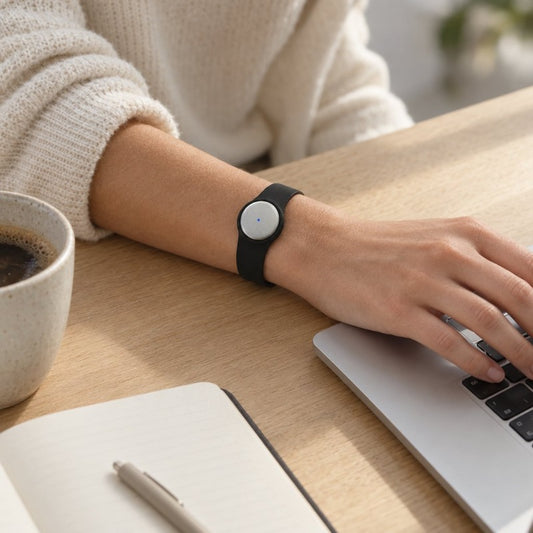
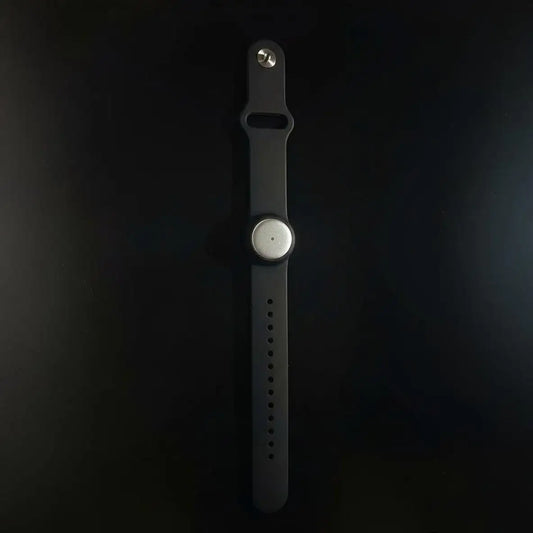
The Omi wearable provides another capture route for spoken interactions. It can be worn around the neck, on the wrist with the separately sold wrist band, or under a shirt. Its useful role here is conversation capture—not replacing the person who approves your client's instructions.
For a 2026 rollout, start with the recording route your team will actually use. Test an online meeting through the Mac app if that is your normal setting; test an in-person conversation if your work happens face to face. A successful desktop setup does not answer every question about a room-based workflow.
Choose the capture method around the meeting, not the other way around. You do not need a hardware purchase to establish whether reviewed transcripts and summaries fit your process.
What should you check before sending the notes to a client?
Check the parts that authorize work. A readable summary is not enough if it changes the meaning of a request or assigns a task to the wrong person.
Use this review checklist for your 2026 client follow-up:
- Decisions: Did participants actually agree, or only discuss an option?
- Ownership: Did the named person accept the action item?
- Timing: Was the deadline confirmed or merely suggested?
- Scope: Does the recap add work that the client did not request?
- Open questions: Are unresolved points clearly marked as unresolved?
- Sharing: Is the recipient allowed to receive everything included?
Keep the client-facing recap focused on what the client needs to confirm or do. A full transcript and a concise follow-up serve different purposes; do not send one automatically because the other exists.
FAQ
Can Omi replace a human notetaker completely?
Omi can replace recording, transcription, and draft-summary work, but a person should still verify commitments and approve client-facing notes. Keep human involvement wherever the role includes clarification or judgment.
Can I use it for client meetings without buying a pendant?
Yes, the phone and Mac apps can record through their built-in microphones without the wearable. Use that route to evaluate whether the capture-and-review workflow suits your meetings.
Will a bot join my client's Zoom or Teams meeting?
No, the service does not join calls as a bot. Record through the Mac app or use the phone or wearable in the room for Zoom, Meet, and Teams meetings.
Can it record a client phone call?
Yes, the supported method is to put the call on speakerphone and let the device record. Check local consent law and your organization's policy before recording.
Does it identify everyone in the meeting by name?
The app provides speaker labels, but you should verify attribution before assigning a client commitment. Speech Profile learns the wearer's voice in English so the wearer's lines receive their name.
What happens if I reach my monthly listening limit?
Recording does not stop when you reach the minute cap; audio remains available to manage and export. Basic includes 300 listening minutes per month, Plus includes 1,500 listening minutes per month, and Unlimited has no minute cap.
Can I use it for multilingual client meetings?
The app supports 33 languages, with English identified as the most accurate. Set the language manually because it does not automatically switch languages mid-conversation.
Should I send an automatically generated summary straight to the client?
No—have the meeting owner review and approve the summary first. Verify decisions, task owners, deadlines, and unresolved questions against the conversation before sharing.
One last thing
The best replacement for a dedicated typist is not an unattended recording. It is a reviewed record with a clear owner.
Before ending your next client meeting, read back the consequential decisions and ask participants to correct them. That gives your recording explicit confirmations to preserve instead of leaving your reviewer to interpret an unfinished discussion.
Make that your 2026 operating rule: automate capture, clarify in the room, and keep approval human.