Can Omi transcribe conversations in languages other than English?


In this article
Yes. Omi transcribes conversations in 33 languages, including Spanish, French, German, Portuguese, Chinese, Japanese, Korean, Hindi, Russian, Ukrainian, and English, according to product guidance checked September 23, 2026. You must set the language manually; it does not automatically switch languages mid-conversation, and English is the most accurate.
- Can Omi transcribe other languages? Yes: 33 languages are supported, with manual language selection.
- English is the most accurate supported language; do not assume equal accuracy across languages.
- Automatic language switching is not supported during a conversation.
- Speech Profile voice recognition is English-only, separate from multilingual transcription.
Why this matters
Language support is not the same as automatic language detection. If you work with clients or colleagues in different languages, selecting the right language belongs in your recording routine—not in your cleanup afterward.
Omi is best for professionals who want searchable conversation notes and can select the spoken language before recording. Its useful outputs include transcripts, summaries, action items, and memories; the constraint is that multilingual support does not remove the need to manage language settings.
For your 2026 workflow, make the distinction explicit: a supported language is something you can select. It is not a promise that a recording can move between several languages without intervention or that every language produces equally accurate text.
Can Omi transcribe conversations in languages other than English?
Yes. The supported total is 33 languages, and the confirmed examples include English, Spanish, French, German, Portuguese, Chinese, Japanese, Korean, Hindi, Russian, and Ukrainian. Select the conversation's language manually before you rely on the transcript.
The practical comparison is between a supported single-language conversation and a conversation that changes languages. Those are different recording requirements.
| Conversation type | Best for | What is supported | Limitation to plan around |
|---|---|---|---|
| English conversation | Professionals working mainly in English | Transcription in the most accurate supported language | Review important wording before acting on it |
| Supported non-English conversation | Professionals conducting a conversation in a selected supported language | Transcription with manual language selection | English remains the most accurate language |
| Mixed-language conversation | Users willing to manage language settings and review the result | The available language settings support individual language selection | Automatic switching mid-conversation is not supported |
Use the supported-language list to decide whether a conversation fits, then use the language setting to prepare the recording. Do not treat the total language count as a measure of mixed-language performance.
The distinction also matters when sharing notes. A colleague who reads only the summary needs to know when important wording still requires checking against the conversation.
Which languages are confirmed in 2026?
The confirmed examples span several writing systems and include:
- English
- Spanish
- French
- German
- Portuguese
- Chinese
- Japanese
- Korean
- Hindi
- Russian
- Ukrainian
These are examples from the supported set, not the complete list of 33 languages. Check the app's language options for the language you intend to record rather than assuming that a related language, regional variant, or dialect is covered by a familiar label.
For a recurring client meeting, make the selected language part of your preparation. For an interview, confirm the intended spoken language with the participant before starting. The goal is straightforward: your recording setup should match the conversation you actually plan to have.
Avoid promising a client that every supported language delivers the same result. The verified guidance specifically identifies English as the most accurate; it does not establish equivalent accuracy across the rest of the supported set.
How do you prepare a non-English recording?
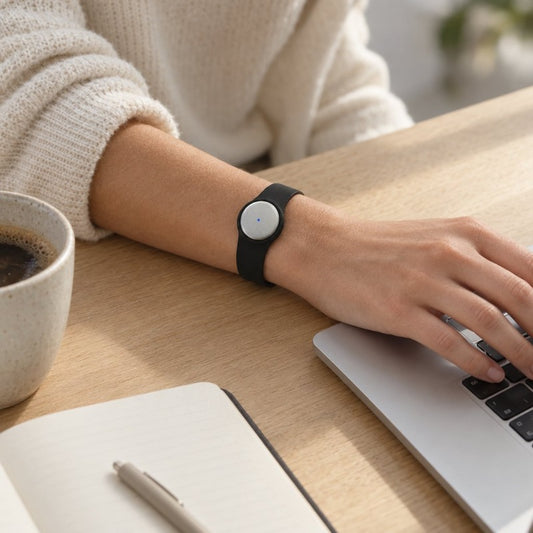
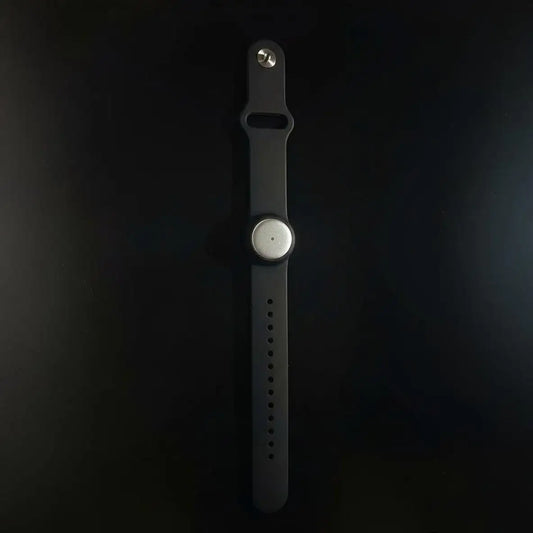
Use a repeatable setup instead of discovering the language setting after an important conversation. You can record through the wearable or use the phone or Mac app's built-in microphone without the wearable.
- Confirm consent. Consent rules vary by location; check local law before recording. Explain the recording to participants and follow your workplace's requirements.
- Select language. Set the intended spoken language manually. Do not depend on automatic switching when the conversation moves away from that language.
- Capture conversation. Use the recording method that fits the setting: the wearable, the phone microphone, or the Mac microphone.
- Review transcript. Check names, commitments, and important wording before sharing the result or treating it as a finished record.
- Check tasks. Compare generated action items with the transcript so your follow-up reflects what participants actually agreed to do.
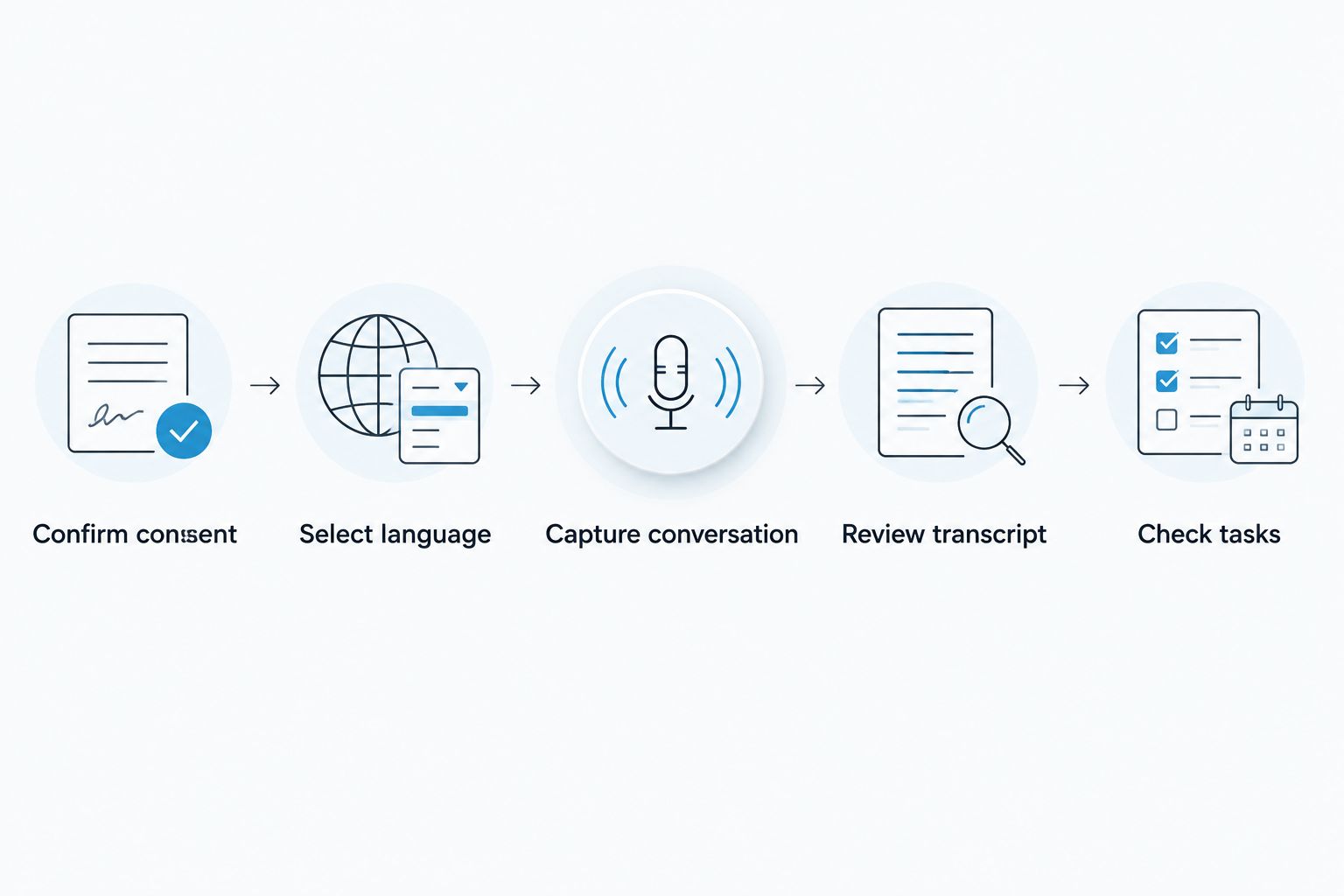
This sequence separates setup from review. Selecting a language addresses the recording configuration; reviewing the text addresses how you use the output. Neither step replaces the other.
For consent considerations, read the guide to recording conversations with a wearable pendant. This article is not legal advice, and language support does not determine whether a particular recording is permitted.
Why the transcription experience varies
The supported-language count answers whether multilingual transcription exists. Your day-to-day experience also depends on how you configure capture and which feature you expect to use.
- Selected language. Language selection is manual. Confirm the setting for the conversation rather than leaving it unchanged between unrelated meetings.
- Language accuracy. English is the most accurate supported language. Build review into non-English workflows instead of assuming identical results.
- Language changes. Automatic switching mid-conversation is not supported. A bilingual discussion needs a deliberate recording plan and careful review.
- Speaker identification. Speaker labels are available, but Speech Profile learns the wearer's voice in English only. Transcription support and personalized voice recognition are separate capabilities.
- Capture route. Online meetings, phone calls, and in-room conversations use different recording arrangements. Choose the arrangement before the discussion starts.
- Listening allowance. Plans differ in listening minutes, not core features. Choose an allowance around your recording workload rather than expecting a different language feature set.
Solve the actual constraint. A larger listening allowance addresses volume; it does not change the manual language-selection requirement or make Speech Profile multilingual.
For a team, write these distinctions into your recording instructions. “Choose the language, record, review” is more useful than a broad statement that the tool handles international meetings.
Do you need a different plan for non-English transcription?
Omi's plans share the same core features. The plan distinction relevant to regular transcription is the listening allowance, not a separate set of languages.
Basic: 300 listening minutes per month
Best for: professionals whose monthly recording needs fit within 300 listening minutes. Basic provides the same core features as the other plans, so it is not a separate English-only tier.
The trade-off is its smaller allowance. Track your actual recording needs before making it the default for recurring interviews, client conversations, or team meetings.
Plus: 1,500 listening minutes per month
Best for: professionals who need more listening time and can work within 1,500 minutes per month. Plus increases the allowance without changing the core feature set.
The limit still requires attention. More listening minutes do not remove language selection or the need to review important non-English wording.
Unlimited: no listening-minute cap
Best for: professionals who want to avoid a monthly listening-minute ceiling. Unlimited removes that cap while retaining the same core features.
It does not remove the language limitations described above. Choose it for recording volume, not as a workaround for automatic language switching or English-only Speech Profile recognition.
Under the plan guidance dated August 2026, reaching a minute cap does not stop recording: audio remains available to manage and export. Keep the listening allowance separate from the question of whether audio capture continues.
Can you record non-English meetings without the pendant?
Yes. The phone and Mac apps can record from their built-in microphones without the wearable, so the pendant is not required to begin a conversation-capture workflow.
For Zoom, Google Meet, or Microsoft Teams, record through the Mac app or use the phone or wearable in the room. The service does not join online meetings as a bot. For a phone call, use speakerphone and let the recording device capture the conversation.
Best for: professionals who want to establish their recording routine before adding a wearable. The trade-off is practical: you still need to choose the appropriate capture arrangement and set the language rather than expecting a meeting bot to handle the session.
Keep permissions separate from equipment. Recording through a laptop microphone, phone, or pendant does not settle the consent question; check local law and the rules of the organization hosting the conversation.
Does multilingual transcription mean translated notes?
33 supported languages describes transcription support, not a promise that every conversation becomes an English translation. Start by deciding whether you need a record of the spoken words or a translated document for someone else.
That distinction prevents a common workflow mistake: accepting readable notes as proof that the output preserves every important detail across languages. Review the transcript for the original meaning before using it as the basis for a translated brief or client communication.
If your deliverable requires translation, define that requirement separately. Specify the intended reader, the output language, and who will check the meaning before distribution. Do not use a transcription language setting as a substitute for that review.
Does voice recognition work in every supported language?
33 transcription languages does not mean 33 Speech Profile languages. Speech Profile learns the wearer's voice in English only, allowing the wearer's lines to receive their name.
Speaker labels are available, but personalized recognition is a distinct feature. Do not tell a non-English-speaking team that multilingual transcription automatically means the system learns every person's voice in their chosen language.
Before using notes for assignments or follow-up, check who said what. Correct words attached to the wrong person can still produce the wrong action item; your review should cover both the content and its speaker attribution.
FAQ
Can Omi transcribe other languages in 2026?
Yes. It supports transcription in 33 languages, including Spanish, French, German, Chinese, Japanese, Korean, Hindi, Russian, and Ukrainian. Set the language manually; English is the most accurate.
Does it automatically detect when I change languages?
No. Automatic language switching mid-conversation is not supported. Set the language manually and plan additional review when participants change languages.
Can I transcribe a Spanish conversation?
Yes. Spanish is one of the supported transcription languages. Select Spanish manually before recording and review important wording before sharing the notes.
Do I need the wearable to transcribe a non-English meeting?
No. The phone and Mac apps can record through their built-in microphones without the wearable. You still need to select the conversation's language manually.
Does Speech Profile recognize my voice in French or German?
No. Speech Profile learns the wearer's voice in English only. French and German transcription support does not extend that personalized voice-recognition feature to those languages.
Does a higher plan add more transcription languages?
The plans share the same core features; their listening allowances differ. Basic includes 300 listening minutes per month, Plus includes 1,500 minutes per month, and Unlimited has no listening-minute cap.
One last thing
The detail to check is not just whether your language appears in the list. It is whether the whole conversation stays in that language. A supported Spanish meeting and a meeting that repeatedly switches between Spanish and English are different workflows.
For a 2026 multilingual recording routine, keep a simple preparation note: intended language, capture method, participant consent, and review responsibility. Then check the transcript before allowing its summary or tasks to become your team's working record.
Omi turns conversations into searchable material. Your job is to make sure the selected language and the reviewed meaning match the conversation you want to remember.