Is Omi better than using voice memos to take meeting notes?


In this article
Omi is better than voice memos for professionals who need searchable meeting notes, summaries, and action items rather than just an audio recording. Voice memos remain the simpler choice when you only need to save a conversation and prefer to write the follow-up yourself; automated notes still need checking before you share them.
- Is Omi better than voice memos? Yes for searchable meeting notes and automated action items; not for audio-only needs.
- Compare the finished meeting summary, not just whether an app records audio.
- You can test the phone or Mac app without buying a wearable.
- Check recording consent, transcript accuracy, and listening limits before making the switch.
Is Omi better than using voice memos to take meeting notes?
Choose automated meeting notes when your real problem starts after the recording ends. Choose a basic voice-memo workflow when preserving the audio is enough and you want to handle interpretation yourself.
This comparison separates recording from note production. Voice-memo apps differ, so check your specific app rather than assuming it lacks transcription or search.
| Meeting-note requirement | Omi | Basic voice-memo workflow |
|---|---|---|
| Best for | Professionals who need organized spoken information and follow-up tasks | People who want an audio record and prefer manual notes |
| Capture | Wearable, phone microphone, or Mac app | Record with your chosen app and device |
| Written output | Transcripts, summaries, action items, and memories | Write notes yourself or use the app's available transcription features |
| Finding information later | Search across captured information and use Ask Omi chat | Depends on the app's search and transcription features |
| Main advantage | Connects captured conversations to reusable notes and tasks | Keeps an audio-first workflow simple |
| Main limitation | Generated notes require review; listening allowances depend on the plan | Recording alone does not produce a checked meeting summary |
Why this matters
A saved recording is evidence of a conversation. A meeting note is a working document: what changed, what was decided, and what someone needs to do next.
That distinction matters more than the recording device. If you finish a meeting with an audio file but no usable follow-up, you have preserved the conversation without completing the note-taking job.
For your 2026 workflow, judge the result you can actually use. A readable transcript helps you find a passage; a checked summary helps you brief a colleague. Neither should turn an uncertain discussion into a confirmed commitment.
Where automated meeting notes earn their place
The strongest reason to switch is not that recording feels more advanced. It is that you need several useful outputs from the same conversation without assembling each one from scratch.
Turn spoken discussion into a usable draft
A transcript preserves the wording. A summary condenses it, and action items identify work discussed during the meeting. Those are different outputs, and the companion app provides all of them.
Use the summary as your starting point, not your final authority. Before sending it, check decisions against the transcript and remove anything that sounds more definite than the actual conversation.
This is especially relevant when you need to circulate notes after a customer discussion or internal planning meeting. Your goal is a document someone else can act on, not merely a shorter version of the audio.
Retrieve information across conversations
Search across captured information, memories, Daily Recap, and Ask Omi chat are part of the available output. That gives you another route to information besides opening recordings individually.
The practical test is retrieval. After a later meeting, try finding an earlier decision, a person's stated concern, or the reason a task changed. Check the supporting transcript before treating the retrieved answer as settled fact.
Capture without making a pendant compulsory
The phone and Mac apps record through their built-in microphones without the wearable. Apps are available for iPhone, Android, Mac, and web, with Apple Watch recording also supported.
That separates the software decision from the hardware decision. You can evaluate the notes first and decide whether wearing a recorder fits your day afterward. Do not buy a pendant merely to discover whether you like automated summaries.
Where voice memos remain the better fit
Keep voice memos when you want a recording, not an ongoing note-management workflow. A deliberate, audio-first process is a valid choice.
For a personal recap after a meeting, you might prefer to dictate your own interpretation: the decision, the unresolved issue, and your next move. That approach captures your judgment rather than asking software to infer it from the full discussion.
The trade-off is scope. A recap reflects what you remembered and chose to say; it is not a complete record of what everyone said during the meeting.
A basic voice-memo workflow also suits someone who prefers to review audio and write the final notes personally. You retain direct editorial control, but you also retain the work of listening, selecting, organizing, and following up.
Check your existing app before switching. If its transcription and search already meet your needs, the relevant question is whether summaries, tasks, and cross-conversation retrieval solve an additional problem for you.
Basic: 300 listening minutes per month
Basic includes 300 listening minutes per month. According to the August 2026 plan details, it has the same core features as the other plans, so it supports an initial evaluation of the note-taking workflow.
Use that evaluation to inspect the outputs you actually need. Check names, decisions, speaker labels, and action items rather than judging the tool only by how polished its summary looks.
Reaching the minute cap does not stop recording. Audio remains available to manage and export, but do not confuse continued recording with an unlimited listening allowance.
Plus: 1,500 listening minutes per month
Plus includes 1,500 listening minutes per month. The August 2026 plan details describe the same core features, with a larger listening allowance than Basic.
Choose an allowance based on the conversations you intend to capture. Count customer calls, internal meetings, and other spoken interactions you want included rather than considering only formal calendar events.
A larger allowance is useful only if you use the resulting notes. If recordings accumulate without review, increasing the allowance does not fix the follow-up process.
Unlimited: no listening-minute cap
Unlimited has no listening-minute cap in the August 2026 plan details. The distinction is listening capacity, not access to a separate set of core note-taking features.
This plan fits an evaluation where the minute allowance is the actual constraint. It does not remove the need to check generated notes, obtain appropriate consent, or manage sensitive information.
Check current plan terms before choosing. Build the decision around your capture needs and review habits, not the assumption that the highest-capacity option is automatically the right one.
Why the better choice varies
The right meeting-note workflow depends on what happens before, during, and after capture. Use these factors to decide:
- Required output: An audio archive and a checked meeting summary serve different purposes. Decide which one you need before comparing devices.
- Follow-up responsibility: Automated action items provide a draft. You still need to confirm the task, owner, and deadline before distributing instructions.
- Meeting format: Desk meetings, online calls, and conversations away from a desk require different recording arrangements.
- Language: The app supports 33 languages, with English identified as the most accurate. Set the language manually; it does not auto-switch mid-conversation.
- Information controls: Consider export, deletion, storage, and your organization's recording policy before capturing sensitive conversations.
- Listening allowance: Match the plan to intended usage. A recording that continues after a cap is not the same thing as an unlimited plan.
These factors expose the real trade-off. Automation gives you more prepared material to work with; an audio-first workflow leaves more of the organization in your hands.
Test the workflow before changing your meeting habits
Use a permitted, ordinary meeting for your trial. Avoid making a sensitive client discussion or an important negotiation your first attempt at a new recording setup.
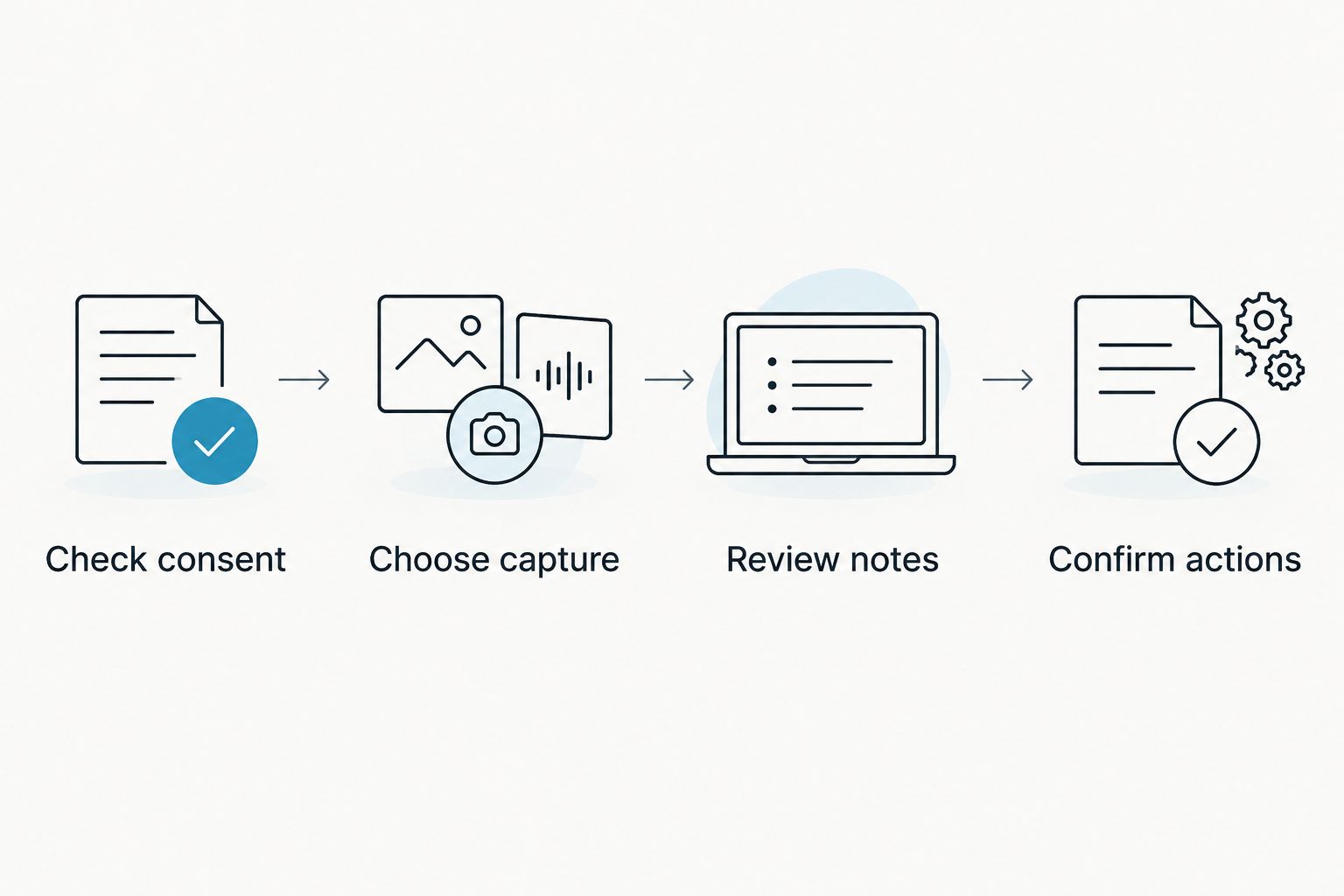
1. Check consent
Tell participants what you intend to record and how you intend to use the notes. Consent rules vary by location; check local law and your organization's policy. This is not legal advice.
For a focused starting point, read the guide to recording conversations with a wearable pendant. A visible device does not replace a consent process.
2. Choose capture
Start with the phone or Mac microphone if you want to evaluate the software without a wearable. For Zoom, Meet, or Teams, recording works through the Mac app or through a phone or wearable in the room; the service does not join as a bot.
Check the actual setup before the meeting. A recording workflow is useful only when it captures the conversation you need.
3. Review notes
Compare the transcript, summary, and tasks with what you heard. Check names, negations, deadlines, and whether a suggestion was mistakenly presented as a decision.
Review speaker labels as well. Speech Profile learns the wearer's voice in English, but you should still inspect attribution before sending notes to other people.
4. Confirm actions
Edit the action list into instructions someone can follow. Confirm ownership and timing with the relevant people rather than treating an extracted task as an agreed assignment.
For your 2026 evaluation, use the finished follow-up as the test. Ask whether the result is clearer and easier to reuse than the notes you produce from voice memos.
What should you check before recording confidential meetings?
33 supported languages do not make every conversation equally suitable for automated notes. Language accuracy, permission to record, and information handling are separate checks.
The available privacy controls include full export, deletion of individual items or everything, and local cloud-free operation. The published security details include TLS in transit and AES-256 at rest, alongside SOC 2 and HIPAA.
Those details do not replace your organization's approval process. Confirm the configuration you intend to use, who can receive the outputs, and what information must stay out of the recording.
Can you use the app without the pendant?
300 listening minutes per month on Basic provide an allowance for trying the core workflow without buying a wearable. The phone or Mac app can record through its built-in microphone.
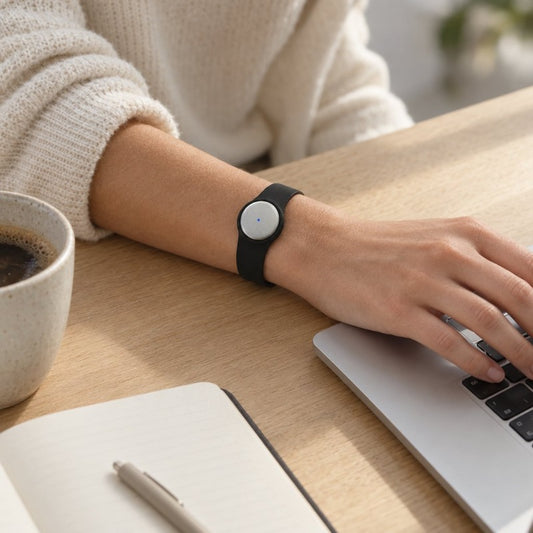
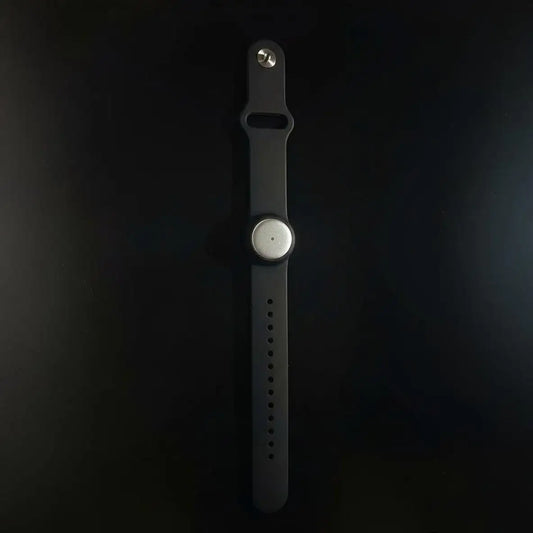
A pendant becomes a separate convenience decision once the notes prove useful. The wearable supports neck, wrist, or under-shirt use; the wrist accessory is sold separately.
Does offline recording mean everything stays local?
1,500 listening minutes per month on Plus describe the plan allowance, not a promise about storage configuration. Offline capture and cloud-free operation are different considerations.
Recording works offline, and experimental Local Sync stores conversations on the phone without internet and syncs them later. Check your intended configuration instead of assuming that an offline recording will never sync.
FAQ
Is Omi better than voice memos for taking meeting notes?
Omi is better when you need transcripts, summaries, action items, memories, and search across conversations. Voice memos suit an audio-first workflow where you prefer to organize and write the notes yourself.
Do I need to buy the pendant to try automated meeting notes?
No, the phone and Mac apps record through their built-in microphones without the wearable. Test the written output before deciding whether wearing a recorder fits your work.
Can my voice-memo app already transcribe meetings?
Check your specific app, device, and language because voice-memo features differ. Compare its actual transcription and search features with the summaries, action items, and retrieval workflow you need.
Will recording stop when I hit the Basic listening limit?
Recording does not stop when you reach Basic's 300 listening minutes per month. Audio remains available to manage and export; that does not make the listening allowance unlimited.
Does Omi join Zoom or Teams meetings as a bot?
Omi does not join calls as a bot. Record online meetings through the Mac app, or use the phone or wearable in the room.
Can I send an automated meeting summary without checking it?
Review an automated meeting summary before sharing it. Confirm names, decisions, speaker attribution, and action items against the transcript and the participants' understanding.
Do I need permission to record a meeting?
Consent rules vary by location, so check local law and your organization's policy before recording. Explain the intended recording and use of the notes; this is not legal advice.
One last thing
Do not let a better recorder become a larger pile of unfinished notes. The useful upgrade is the path from conversation to checked decisions and assigned work.
For your 2026 setup, start with the app and inspect a real meeting's output. Keep voice memos if audio is enough; switch when organized notes solve a problem you actually have.