
Meeting Agenda Template: Run Focused Meetings (2026)


In this article
A meeting agenda template keeps a meeting focused by naming the decision, assigning time to each topic, and ending with an owner for every action. Copy the template below, send it before the meeting, and use the final minutes to confirm what happens next. If a topic has no decision, update, or action attached, leave it off the agenda.
- This meeting agenda template is best for meetings that need a decision, not an open-ended discussion.
- Give each topic an owner, a time limit, and a clear outcome.
- End by repeating decisions, action owners, and deadlines before anyone leaves.
- Use meeting notes to preserve the discussion; use the agenda to control it.
Why this matters
An agenda and a record do different jobs. The agenda tells people what they need to resolve; meeting notes capture what they actually said and agreed to do. If you try to use one document for both, the purpose of the meeting gets buried under the discussion.
A focused meeting also gives participants a way to prepare. They can read the decision question, bring the relevant information, and flag missing context before the call starts. In 2026, that matters just as much for a meeting in a room as it does for one on a video call: the format changes, but the need for a clear outcome does not.
Meeting agenda template: how do you run a focused meeting?
Start with an outcome, not a list of things to talk about. Then assign an owner and a time limit to each item. This copyable 30-minute meeting agenda template reserves most of the time for the decision itself.
| Time | Agenda item | Owner | Required outcome |
|---|---|---|---|
| 3 minutes | State the purpose | Meeting lead | Everyone knows the decision or deliverable |
| 5 minutes | Share essential context | Context owner | Everyone has the information needed to proceed |
| 15 minutes | Discuss the decision | Decision owner | Options are evaluated and a decision is made or blocked |
| 5 minutes | Assign actions | Meeting lead | Each action has one owner and a deadline |
| 2 minutes | Confirm the record | Meeting lead | Decisions, open questions, and next steps are read back |
Copy these fields above the table when you create your own agenda:
- Meeting purpose: What must be true when the meeting ends?
- Decision question: What, exactly, needs an answer?
- Decision owner: Who has authority to make or approve the call?
- Participants: Who must contribute, decide, or carry out the result?
- Pre-read: What information should people review beforehand?
- Topics: Which questions must be resolved to reach the outcome?
- Action record: Where will owners and deadlines be written?
The time slots are an example, not a rule. Keep the structure and change the allocation to fit the work. A meeting without a decision to make can still use the template, but its required outcome should say what update or work product participants will leave with.
How to use the template before, during, and after the meeting
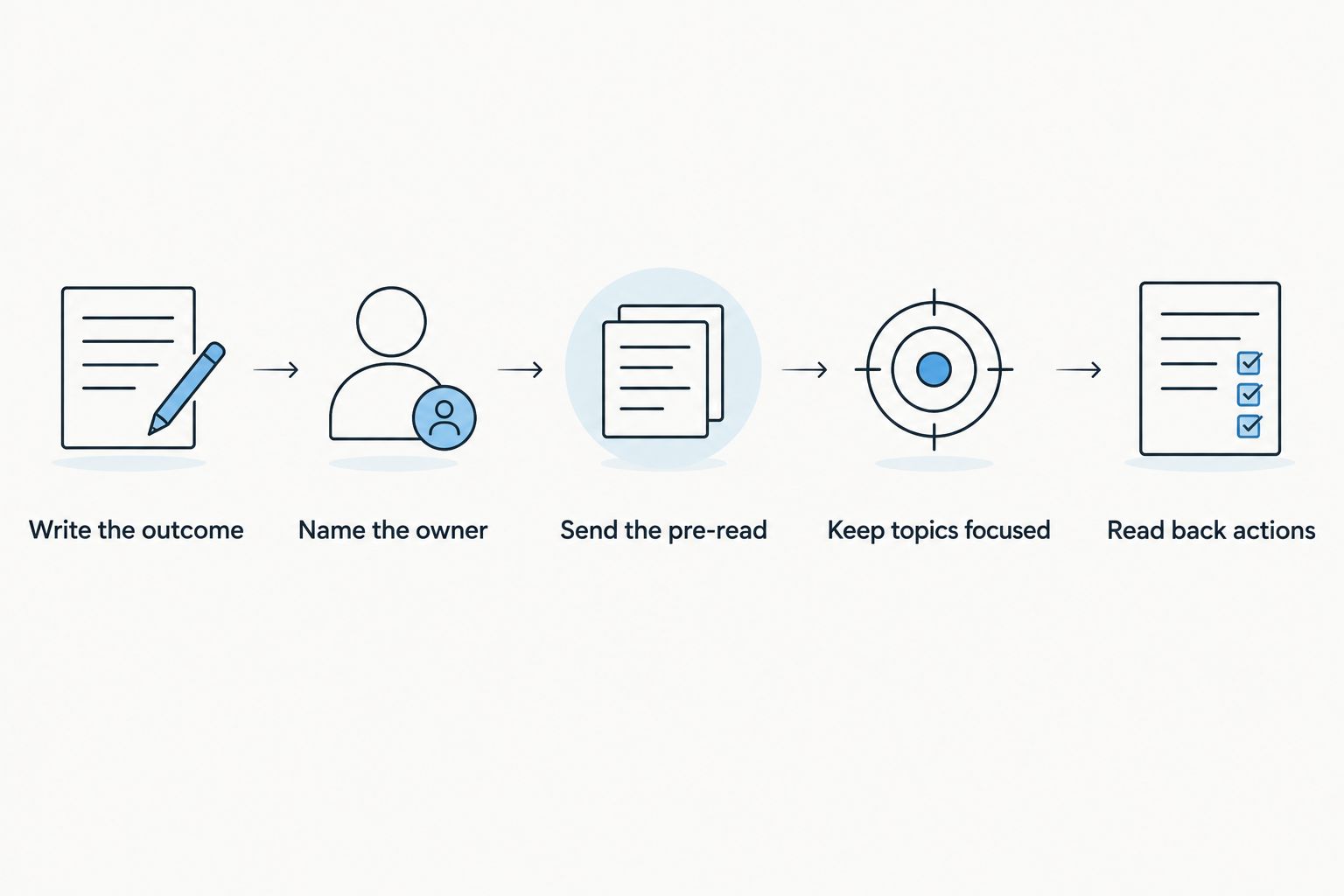
- Write the outcome first. Replace a vague topic such as project progress with a question people can answer: Which work is blocked, and who will remove each blocker? If you cannot write a useful outcome, reconsider whether the meeting needs to happen.
- Name the decision owner. The person leading the conversation is not always the person who can approve the result. Put the decision owner on the agenda so the group knows who will make the final call.
- Send the pre-read. Attach or describe the material people need to understand the question. Ask them to bring corrections and missing information, rather than spending the opening minutes reading aloud.
- Keep each topic on its outcome. When discussion drifts, ask whether the new point changes the decision. Record unrelated questions for separate follow-up instead of letting them take the current topic's time.
- Read back actions. Before the meeting ends, say each action, its owner, and its deadline. If nobody accepts ownership, the item remains an open question, not an action.
The final read-back is where an agenda becomes useful beyond the meeting. It separates a decision from a suggestion and an assigned task from a general intention. Put unresolved questions in the record with a named person responsible for finding the answer.
For a recurring meeting in 2026, keep the same fields each time. Change the decision question and pre-read, not the underlying structure. Participants will know where to find the purpose, what preparation is expected, and how actions will be recorded.
Which agenda format fits your meeting?
A decision meeting, a status meeting, and a working session need different outcomes. Use the same template fields, but change what the central discussion must produce.
| Format | Best for | What goes in the agenda | Advantage | Limitation |
|---|---|---|---|---|
| Decision meeting | Choosing between defined options | Decision question, options, decision owner | Makes the required call explicit | Stalls if the decision owner or essential evidence is missing |
| Status meeting | Identifying blockers across active work | Changes, blockers, owners, requested help | Gives each update a purpose | Becomes a readout if nobody needs to act on the updates |
| Working session | Producing or revising a shared deliverable | Draft, open questions, sections to resolve | Leaves the group with a tangible result | Runs long when the scope is not defined |
Best default: use a decision agenda when the group needs to choose a course of action. Do not label a meeting a working session if the actual goal is approval. A precise label helps participants bring the right material and tells the meeting lead when the work is done.
Decision meeting agenda
Write the decision question at the top. Under it, list the options people will consider, the information needed to compare them, and the person who will decide. End with a place to record the chosen option, the reason it was chosen, and any condition that remains unresolved.
The upside is clarity: participants can challenge the evidence without losing sight of the call they need to make. The downside is that a missing approver or missing information can prevent a decision. If either is absent, use the meeting to assign the missing work rather than treating a discussion as approval.
Status meeting agenda
Ask each owner for a change, a blocker, or a request. If an update has none of those, put it in the pre-read. The live meeting is for resolving dependencies, not repeating a document everyone can inspect on their own.
This format makes it easier to spot work that needs another person's input. It also has a clear failure mode: updates can fill the available time without producing any new action. Close by naming the owner of every blocker raised.
Working session agenda
Link the draft or describe the deliverable before the meeting. Break the work into sections or questions the group can finish during the session. Name who will make edits afterward and how the group will decide that the deliverable is ready.
A working session gives people room to build something together. Its weakness is scope drift. If a new issue does not affect the deliverable named on the agenda, capture it for another discussion.
Why a meeting agenda template varies
The useful template is the one that matches the work. Adjust these fields before you change the layout:
- Outcome: A decision needs options and an approver; an update needs blockers and requests; a working session needs a deliverable.
- Participants: Invite people who provide essential context, make the decision, or own the follow-up. If someone only needs the result, send the record afterward.
- Preparation: A group can discuss a short question in the room. A draft, technical issue, or set of options needs material participants can review before they arrive.
- Time allocation: Give the central outcome the largest share of the agenda. Reduce context time when the pre-read already covers it.
- Record: A decision needs a clear statement of what was chosen. An action needs one owner and a deadline. An unresolved question needs someone responsible for the answer.
- Capture method: Decide who will record decisions and actions so the meeting lead can keep the discussion moving.
Do not add fields just because another team's template has them. If a field does not help people prepare, decide, or follow up, remove it. In 2026, a reusable agenda is useful because its questions stay clear, not because its document is elaborate.
What should you do with the conversation afterward?
Keep the agenda and the meeting record separate. The agenda shows what you intended to cover; the record shows what happened. Compare them before sharing the follow-up so you can identify decisions that were deferred, topics that were skipped, and actions that gained an owner.
Omi is best for professionals who want wearable conversation capture and an app that turns spoken discussions into transcripts, summaries, and tasks. The Omi wearable can help preserve a spoken meeting while you concentrate on the discussion; its limitation is that a transcript does not replace a clearly written decision and action record. Check consent rules where you are before recording, since requirements vary by location.
Send the follow-up in a form people can scan: decisions first, then actions with owners and deadlines, then open questions. If a deadline or owner was not agreed during the meeting, identify that gap rather than filling it in from memory. The purpose of the record is to make the next move unambiguous.
How do you keep a meeting on the agenda without cutting people off?
State the outcome before each topic and ask whether a contribution changes it. If the point matters but does not affect the current decision, write it under open questions with an owner for follow-up. That keeps the contribution visible without giving it the rest of the meeting.
Use the allocated time as a prompt to decide, not as a reason to rush past missing information. If the group cannot make the call, name what is missing and who will get it. A documented blocker is more useful than an apparent decision nobody can act on.
Should you send the agenda before the meeting?
Yes. Send the purpose, decision question, and pre-read before the meeting so participants know what they need to bring. An agenda shared only when the call starts cannot do its preparation job.
For a 2026 meeting invite, put the outcome where people will see it alongside the time and location. Keep background material separate from the agenda items so the central question remains easy to find.
What belongs in the meeting follow-up?
Include decisions, action owners, deadlines, and unresolved questions. Separate those from a summary of the discussion: people responsible for work need to find their next step quickly. If the group did not reach the intended outcome, say so plainly and record what must happen before it can.
FAQ
What is a meeting agenda template?
A meeting agenda template is a repeatable outline for a meeting's purpose, topics, owners, time limits, and intended outcomes. Fill it in before the meeting and use it to guide the discussion.
How do I write a meeting agenda for a 30-minute meeting?
Write the outcome first, then allocate the 30 minutes across context, discussion, actions, and confirmation. Give the main decision the largest share of time and name an owner for each item.
What should be the first item on a meeting agenda?
The first item should state the meeting's purpose and the outcome participants need to reach. Start with the decision question rather than a broad topic label.
Is a meeting agenda the same as meeting minutes?
No. An agenda states what a meeting plans to address; meeting minutes record decisions and actions from what happened. Keep both so you can compare the intended outcome with the actual result.
How do I keep a meeting from going off topic?
Ask whether each new point changes the outcome of the current agenda item. Record relevant but separate questions for follow-up, with an owner.
Who should own action items from a meeting?
Each action item should have one named owner and a deadline agreed before the meeting ends. A group named as the owner leaves responsibility unclear.
Should I record a meeting to write the follow-up?
Record a meeting only after checking the consent rules that apply where you are. A recording can support the follow-up, but you still need to confirm decisions, owners, and deadlines.
One last thing
A full agenda is not proof that a meeting needs to happen. If every item is information people can read and nobody needs to decide, resolve, or build anything together, send the update instead. Save the meeting for work that requires the people in it.





