Omi vs Bee: which is better in 2026


In this article
Choose Omi if you want a wearable note-taking system that also works from your phone or Mac; choose Bee if you already own its wearable and want to keep that hardware, or specifically prefer an Amazon-owned brand. The key distinction in 2026: you can pair Bee hardware with the Omi app, so this is not an either-or decision.
- Omi vs Bee is partly a hardware choice: Bee wearables can work with the Omi app.
- Omi is best for professionals who want conversation capture across wearable, phone, and Mac.
- Bee is the better hardware choice for existing Bee owners who want to avoid replacing their device.
- Omi offers transcripts, tasks, memories, export, and local operation; choose your capture device separately.
Why this matters
Omi is best for professionals who want searchable conversation notes across wearable, phone, and Mac. Its value is not limited to the pendant. You can record through the phone or Mac app without wearing anything.
That changes the buying decision. A sales conversation, a desk meeting, and a spoken reminder do not require the same capture setup. Start with where you speak, then choose the hardware that fits those situations. The Omi wearable is one capture option, not a requirement for using the app.
This 2026 comparison separates the device from the software behind it. Bee is an Amazon-owned wearable brand, and its hardware is compatible with the Omi app. Features described below as part of that shared setup belong to the Omi app; they are not claims about Bee's own software.
At a glance
| Dimension | Omi | Bee |
|---|---|---|
| Best for | Professionals combining wearable, phone, and Mac capture | Existing Bee owners; buyers who prefer an Amazon-owned wearable brand |
| Wearable capture | Device worn on the neck, wrist, or under a shirt | Wearable hardware compatible with the Omi app |
| Existing Bee hardware | App works with a Bee wearable | Keep your existing device and pair it with the Omi app |
| Capture workflow | Phone and Mac recording work without the wearable | Use Bee hardware as an input to the Omi app |
| Standout feature | Conversation capture becomes searchable notes, tasks, and memories | Existing Bee hardware can connect to the Omi app |
| Data control | Full export, deletion, and local operation | Access the Omi app's controls when using that app |
| Ownership | Open-source hardware, firmware, and software | Amazon acquired Bee in July 2025 |
| Pricing model | One-time device purchase; Basic, Plus, and Unlimited app plans | Wearable purchase plus subscription |
Product and compatibility details in this comparison reflect Omi's product information and help documentation checked September 23, 2026. The Bee ownership detail reflects Amazon's July 2025 acquisition.
Both give you a wearable capture option
A wearable belongs in the conversation, not in your hand. Both choices put hardware into your note-taking setup, but the device is only the beginning. You still need a usable record afterward.
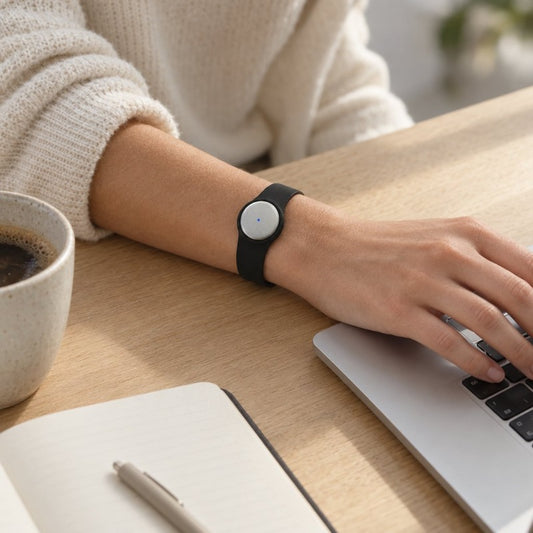
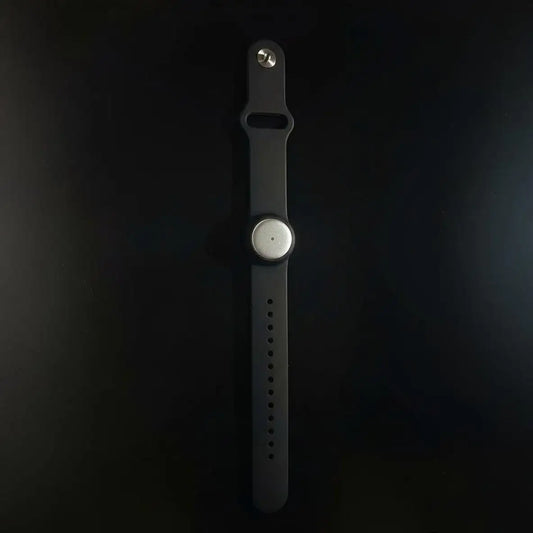
Omi captures what you say and hear. You can wear it around your neck with a lanyard and silicone case, on your wrist with the separately sold Omi Wrist Band, or under a shirt. A charger comes in the box.
The practical advantage is a choice of wearing positions. The practical drawback is another physical device to manage. If you prefer recording from your phone or Mac, you do not need to make the wearable part of every interaction.
Bee also gives you a wearable option, and that device can work with the Omi app. Wearable capture is a tie at the category level, not proof that the devices perform identically.
Choose a wearing setup you will actually use. Before recording a conversation, explain the setup to the people involved and establish permission appropriate to the situation. A discreet placement does not remove that responsibility.
Bee wins for existing owners who want to keep their hardware
Choose Bee hardware if you already own it and want to use the Omi app without replacing your wearable. Omi explicitly supports Bee as a third-party capture device.
This is the cleanest Bee advantage in the comparison. You can change the software side of your workflow while retaining the physical device you already have. There is no need to treat switching apps as a reason to replace hardware automatically.
Make the decision in this order:
- Keep the device: Start with your existing Bee wearable.
- Choose the workflow: Decide whether the Omi app's transcripts, tasks, memories, and search match your needs.
- Check the connection: Follow the current pairing instructions and review a conversation in your own setup.
- Replace deliberately: Consider different hardware only when you have a specific reason to change it.
The limitation is equally clear: keeping Bee hardware does not make it an Omi device. Treat hardware questions and app questions separately, and check instructions for the combination you use.
For an existing owner, this path avoids turning a software decision into an unnecessary hardware decision.
Omi wins for an app-first capture workflow
Choose Omi when your requirement is a note-taking system that works even when you leave the wearable behind. Its iPhone, Android, and Mac apps can record using the phone or computer's built-in microphone. Web access and Apple Watch recording are also supported.
That gives you different capture routes for different settings:
- At your desk: Record from the Mac app.
- Away from your desk: Record with the phone app or wearable.
- During online meetings: Use the Mac app, or capture the conversation from a phone or wearable in the room.
- During phone calls: Put the call on speakerphone and let the device record.
Omi does not join Zoom, Meet, or Teams meetings as a bot. That is useful when you want a recording workflow without a bot participant. It also means you must set up capture yourself rather than expect a bot to join and handle the meeting.
Offline recording is supported. Local Sync stores conversations on the phone without internet and syncs them later, but it is experimental. Treat that status as a reason to check your setup before depending on it for an important interaction.
For your 2026 workflow, choose the capture route before the conversation starts. A clear method beats discovering afterward that you recorded from the wrong microphone.
Both can use the Omi app for notes, tasks, and memories
Outputs are a shared benefit when either wearable feeds the Omi app. Bee compatibility means you do not have to choose Omi hardware to organize conversations through that app.
The app provides transcripts, summaries, action items and tasks, memories, Daily Recap, search, and Ask Omi chat. These outputs serve different purposes. A transcript preserves the wording; a summary helps you review; a task identifies something to do next.
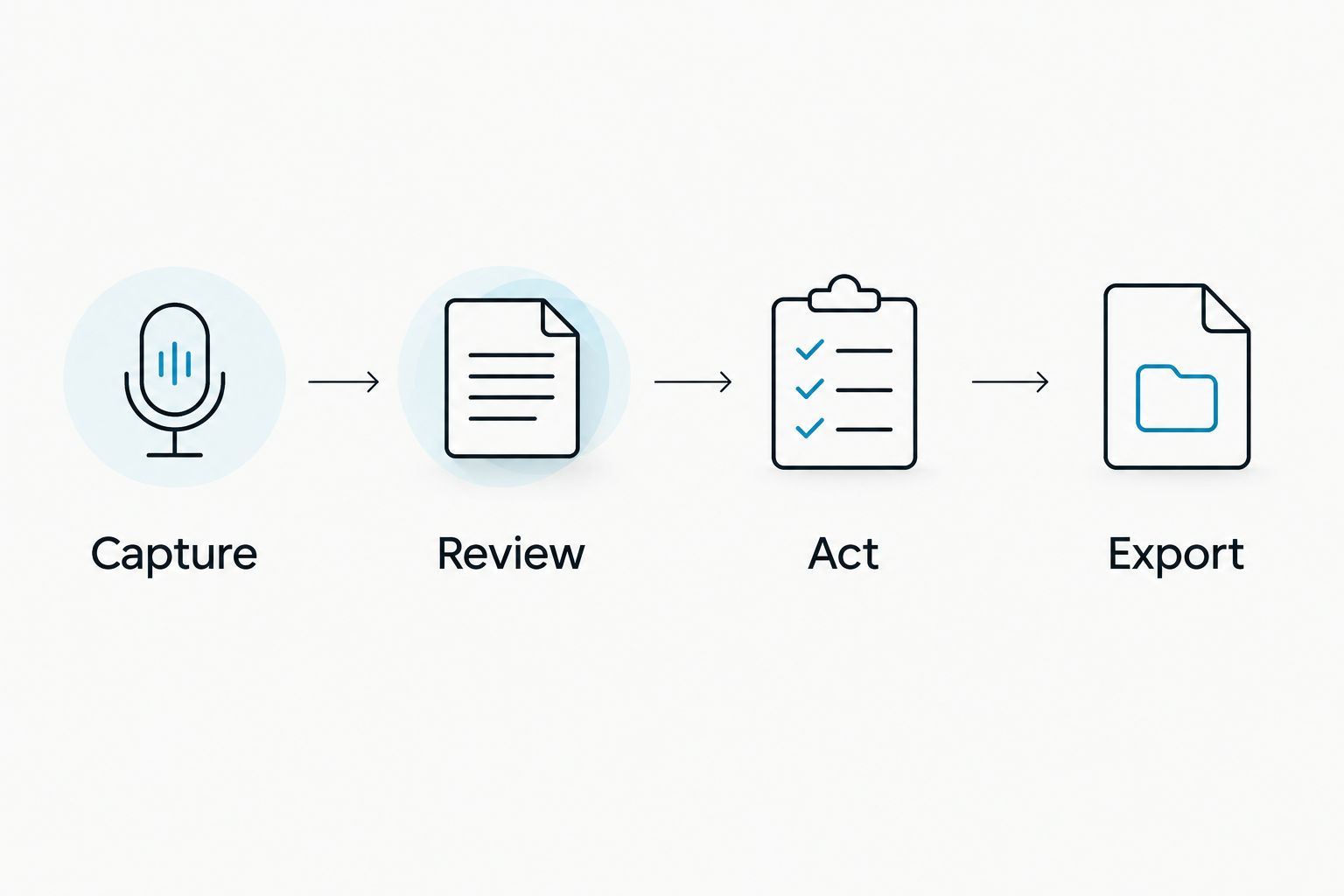
Use a simple process:
- Capture: Record the conversation with the device or app you selected.
- Review: Check the transcript and summary against what was said.
- Act: Review generated tasks before treating them as commitments.
- Export: Move the record out when your workflow requires it.
The app supports 33 languages. English is the most accurate, and you must select the language manually; it does not switch languages automatically during a conversation.
Speaker labels help distinguish participants. Speech Profile learns the wearer's voice so their lines receive their name, but that feature is English-only.
Those limits matter. Set the language before recording, and review speaker attribution before assigning a follow-up to someone. Searchable notes are useful; an unchecked attribution is not a reliable handoff.
The Omi app is the control choice with either wearable
Choose the Omi app for export, deletion, and local operation—not because those controls require Omi hardware. Bee compatibility separates the capture device from the place where you manage your records.
Omi supports full export. You can delete individual items or everything, and the system can run locally without the cloud. Its stated security provisions include SOC 2 and HIPAA, TLS in transit, and AES-256 encryption at rest.
Those are specific controls, not permission to record every conversation. For client, patient, or employee interactions, establish who can record, where the resulting material belongs, and who can access it. Consent rules vary by location; check local law. The guide to one-party versus two-party consent states addresses that separate decision.
Build your data routine around three questions:
- Keep: Which conversations belong in your continuing record?
- Export: Which records need to move into another system?
- Delete: Which material should not remain in the app?
For a 2026 rollout, settle those questions before recording sensitive interactions. Security features do not replace organizational approval or consent.
The tradeoff is responsibility. More control gives you choices to configure and maintain; it does not make retention decisions for you.
Bee wins if Amazon ownership is your explicit preference
Choose Bee if an Amazon-owned wearable brand is part of your buying requirement. Amazon acquired Bee in July 2025. That is an ownership distinction, not a feature-performance verdict.
Do not turn the acquisition into assumptions about integrations, support terms, or future capabilities. Ownership alone does not establish those details. Buy against the workflow you can use, not an imagined connection to other products.
Omi offers a different basis for evaluation: open-source hardware, firmware, and software, plus an API and MCP server. That matters if you want to inspect the implementation or build a custom workflow around it.
The tradeoff is practical. An open-source system gives you access to its implementation; it does not make every customization effortless. Integrations can run through apps, automation tools such as Zapier, n8n, and Make, webhooks, or the API.
Choose Bee for the ownership preference. Choose Omi for source access and programmable workflows. Neither preference proves that one device records a particular conversation better.
Pricing: Omi offers plan choice; Bee uses a subscription
Compare the hardware decision and the app plan separately. Omi uses a one-time device purchase alongside Basic, Plus, and Unlimited plans. Bee uses a wearable purchase plus a subscription.
Omi's plan limits are concrete:
- Basic: 300 listening minutes per month.
- Plus: 1,500 listening minutes per month.
- Unlimited: No listening-minute cap.
Every Omi plan includes the same core features. The choice is about listening allowance, not obtaining a different set of core note-taking tools.
Hitting a minute cap does not stop recording. Audio remains available to manage and export. Still, choose a plan against your actual listening pattern rather than treating the cap as irrelevant.
For shorter or occasional conversations, start by comparing your usage with Basic's allowance. For a conversation-heavy role, compare that usage with Plus or Unlimited. Monthly and annual billing options give you another decision: a shorter commitment versus a longer billing period.
There is no universal pricing-model winner. An existing Bee owner should first evaluate the device they already have. A new buyer should decide whether the wearable itself is necessary, because the Omi phone and Mac apps work without it.
For a 2026 purchase, check current plan terms before committing. Do not buy a larger listening allowance to solve a microphone-placement or workflow problem.
Final verdict: choose the workflow, then the wearable
Choose Omi if you are a multi-context professional
Omi wins for professionals who want wearable, phone, and Mac capture in one note-taking workflow. Choose it when searchable transcripts, tasks, memories, export, and local operation are the requirements you want to organize around.
Its constraints are specific: language selection is manual, Speech Profile is English-only, and Local Sync is experimental. Account for those limits before making it part of an important work routine.
Choose Bee if you are an existing owner or prefer its ownership
Bee wins for existing Bee owners who want to retain their hardware. Pairing it with the Omi app lets you separate the device decision from the note-taking software decision.
Bee is also the named choice if an Amazon-owned wearable brand is your explicit preference. Keep that preference separate from claims about recording quality or integrations.
| Dimension | Winner |
|---|---|
| Wearable capture category | Tie |
| Keeping existing Bee hardware | Bee |
| App-first capture workflow | Omi |
| Outputs through the Omi app | Tie |
| Export, deletion, and local operation | Omi app, with either wearable |
| Amazon ownership preference | Bee |
| Open-source and programmable workflows | Omi |
| Pricing model | Choose by hardware needs and listening allowance |
FAQ
Is Omi better than Bee in 2026?
Omi is the better fit for professionals who want conversation capture across wearable, phone, and Mac. Bee is the better hardware choice for existing owners who want to keep their device, which can pair with the Omi app.
Can I use a Bee wearable with the Omi app?
Yes, the Omi app supports Bee wearables. That lets you keep Bee hardware while choosing Omi as your note-taking app.
Do I need the Omi pendant to use the app?
No, Omi works without its wearable. The phone or Mac app can record from the device's built-in microphone.
Does Omi join Zoom or Teams meetings as a bot?
No, Omi does not join meetings as a bot. Record from the Mac app, or use a phone or wearable to capture the conversation in the room.
What happens when I reach my Omi listening limit?
Reaching an Omi listening-minute cap does not stop recording. Audio remains available to manage and export; Basic includes 300 minutes per month, Plus includes 1,500, and Unlimited has no minute cap.
Can Omi record conversations in different languages?
Omi supports 33 languages, with English the most accurate. Select the language manually before recording; Omi does not automatically switch languages mid-conversation, and Speech Profile is English-only.
Does Amazon own Bee?
Yes, Amazon acquired Bee in July 2025. That ownership fact does not establish specific integrations or future features.
Is it legal to record conversations with a wearable?
Consent rules vary by location, so check local law before recording. Security features and the ability to wear a device discreetly do not replace the required consent.
One last thing
You do not need to start with a new wearable. Use a phone or Mac to establish whether searchable transcripts, summaries, and tasks fit your work. If you already own Bee, evaluate that device with the Omi app before replacing it.
Pick a real conversation you have permission to record. Review the transcript, check the action items, and export the result. That exercise tells you which part of the workflow you need to change: capture, review, follow-up, or storage.
The best 2026 decision is not the device with the longest feature list. It is the setup whose record you can review and use after the conversation ends.