Omi vs Fathom: which is better in 2026


In this article
Choose Omi if your notes need to follow conversations beyond scheduled calls; choose Fathom if your main job is recording and reviewing online meetings. In 2026, this comparison comes down to wearable conversation capture versus a meeting-focused assistant—not which tool writes the longest summary.
- Omi vs Fathom: choose wearable note-taking for conversations across your day; choose Fathom for online meeting notes.
- Both turn recorded conversations into transcripts, summaries, and action items; review important details before using them.
- The pendant is optional: the phone and Mac apps also record without wearable hardware.
- Choose around where conversations happen, then compare recording workflows, plan limits, and data controls.
Why this matters
A meeting assistant solves the wrong problem if your important conversations happen after the call ends. A wearable adds an unnecessary device if everything you need to remember already happens inside scheduled video meetings.
Omi is the better note-taking choice for professionals who need searchable memory from both in-person conversations and online meetings. Fathom is the more focused choice for people whose recording workflow starts and ends with online calls.
The distinction matters more than a feature checklist. You need the conversation captured first; summaries and tasks cannot recover a discussion you never recorded. The product and plan details below reflect the supplied product and help documentation checked September 23, 2026.
At a glance
| Dimension | Omi | Fathom |
|---|---|---|
| Best for | Professionals capturing conversations across locations | Professionals reviewing scheduled online meetings |
| Everyday capture | Wearable, phone, and Mac recording | Online meeting recording workflow |
| Online meeting focus | Mac recording without a meeting bot | Dedicated assistant for online meetings |
| Core outputs | Transcripts, summaries, and action items | Transcripts, summaries, and action items |
| Ongoing recall | Memories, Daily Recap, search, and Ask Omi chat | Meeting-centered review and follow-up |
| Hardware requirement | Pendant optional; app-only recording works | No wearable required |
| Standout feature | Spoken interactions become a searchable personal memory | Meeting capture and review stay in a focused workflow |
| Pricing model | Optional device purchase plus listening-minute plans | Free and paid software plans |
The short version
- Best for mobile professionals: the wearable-and-app approach fits conversations that move between a desk, a room, and a worksite.
- Best for online meeting users: Fathom fits a workday organized around recorded calls and meeting follow-up.
- Best for avoiding another device: both support a software-only route. A pendant is a choice, not a prerequisite.
Neither recommendation means you should record everything. Decide which conversations deserve capture, explain the recording to participants, and keep the resulting notes only as long as your work requires.
Everyday capture favors the wearable-and-app approach
The strongest reason to choose a pendant is not novelty. It is having a recording option for conversations that do not arrive with a calendar invitation.
The wearable captures what you say and hear. You can wear it around your neck, under a shirt, or on your wrist with the separately sold wrist band. The phone and Mac apps also record through their built-in microphones, so you can choose the capture method around the situation.
That flexibility fits a technician documenting a spoken handoff or a salesperson reviewing an in-person conversation. These are use-case fits, not claims that every workplace permits recording. Permission still comes first.
The tradeoff is practical: a wearable is another object to wear and manage. It also does not remove the need to confirm that a conversation was captured clearly.
Fathom's meeting-centered approach is a narrower fit here. Choose it for online meeting work rather than expecting a scheduled-call workflow to cover every spoken interaction in your day.
Verdict: choose wearable note-taking when important information regularly happens away from video calls.
Fathom is the better fit for an online-meeting-first day
Fathom centers its workflow on recording, transcribing, and summarizing online meetings. That focus is useful when you want to return to a call, review what was discussed, and prepare the follow-up.
You do not need a wearable to solve that problem. If your useful conversations already happen in online meetings, start with the tool designed around that setting rather than building a broader personal-memory workflow you will not use.
The alternative also records online meetings. Use the Mac app for Zoom, Google Meet, or Microsoft Teams, or record through the phone or wearable in the room. It does not join calls as a bot.
That bot-free method is a genuine distinction, not an automatic win. Decide whether you prefer local app capture or a meeting-focused assistant, then confirm that the method fits your organization's recording rules.
For the desktop route, the guide to recording audio on Mac covers the capture setup. Keep the buying decision separate from the setup decision: both products deserve evaluation against the calls you actually attend.
Verdict: Fathom wins on fit when online meetings are the whole assignment; broader capture matters when they are only part of it.
Both cover the core meeting-note outputs
Transcripts, summaries, and action items are shared ground. Neither product wins this comparison merely by generating those outputs.
A transcript helps you locate wording. A summary helps you review the discussion. An action item helps you identify what needs to happen next. Those are different jobs, and you should judge each separately.
Do not confuse a polished summary with a verified record. Check names, commitments, deadlines, and any statement that will become a customer promise or operational instruction against the original conversation.
The wearable-and-app option adds memories and Daily Recap alongside its meeting-note outputs. Fathom keeps the emphasis on the meeting and its follow-up. That distinction belongs in the workflow decision, not in an unsupported claim that one transcript is more accurate.
For a fair comparison, evaluate recordings in the same language and a similar environment. Clear desk audio and a noisy in-person discussion are not equivalent tests.
Verdict: the core outputs are a tie; choose based on capture and retrieval, not the presence of a summary button.
Cross-conversation recall favors a personal-memory workflow
A meeting archive answers, “What happened on that call?” A personal-memory workflow addresses a broader question: “Where did that idea, promise, or detail come up?”
The wearable-and-app system includes search across captured material, memories, Daily Recap, and Ask Omi chat. That combination fits someone who needs to revisit spoken information across different parts of the workday.
The advantage is scope. You can bring in conversations from more than the online meeting setting, then use the available retrieval tools to revisit them. The limitation is equally clear: retrieval only helps when the relevant conversation was captured and processed usefully.
Language setup also deserves attention in 2026. The app supports 33 languages, with English identified as its most accurate language. You must select the language manually; it does not automatically switch languages mid-conversation.
That is a real constraint for multilingual discussions. Do not assume that a supported-language list means automatic handling of every language change.
Verdict: choose the personal-memory approach when you need to connect information across captured conversations, not just revisit individual meetings.
Both let you skip wearable hardware
You do not have to buy a pendant to evaluate whether broader conversation capture suits you. The phone or Mac app can record using its built-in microphone.
Fathom also avoids wearable hardware. For a desk-based user, that makes hardware ownership a poor deciding factor: neither workflow requires something around your neck.
The better question is where the microphone needs to be. A computer microphone fits a desk session. A phone offers another recording option away from the desk. A wearable provides a different way to carry capture through your day.
Do not assume the app records ordinary phone calls directly. The documented phone-call method is to put the call on speakerphone and let the recording device capture it. That method requires an appropriate setting and participant consent.
Verdict: hardware is a tie for software-only users; the pendant becomes relevant when wearing the microphone solves a real capture problem.
Fathom's focused workflow suits meeting-only users
A broader feature set is not always a better fit. If your only requirement is to capture online meetings and prepare follow-ups, a meeting-centered product keeps the decision focused on that task.
Fathom's standout is that meeting-first orientation. The competing approach stands out through a wider capture-and-memory system: wearable recording, app recording, memories, recaps, and search.
Before choosing, walk through the same work cycle with each option:
- Capture: record an appropriate conversation with participant permission.
- Review: check the transcript and summary against what was said.
- Assign: confirm the owner and wording of each follow-up task.
- Retrieve: find an important detail again when you need it.
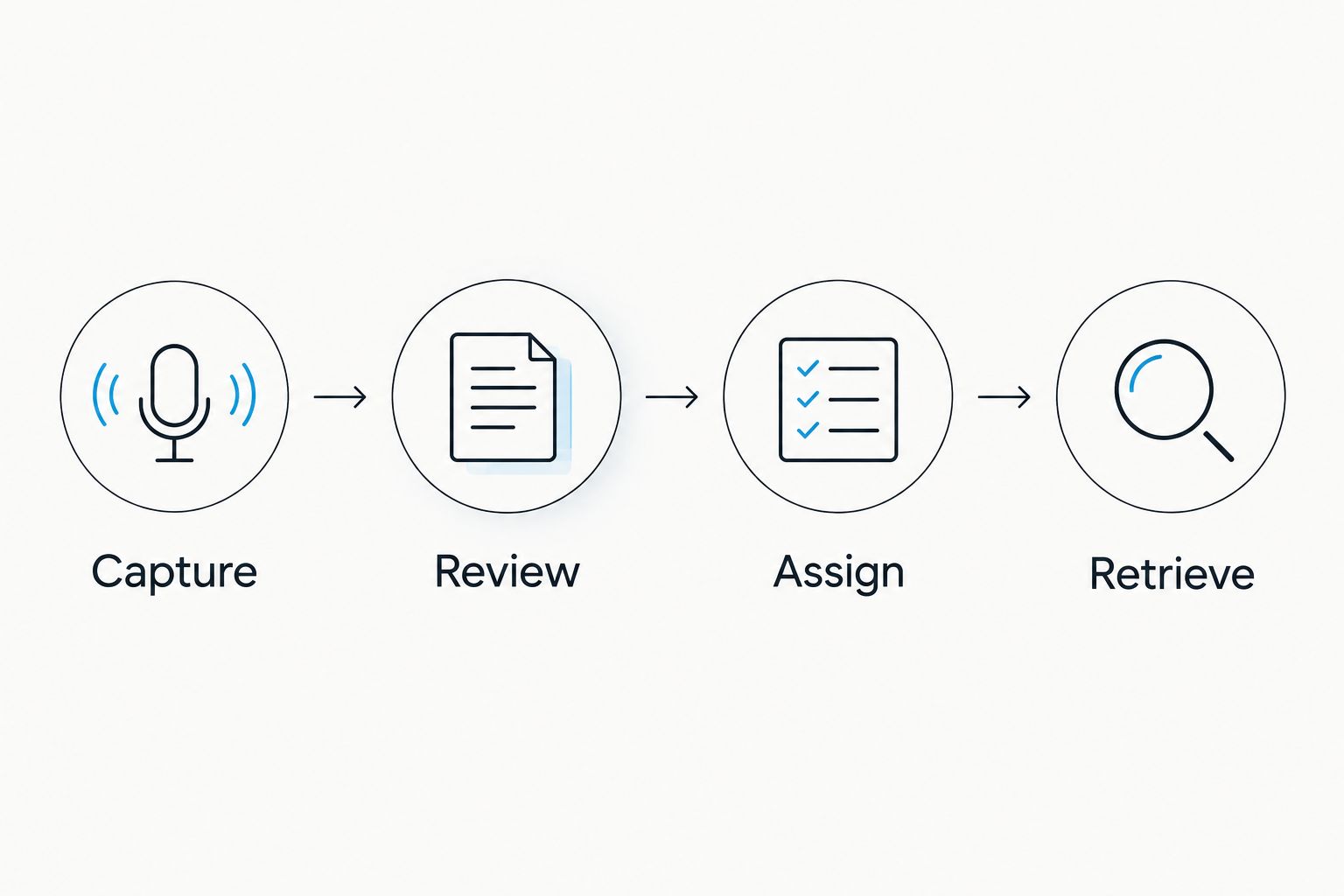
The final step is easy to overlook. A useful note is not simply one that exists; it is one you can find and act on later.
Verdict: Fathom fits a meeting-only workflow; the broader system fits people who need capture and recall outside that boundary.
Pricing: compare the plan structure, not just the device
Omi separates the optional device purchase from its listening plans. Its August 2026 plan guidance lists Basic with 300 listening minutes per month, Plus with 1,500 listening minutes per month, and Unlimited without a minute cap.
Every plan has the same core features. Reaching a minute cap does not stop recording; audio remains available to manage and export. Distinguish recording continuity from your plan's included listening allowance when choosing a tier.
Fathom uses free and paid software plans rather than a wearable purchase model. Review the current plan details against your individual or team requirements before committing.
The tradeoff is straightforward. The wearable route adds an optional hardware purchase and a listening-plan decision. A meeting-focused software route avoids that hardware decision but still requires checking what the selected plan includes.
For your 2026 budget, list the people who need access, the conversations they need captured, and the features they must use. Compare that actual workflow rather than treating a device purchase and a software subscription as interchangeable expenses.
Verdict: neither pricing model wins for everyone. Choose the capture workflow first, then select the plan that supports it.
Final verdict: choose the conversation boundary
Choose Omi if you are a mobile professional
Best for: salespeople, technicians, and other professionals whose useful conversations happen both inside and outside online meetings.
Choose this note-taking approach if you need wearable or app-based capture, searchable memories, and follow-up tasks from spoken interactions across your day. Accept the added responsibility of managing recording permissions, language settings, and the capture device you choose.
Choose Fathom if you are an online-meeting-first professional
Best for: people whose note-taking requirements center on scheduled video calls and meeting follow-up.
Choose Fathom if you want a meeting-focused assistant rather than a wearable conversation-memory system. Its narrower focus is a strength when that is the job; it is not a substitute for a plan to capture important conversations elsewhere.
One-glance scorecard
| Dimension | Winner |
|---|---|
| Best for | Split: mobile professionals versus online-meeting users |
| Everyday capture | Wearable-and-app approach |
| Online meeting focus | Fathom |
| Core outputs | Tie |
| Ongoing recall | Personal-memory approach |
| Hardware requirement | Tie: neither requires a wearable |
| Standout feature | Split: broader memory versus meeting focus |
| Pricing model | No universal winner |
FAQ
Is Omi better than Fathom in 2026?
Omi is the better fit for capturing conversations across your day; Fathom is the better fit for an online-meeting-focused workflow. Choose around where your important conversations happen, not just which summaries you prefer.
Do I need a pendant to record conversations?
No. The phone and Mac apps record through their built-in microphones, so wearable hardware is optional.
Can the wearable-and-app system record Zoom, Meet, and Teams?
Yes. Use the Mac app, or record from the phone or wearable in the room; the system does not join calls as a bot.
Do both products create transcripts and action items?
Yes. Both provide transcripts, summaries, and action items, so those outputs alone do not decide the comparison. Review important details before relying on them.
Does reaching a listening-minute cap stop recording?
No. Under the documented listening plans, reaching the cap does not stop recording, and audio remains available to manage and export.
Which option is better if I only need online meeting notes?
Fathom is the more focused choice for an online-meeting-only requirement. The broader wearable-and-app approach earns its place when you also need conversations captured elsewhere.
Can I record conversations without asking participants?
Consent rules vary by location, so check local law and your workplace policies before recording. Do not treat a product's recording capability as permission to use it.
One last thing
The best buying test in 2026 is not another feature comparison. Pick an important detail from a conversation you recorded with permission, then try to find it again after the discussion is no longer fresh.
If you cannot retrieve the detail or confidently assign the follow-up, the summary did not finish the job. Choose the workflow that gets you from spoken information to a reliable next action.






