Omi vs Plaud NotePin: which is better in 2026


In this article
Choose Omi if you want a wearable AI note taker plus phone and Mac recording; choose Plaud NotePin if you already own the hardware and want to keep using it with the Omi app. For this 2026 comparison, the useful distinction is a new capture setup versus keeping your existing recorder—not assuming you must replace both your device and your software.
- Omi vs Plaud is not strictly either-or: the Omi app supports Plaud NotePin hardware.
- Choose Omi for wearable AI note taking with phone, Mac, and web access.
- Keep Plaud NotePin if you already own it and want to try a different companion app.
- Compare recording, searchable transcripts, and follow-up tasks separately before changing your setup.
Why this matters
Your recorder and your note-taking app are separate decisions. A wearable captures the conversation. The software determines how you find the transcript, review the summary, and recover the follow-up you promised someone.
That distinction changes this comparison. The Omi app supports Plaud NotePin, so an existing owner has another route besides replacing the recorder: keep the hardware and evaluate a different app.
Consent comes before either choice. Recording rules vary by location; check local law and your workplace requirements before capturing other people. The guide to recording conversations with a wearable pendant covers the questions to resolve before you start.
At a glance
The NotePin column below describes keeping existing NotePin hardware and using it with the Omi app. It is not a feature audit of Plaud's native software. This keeps the comparison focused on a supported choice rather than treating different hardware and software combinations as interchangeable.
| Dimension | Omi | Plaud NotePin |
|---|---|---|
| Best for | Starting a capture setup across wearable, phone, and Mac | Keeping a recorder you already own |
| Hardware transition | Choose the wearable or start with an app | Keep existing NotePin hardware |
| Capture routes | Wearable, phone mic, Mac mic, Apple Watch recording | Supported as third-party hardware in the Omi app |
| Notes and follow-up | Transcripts, summaries, tasks, memories, search | Access the same app environment with supported hardware |
| Language workflow | Manual language selection; English is most accurate | Same app language settings when using this app |
| Data control | Full export, deletion, open-source hardware, firmware, and software | Retain NotePin while using the companion app's data tools |
| Pricing model | One-time device purchase plus a listening plan | Keep existing hardware; assess the companion app plan separately |
| Standout feature | Recording does not require the wearable | Hardware replacement is not required to try the app |
Omi wins for starting a broader capture setup
Omi is best for professionals who want wearable AI note taking alongside phone and Mac recording. You can record from the phone or Mac's built-in microphone without wearing the device. Apps cover iPhone, Android, Mac, and web, with Apple Watch recording also supported.
That makes the first decision practical: where do your conversations happen? A desk-based professional can begin with app recording. Someone moving between rooms or job sites can evaluate a wearable. You do not have to make the hardware purchase the starting point of every workflow.
The wearable can sit around your neck with its lanyard and silicone case, on your wrist with the separately sold Omi Wrist Band, or under a shirt. A charger is included in the box.
The trade-off is setup discipline. Having several capture routes does not mean you should use all of them simultaneously. Pick a default for each setting, then check that the resulting conversation appears where you expect it. More recording options are useful only when you know which one is active.
Plaud NotePin wins when keeping your recorder is the priority
Plaud NotePin is the better hardware choice for an existing owner whose main goal is to avoid replacing the recorder. The Omi app supports NotePin, so switching the software does not automatically require switching devices.
This is the strongest reason to keep NotePin in 2026. You can investigate a different way to organize conversations while retaining hardware you already have. A new pendant is not a prerequisite for that decision.
Keep the scope clear, though. App compatibility does not establish identical behavior across every supported recorder. Before changing your everyday setup, check the pairing process, capture behavior, and resulting conversation record with your own device.
Use an ordinary, non-sensitive conversation for that check. Confirm that the recording arrives, the transcript is usable, and you can find it again. Keeping hardware is a real advantage; assuming an untested setup is ready for important work is not.
Omi wins for a defined phone and Mac recording workflow
The first-party setup gives you explicit recording routes for different situations. For online meetings in Zoom, Meet, or Teams, record from the Mac app, or use the phone or wearable in the room. Omi does not join calls as a meeting bot.
For a phone call, the supported approach is speakerphone with the device recording the audible conversation. That is different from direct capture inside the phone's call audio. Plan around the actual method rather than expecting an invisible call recorder.
A useful workflow separates three settings:
- In-person conversations: choose the wearable or a phone microphone.
- Online meetings: use the Mac app or an in-room recording device.
- Phone calls: use speakerphone and a recording device, with consent handled first.
This is a win for having a defined set of capture choices, not a claim that NotePin cannot record those situations. Choose the route that fits your environment, then review the result before relying on it.
Both routes meet in the same note-taking app
When you pair NotePin with the Omi app, the comparison stops being two completely separate software experiences. The app provides transcripts, summaries, action items, memories, Daily Recap, search, and Ask Omi AI chat.
The useful tie is access to the same app environment—not a promise of identical recordings. Hardware placement and capture conditions still deserve their own check. Judge the resulting note, not just whether a device connected successfully.
For your 2026 evaluation, inspect the work that follows the conversation:
- Transcripts: can you locate the passage you need to review?
- Summaries: does the note preserve the decision and its context?
- Action items: does the task reflect what someone actually agreed to do?
- Search: can you recover the conversation when you need it later?
Treat generated notes as something to review before acting on them. A task list is useful only when it preserves the right responsibility and next step. Neither hardware choice removes that responsibility from you.
Both routes share the app's language limits
The Omi app supports 33 languages, including English, Spanish, French, German, Portuguese, Chinese, Japanese, Korean, Hindi, Russian, and Ukrainian. English is the most accurate.
You select the language manually. The app does not automatically switch languages during a conversation, so a multilingual meeting needs more planning than simply pressing record.
Speaker labels are supported. Speech Profile learns the wearer's voice so that the wearer's lines receive their name, but that feature is English only. Do not confuse general language support with support for every voice-identification feature in every language.
For NotePin owners using the same app, these are shared software considerations rather than reasons to buy different hardware. Choose your language before recording and inspect speaker labels before sharing the notes. This is an honest tie: changing the recorder does not remove an app-level language limit.
Omi wins for an open-source first-party stack
Omi publishes open-source hardware, firmware, and software. It also provides an API and MCP server, alongside full export and the ability to delete individual items or everything.
Choose the first-party stack when open-source hardware and firmware are part of your requirement. Pairing NotePin with a different app does not turn NotePin itself into open-source hardware. That distinction matters when your buying criteria extend beyond the note-taking interface.
The security details verified on September 23, 2026 include SOC 2 and HIPAA, TLS in transit, and AES-256 at rest. Local, cloud-free operation is also supported. These facts do not replace your organization's approval process or permission to record a particular conversation.
There is a practical limit to remember: Local Sync is experimental. It stores conversations on the phone without internet and syncs them later. If offline recording matters to your work, test that exact workflow before making it your default.
Plaud NotePin wins for separating hardware from software
An existing NotePin owner can make a narrower decision: change the companion app first, then decide whether changing the recorder solves any remaining problem. Keep Plaud NotePin when your hardware is not the part you want to replace.
Use this sequence rather than changing everything at once:
- Keep hardware: pair the existing NotePin with the supported app.
- Check capture: record an ordinary conversation with permission.
- Review notes: inspect the transcript, summary, and tasks.
- Decide later: replace the recorder only if a specific unmet need remains.
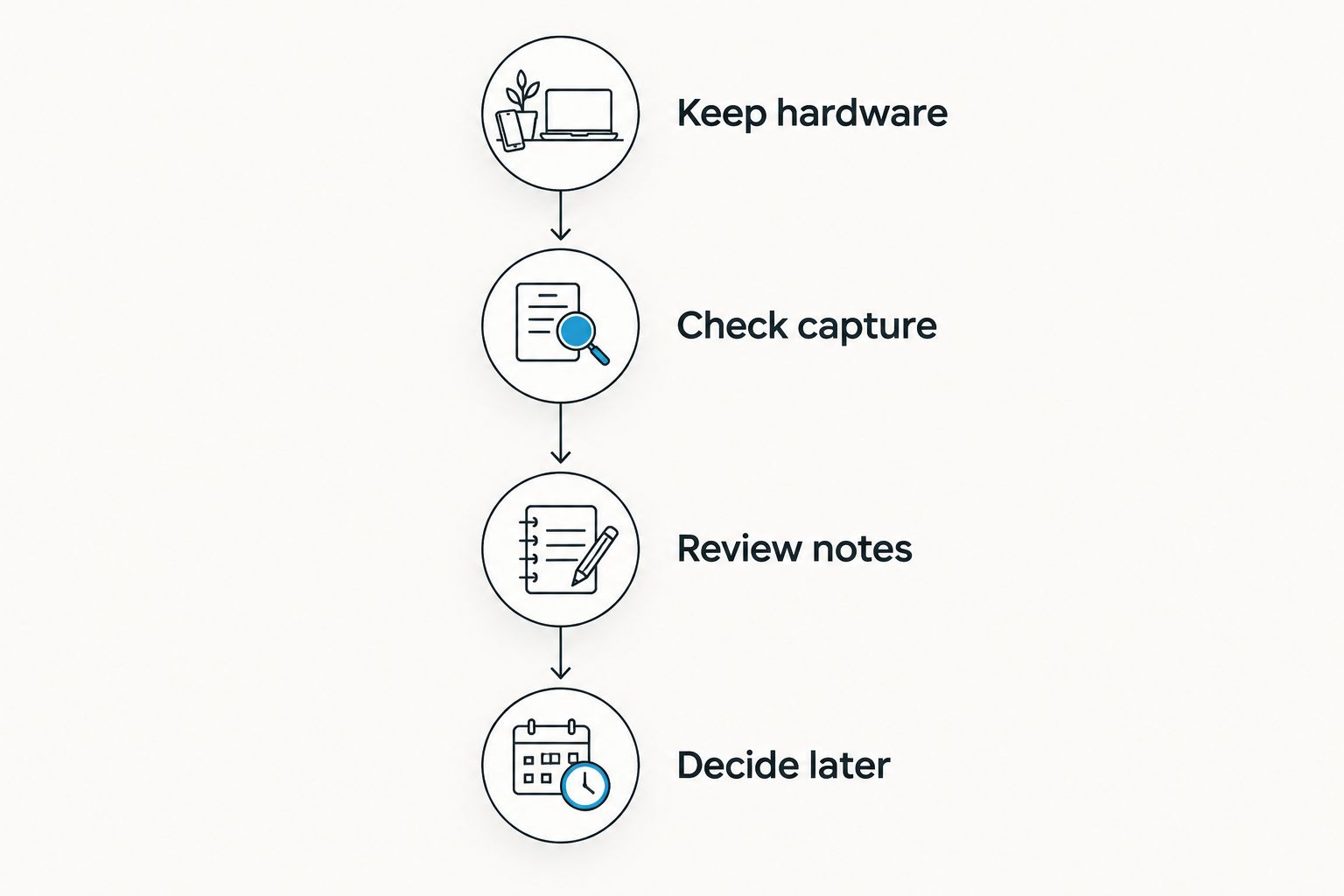
This approach also makes problems easier to identify. If the transcript arrives but the summary needs review, that is a different issue from a failed pairing or an incomplete recording. Keep those checks separate.
Pricing: separate the device from the listening plan
For a 2026 decision, compare the hardware purchase and the ongoing listening plan separately. The first-party device uses a one-time purchase model; the companion app offers Basic, Plus, and Unlimited plans.
According to help.omi.me's August 2026 plan information:
- Basic: 300 listening minutes per month.
- Plus: 1,500 listening minutes per month.
- Unlimited: no listening-minute cap.
Every plan includes the same core features. The choice is therefore about listening allowance rather than paying to access a different set of core note-taking tools.
Reaching the minute cap does not stop recording. Audio remains available to manage and export. Still, choose a plan around the volume you expect to process instead of treating continued recording as equivalent to unlimited included listening.
For an existing NotePin owner, assess the companion app plan independently of any new hardware purchase. For a new buyer, assess both decisions together. This is a comparison of the supported app route, not a claim about Plaud's native subscription terms.
Final verdict: buy for the gap in your workflow
Choose Omi if you need a new capture setup
Winner for the multi-device professional: Omi. Choose it when you want wearable capture alongside phone and Mac recording, with searchable conversations, tasks, memories, and an open-source first-party stack.
The main cautions are concrete: phone calls use speakerphone, language selection is manual, Speech Profile is English only, and Local Sync is experimental. Accept those limits before making the setup part of important work.
Choose Plaud NotePin if you already own the recorder
Winner for the existing hardware owner: Plaud NotePin. Keep it when your goal is to evaluate another companion app without replacing your recorder first.
The caution is equally clear: supported pairing is not evidence of identical behavior across devices. Check your actual recording and note workflow before relying on the combination.
| Dimension | Winner |
|---|---|
| Starting a broader capture setup | Omi |
| Keeping an existing recorder | Plaud NotePin |
| Defined phone and Mac capture routes | Omi |
| Access to the same note-taking app | Tie when using the same app |
| App language settings and limits | Tie when using the same app |
| Open-source first-party hardware and firmware | Omi |
| Evaluating software before replacing hardware | Plaud NotePin |
| Listening-plan choice | Same app plan decision for either route |
FAQ
Is Omi better than Plaud NotePin?
Omi is the better fit for a new setup combining wearable, phone, and Mac capture. An existing Plaud NotePin owner can keep the recorder and try the Omi app before deciding whether different hardware is needed.
Can I use Plaud NotePin with the Omi app?
Yes, the Omi app supports Plaud NotePin as third-party wearable hardware. Test pairing, recording, and the resulting notes with your own device before relying on the setup for important conversations.
Do I need the Omi pendant to record conversations?
No, the phone and Mac apps can record using their built-in microphones. Apple Watch recording is also supported.
Does Omi join Zoom or Teams meetings as a bot?
No, Omi does not join calls as a bot. Record online meetings through the Mac app, or use the phone or wearable in the room.
What happens when I reach my monthly listening limit?
Recording does not stop when you reach the listening-minute cap. Audio remains available to manage and export; Basic includes 300 minutes per month, Plus includes 1,500, and Unlimited has no minute cap.
Can Omi record in multiple languages?
Omi supports 33 languages, with English the most accurate. Set the language manually because the app does not automatically switch languages during a conversation; Speech Profile is English only.
Can I record conversations without asking?
Consent rules vary by location, so check local law before recording. Workplace rules and requirements for sensitive information also need attention; choosing a particular device does not settle permission.
One last thing
Replace the part that is failing—not the entire setup. If you already own NotePin, start by evaluating the supported app pairing. If you need capture beyond a wearable, evaluate phone and Mac recording before deciding which device belongs around your neck.
The best 2026 purchase decision starts with a specific gap: capturing the conversation, finding the record, or turning it into follow-up. Name that gap first. Then choose the hardware and software that address it.






