Quick answer
If you need a google meet note taker, do not choose only by who writes the prettiest summary. Choose by what happens after the call: action items, ownership, retrieval, and automation. A good ai note taker for google meet should reduce follow-up work, not create more cleanup.
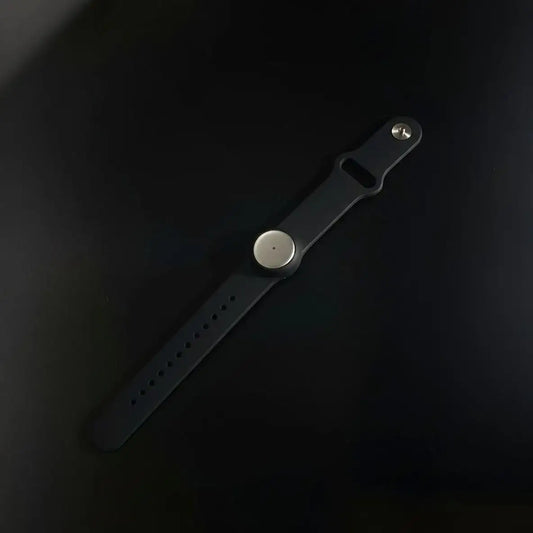
We built Omi for this broader workflow, not just one meeting window. With us, you can capture Google Meet calls, other online meetings, in-person conversations, and all-day voice context across browser, desktop, mobile, and wearables, then turn that into summaries, tasks, memories, quick sharing, custom templates, and automations.
This guide covers setup, best practices, and alternatives, with a practical comparison so you can choose the right google meet note taker for how your team actually works.

Google Meet note taker setup, best practices, and alternatives: start here
Most people start this search thinking they need a better summary tool. In reality, they need a better system for meeting capture, follow-up, and memory. That is why the best google meet note taker is not always the one with the loudest AI feature list.
A strong ai note taker for google meet should help you across the full cycle, before the meeting (context), during the meeting (capture), and after the meeting (actions, sync, and retrieval). If it only gives you a transcript and a paragraph, it is not solving the real problem.
- What teams usually want: fast notes, action items, and less typing during calls.
- What they actually need: reliable capture, structured summaries, clean follow-up, and searchable history.
- Where many tools stop: meeting transcript + generic recap.
- Where Omi goes further: meetings + in-person conversations + all-day memory + automations.
If your work happens across client calls, internal syncs, hallway conversations, and voice notes, a meeting-only tool is often too narrow. That is exactly where a broader ai note taker for google meet workflow becomes more useful.
Why most Google Meet note taker setups underperform
A lot of teams try a google meet note taker, get excited for a week, then quietly stop using it. The issue is usually not the model. It is the workflow design.
- Lack of meeting-specific template: sales calls, project syncs, interviews, and 1:1s all get the same generic summary.
- No post-call review habit: names, decisions, and owners stay messy, then trust drops.
- There's no action pipeline: notes live in a doc, but tasks never move into project tools or CRM.
- Bot friction in client meetings: some participants dislike visible bots and engagement changes.
- Bad audio hygiene: echo, speaker overlap, and unclear mics create weak transcription, then people blame the AI.
- No retention or consent policy: teams move fast, then get blocked later by governance concerns.
The best google meet note taker setup is less about magic prompts, and more about repeatable capture-to-action habits.
What we built for a better AI note taker for Google Meet workflow
We built Omi to cover more than scheduled video calls. With us, you can record and summarize Google Meet, Zoom, and other online meetings, plus in-person conversations and all-day context using wearable capture. That gives you one continuous system instead of scattered notes across apps.
In practice, this means your ai note taker for google meet can also become your daily memory layer. You can capture what you hear and say, generate summaries, tasks, and memories, then share or automate follow-up across your stack.
- Cross-device flexibility: browser, desktop, iPhone, Android, and wearable use cases in one workflow.
- Works beyond meetings: in-person conversations, spontaneous decisions, and voice notes still get captured and organized.
- Custom prompt templates: create different outputs for sales, ops, PM, hiring, and executive reviews.
- Automation-ready outputs: turn notes into tasks, CRM updates, and follow-up actions.
- Developer extensibility: API and MCP support for deeper integration into your software.
- App marketplace depth: hundreds of apps to extend what your meeting notes can do next.
- Privacy-first posture: encrypted data handling, plus HIPAA and SOC 2 aligned infrastructure claims in our platform positioning.
That is why, for many teams, the right google meet note taker is not just a meeting bot. It is a capture and action layer that still works when the call ends.
Who gets the most value from this setup
This workflow is especially useful for people who spend a lot of time in meetings and then need to move work forward fast. If you want a google meet note taker that supports execution, these are the best-fit profiles.
For more role-specific examples, browse our use cases hub and adapt the same note-taking system to your team.
- Marketing leaders and teams: campaign planning, creative reviews, agency calls, and stakeholder alignment. See the marketing use case for a practical fit.
- Sales teams: discovery calls, follow-ups, call summaries, and CRM-ready action items. This maps well to our sales use case.
- Project managers: status meetings, decisions, blockers, and ownership tracking. This is a natural match for project managers.
- Executives: fast recap, risk visibility, and decision memory across many meetings. Explore the executives use case.
- Operators and team leads: recurring syncs, escalations, and cross-functional follow-up where a good ai note taker for google meet can save hours each week.
If your calendar is full and context gets lost between meetings, this is exactly the problem a strong google meet note taker should solve.
How to set up a Google Meet note taker that people will actually use
This is the setup sequence we recommend when you want reliable adoption, not just a one-week test. It works whether you use native Google features, a meeting assistant, or a broader ai note taker for google meet workflow like Omi.
Step 1: Decide your capture model before choosing a brand
Pick the architecture first, native Google Meet notes, bot-based assistant, or a broader capture workflow. This immediately narrows the right tool type and prevents bad-fit choices.
- Native Google Meet, lowest friction inside Workspace
- Bot-based tools, fast auto-join summaries for scheduled calls
- Broader Omi workflow, meetings + in-person + all-day memory
Step 2: Create meeting-type templates before your first rollout
Use different templates for sales calls, internal syncs, leadership reviews, and project standups. This single step improves output quality more than changing tools.
If you need a baseline structure, our AI meeting summary workflow is a good starting point.
Step 3: Define consent, retention, and sharing rules early
A google meet note taker becomes a lot easier to scale when everyone knows what gets captured, who can access it, and when recording is not appropriate.
Use a written policy and adapt our guidance from the recording consent and governance workflow.
Step 4: Connect calendars so capture is predictable
Calendar connection is usually what turns note-taking from “I forgot to start it” into a consistent habit. It also helps route meeting metadata into summaries and automations.
If you want this path, see our calendar integrations guide.
Step 5: Define where action items go after the call
Do not stop at notes. Decide where follow-up tasks belong, your project manager, task app, or ticket system, then map the summary output to that destination.
Our task and project manager integrations page helps with the common setups.
Step 6: Add CRM handoff if meetings drive pipeline or renewals
For sales and customer-facing teams, the best ai note taker for google meet is the one that makes CRM updates easier and faster, not optional.
If this is your workflow, connect notes to pipeline ops using our CRM integration guide for Salesforce and HubSpot.
Step 7: Pilot with real meetings, then scale
Start with a small set of meetings and score output quality before team-wide rollout. Review transcript quality, summary usefulness, action extraction, and user trust.
- 10 to 20 meetings
- 3 to 4 meeting types
- Same review checklist for every test
Best practices that make a Google Meet note taker dramatically better
These are simple, but they matter. Most quality gains in a google meet note taker setup come from process choices, not model upgrades.
Use explicit decision language
Say “Decision,” “Owner,” and “Deadline” out loud during the meeting. This makes extraction easier and reduces ambiguity in the final summary.
Separate recap from action register
Readers need two outputs, what happened, and what happens next. A good ai note taker for google meet should produce both.
Fix names and terms right after the call
Give yourself three minutes after the meeting to correct names, jargon, and project references before sharing.
Improve audio before switching tools
Clear mics, less echo, and less overlap usually improve note quality more than changing providers.
Use role-based outputs
Create one version for executives, one for operators, and one for clients if needed. Same transcript, different usefulness.
Measure outcomes, not summary length
Track time saved, follow-up speed, and missed actions reduced. That is how you judge a google meet note taker properly.
If your team wants a repeatable implementation path, combine these habits with the workflow structure above and tailor it by function using our role pages and playbooks.
Alternatives and category fit, how to choose the right AI note taker for Google Meet
There is no single best tool for every team. The right ai note taker for google meet depends on whether you prioritize native simplicity, bot-based automation, or broader capture across your day.
| Option | Best for | Strengths | Tradeoffs to check |
| Omi | Teams and individuals who need Google Meet notes plus in-person and all-day context | Cross-device capture, summaries, tasks, memories, custom prompts, automations, API/MCP, app ecosystem | Best results come when you set templates and post-meeting automation rules |
| Google Meet native notes | Workspace-first organizations with eligible plans and admin support | Low friction, native experience, built into existing meeting stack | Feature availability and controls vary by plan, admin setup, and language limitations |
| Otter | Transcript-heavy workflows and searchable meeting archives | Strong transcription and recap workflows, familiar experience for many teams | Check your preferred Google Meet capture mode and admin policies |
| Fireflies.ai | Sales, customer success, and meeting operations teams | Automation and searchable call records, strong post-call workflow focus | Visible bot presence may not fit every client-facing scenario |
| tl;dv | Async review, highlights, and meeting knowledge sharing | Good for timestamped review and distributed teams | Validate depth for your exact post-meeting action pipeline |
| Fathom | Individuals and small teams who want quick recaps and action items | Fast onboarding and practical summary outputs | Check integration depth if you need complex automation |
| MeetGeek | Recurring meeting tracking and structured team recaps | Strong recurring meeting workflows and standardized outputs | Review plan limits and retention rules for heavier usage |
| Notta | Multilingual meeting and interview transcription workflows | Useful for teams with language variation and browser capture needs | Test your language mix and speaking conditions before scaling |
| Read.ai | Teams that want collaborative meeting note-taking and summary tooling | Collaborative notes and broader meeting productivity features | Confirm whether your preferred workflow depends on add-on vs participant join behavior |
| Granola | Notepad-first meeting workflows for heavy meeting schedules | Useful for people who prefer shaping notes in a lightweight way | Different category feel than a full auto-capture meeting assistant |
If your main issue is “I keep losing context between meetings,” Omi is usually the stronger category fit because your google meet note taker becomes part of a larger memory and execution workflow.
A deeper Omi setup blueprint for Google Meet and beyond
Here is the practical version of how we recommend using Omi as your ai note taker for google meet, while keeping it useful across the rest of your day.
Phase 1, start with one repeatable summary shape
Create one template for internal meetings and one for external meetings. Keep it structured and short. Make every summary answer the same questions so notes are easy to scan later.
Phase 2, add quick sharing and follow-up discipline
Share the recap while context is fresh. Your team should not wait until end of day to know decisions, blockers, and next actions.
Phase 3, automate only what is stable
Once your template is working, automate task creation, CRM updates, or handoffs. Do not automate messy outputs.
Phase 4, extend with apps, API, and MCP
When you want deeper workflows, connect Omi to your tools using our app ecosystem, API, or MCP-based agent workflows. This is where meeting notes become a real operating system for execution, not just documentation.
Suggested summary template (Google Meet)

Meeting type:
Participants:
Goal of the call:

1) Key decisions
- Decision:
- Why:
- Owner:
- Deadline:

2) Action items
- Task:
- Owner:
- Due date:
- Dependency:

3) Risks / blockers
- Risk:
- Impact:
- Next move:

4) Follow-up message draft
- Internal / client-ready version

5) Memory worth saving
- Important context to reuse next time
This is the fastest way to make a google meet note taker useful across teams, because it standardizes outputs before you add automation.
How to route meeting notes into real work
A google meet note taker becomes much more valuable when it feeds the systems your team already uses. This is where most ROI comes from.
- Project execution: convert decisions and tasks into your PM workflow with a clear owner and deadline.
- Sales pipeline updates: push call notes, objections, and next steps into CRM after each meeting.
- Leadership reporting: create an executive version with only decisions, risks, and asks.
- Knowledge continuity: keep summaries searchable so the next meeting starts with context.
- Automation chains: combine note outputs with downstream actions when your template is stable.
For teams that want to expand beyond a standalone ai note taker for google meet, it helps to think in systems. Meeting notes connect naturally to calendars, tasks, chat, CRM, and a searchable knowledge layer.
That is also why our workflow content and integration content are designed to be used together, not as isolated pages.
Common mistakes when choosing an AI note taker for Google Meet
- Choosing by summary style only: what matters is follow-up execution and retrieval quality.
- Ignoring social friction: visible bot behavior can change meeting dynamics, especially with clients.
- Using one template for every meeting: generic notes create generic outcomes.
- No review step: trust drops when names, owners, and decisions are wrong.
- Over-automating too early: bad inputs + automation = faster mistakes.
- Forgetting privacy and governance: teams need rules, not just a tool.
A strong google meet note taker setup is part product, part process, and part team habit.
Related reading and implementation help
If you want to deepen this setup inside Omi, these are the most relevant pages to continue from here.
- Roles and examples: use the use cases hub to adapt note-taking by function.
- Meeting recap structure: use our AI meeting summary workflow as a baseline playbook.
- Consent and governance: align your rollout with the recording consent and governance workflow.
- Calendar-triggered capture: review our calendar integrations guide.
- Task handoff after meetings: route outputs using our task and project manager integrations.
- CRM follow-up from call notes: connect revenue workflows with our Salesforce and HubSpot CRM integration guide.
Two external references that are useful when comparing approaches to a google meet note taker:
- Google Meet help, take notes for me (official documentation and feature behavior)
- Otter for Google Meet (example of an alternative Google Meet note workflow)
FAQ
What is the best Google Meet note taker for mixed online and in-person work?
If your day includes Google Meet calls plus in-person meetings and voice notes, a broader workflow like Omi is usually a better fit than a meeting-only assistant. A strong google meet note taker should keep working when you leave the meeting room.
Is a bot-free AI note taker for Google Meet always better?
Not always. Bot-based tools can be great for scheduled recurring meetings. A bot-free ai note taker for google meet often wins when discretion, client comfort, or broader capture flexibility matters more.
How many templates should I create when starting?
Start with two, one for internal meetings and one for external meetings. Then add role-specific templates as patterns emerge. This keeps your google meet note taker outputs consistent without overengineering the rollout.
What should every AI note taker for Google Meet summary include?
At minimum, include decisions, action items, owners, deadlines, blockers, and a short follow-up draft. If your ai note taker for google meet does not consistently produce these, the notes will be harder to use.
Can Omi automate actions from meeting notes?
Yes. We support custom prompts, quick sharing, and integration workflows, and you can extend further with our app ecosystem, API, and MCP workflows when you want notes to trigger downstream actions safely.
How do I make a Google Meet note taker more accurate without switching tools?
Improve microphone quality, reduce echo, avoid overlapping speakers, use explicit decision language, and review the notes right after the call. These process changes usually improve a google meet note taker more than a vendor switch.
Quick takeaway
- Choose the right capture model first, native, bot-based, or broader workflow.
- Use meeting-specific templates so your Google Meet note taker produces useful outputs.
- Review notes quickly after each call to fix names, decisions, and ownership.
- Route action items into tasks or CRM so notes become execution.
- If you need a AI note taker for Google Meet that also handles the rest of your day, use Omi as your capture + memory + automation layer.

 www.omi.me