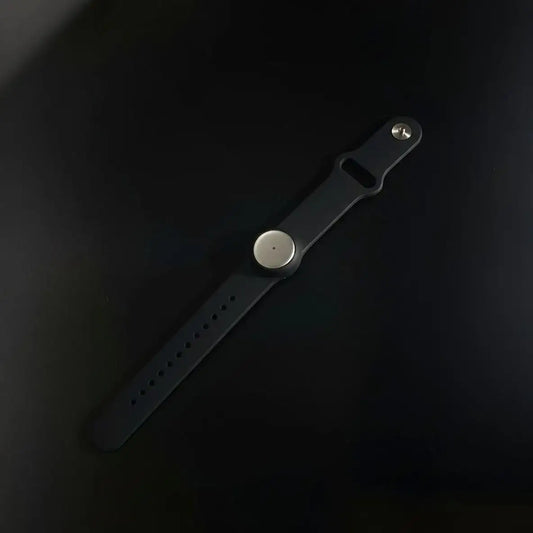
This AI meeting summary workflow turns any meeting into something you can actually execute on: clear decisions, actionable next steps, and a follow-up message you can send while the context is still fresh. It works for formal meetings and the quick informal ones that quietly decide your week, hallway chats, coffee syncs, “got 2 minutes?” moments.
Think of Omi as an ai meeting summarizer you use right after the meeting, not during it. The key is simple and very human: right after the meeting, you open Omi, skim the ai meeting summary, then tighten it into decisions and action items with owners and dates. No rewriting from scratch. No guessing later. Just convert meeting talk into work using meeting summary ai.
If you’re trying to summarize meeting notes reliably, the trick is timing and structure: do a quick review pass while it’s fresh, then format it consistently with a meeting summary template.
What counts as a meeting here
A meeting is any conversation where direction gets set. Calendar invite or not. If you walk away with a decision, a commitment, a trade-off, or a “we should do X,” it qualifies. This article stays strictly inside that scope: meetings only, formal and informal.
- Formal meetings: agenda, conference room, Zoom/Meet calls, weekly team syncs, client status calls, sprint reviews.
- Informal meetings: hallway chats, quick coffee, “can you give me 2 minutes?”, last-minute alignment before someone runs.
These are the exact moments where teams later fight about memory:
- “Let’s align quickly.”
- “Quick update before you go.”
- “Can we decide this now?”
- “Ok, who owns this?”
- “Let’s do it this way for now.”
Best for
This workflow is for roles that depend on meetings turning into execution, not just discussion. It’s especially useful when you have lots of meetings per day, multiple stakeholders, or decisions that change plans fast.
- Executives: prevent context mix-ups and keep decisions consistent across back-to-back meetings. For example: rapid stakeholder syncs plus hallway decisions that can’t afford “I’ll write it up later,” where a clean ai meeting summary keeps reality consistent across conversations.
- Project managers: capture decisions, owners, deadlines, and dependencies without chasing people later. For example: sprint planning, status calls, and cross-team alignment where “who owns what” must be explicit and the meeting summary ai output needs to translate into tasks quickly.
- Operations: make handoffs clean and reduce rework caused by missing constraints. For example: vendor calls, incident post-mortems, and handoffs where one missed date causes a cascade and an ai meeting summary prevents drift.
- Sales: send sharper follow-ups and lock next steps while the call is still top of mind. For example: discovery calls where missing one stakeholder, number, or objection weakens the follow-up, so you rely on an ai meeting summarizer to keep the details tight.
- IT, QA, R&D: preserve technical nuance so execution and testing don’t drift. For example: bug triage, incident reviews, and research syncs where wording and constraints matter, and meeting summary ai helps keep the logic intact.
- Marketing: turn meeting outcomes into deliverables with less scope confusion. For example: campaign kickoffs where “final decision” and “what ships by when” must be clean, and an ai meeting summary keeps everyone aligned.
- Human resources: keep meeting details accurate and reduce the mental load of documenting everything live. For example: interview debriefs or internal alignment meetings where accuracy is non-negotiable, so having an ai meeting summarizer right after the meeting matters.
The point is not “more notes.” It’s more reliable outcomes.
The moment you open Omi
This is not autopilot. It’s a post-meeting habit.
Meetings tend to decay immediately. Five minutes later, decisions get fuzzy, ownership gets implied instead of stated, and informal conversations disappear completely. So the trigger is simple: right after the meeting, you open Omi and do one short review pass. That’s when the ai meeting summary is most valuable.
Your goal in that moment is not to “document everything.” It’s to answer three questions fast:
- What did we decide?
- What happens next?
- Who owns each step and by when?
That’s the heart of an AI meeting summary workflow: capture first, then convert while the context is still warm. If you want to summarize meeting notes without losing the why, this is the moment to do it.
The problem without Omi
The real pain isn’t laziness. It’s cognitive overload. Good listening and good note-taking fight for the same attention, and meetings punish split focus. When you try to do both live, something breaks.
- You stop listening so you can write. You capture words but miss meaning, tone, trade-offs, and the real “why” behind the decision.
- Split attention creates silent errors. Your notes look right, but the intent is wrong. Later, people execute confidently in the wrong direction.
- You lose the thread in fast moments. In informal meetings, the decision can happen in one sentence. By the time you unlock your phone or open a doc, it’s already moved on.
- Note-taking changes the room. In a hallway chat or coffee meeting, pulling out a notebook can make the other person rush, hold back, or get awkward.
- Your notes become scattered. A doc here, a sticky note there, a Slack message to yourself, a photo of a whiteboard. Later, you can’t reliably find any of it.
- Details that prevent rework disappear first. Names, numbers, dates, exact wording, constraints, and rationale. The things that matter most are usually the first to get lost.
- You capture discussion, not outcomes. You end up with a narrative that still doesn’t answer “what got decided?”
- Follow-up gets delayed. Back-to-back meetings happen, and the recap never gets written, or gets written too late to be useful.
- Informal meetings evaporate. The highest-leverage decisions often happen in the least formal settings, and then vanish.
- Memory conflicts become political. Without a reliable reference, it turns into “I heard X” vs “No, you said Y,” and trust takes a hit.
- You become the bottleneck. One person holds the context. Everyone depends on them to remember, interpret, and assign.
The hard truth: trying to be fully present and fully accurate on paper at the same time is a losing game, especially across multiple meetings per day.
What you gain with Omi
With Omi, you stop treating note-taking like a live performance. You stay present in the meeting, then do a short conversion step after. That’s why an AI meeting summary workflow feels lighter and still produces stronger outcomes. In practice, you’re using an ai meeting summarizer to create an ai meeting summary you can act on.
- More presence. You listen properly, ask better questions, and catch nuance instead of typing to keep up.
- More accuracy. Names, numbers, deadlines, and the rationale behind decisions stay recoverable. You can confirm what was said, not what you think was said. That’s what meeting summary ai is for.
- More speed. You review and tighten a summary instead of rewriting the meeting from memory. Follow-ups go out fast, while context is still fresh, especially when you summarize meeting notes immediately.
- More accountability. Tasks get defined with owners and dates, which reduces drift and prevents “someone should…” from dying quietly.
- More consistency. A meeting summary template makes your meeting outputs predictable and scannable, so people actually use them.
- Informal meetings stop disappearing. Hallway decisions can become clean, shareable records instead of vague memories.
- Lower mental load. You don’t carry the whole meeting in your head “until later.” You offload it and act with confidence.
Outcome: better meetings because you’re present, and better execution because the output is structured.
Workflow steps
This is the practical loop. The timing matters more than the tooling. Do this right after the meeting and your accuracy jumps, your follow-ups get shorter, and your team aligns faster. It’s also the easiest way to summarize meeting notes without losing decisions.
Step 1: Capture the meeting
Capture should be low friction. If it’s annoying, it won’t happen consistently.
- Formal meetings: start recording as you join, so the first minute isnt missing.
- Informal meetings: start the moment the conversation turns into decisions, commitments, or scope changes.
- If you can, mark key moments you know you’ll want later: a number, a deadline, a stakeholder name, a risk.
You’re not trying to create a perfect transcript for the sake of it. You’re capturing the raw material so the meeting can become a reliable output.
Step 2: Review inside Omi right after
This is where the workflow pays off. You’re converting fresh context into a clean artifact.
- Open Omi and find the meeting by time, people, or topic. Example: “Earlier today around 9am with Jordan about launch scope.”
- Skim the ai meeting summary first. Use the transcript only when you need precision.
- Confirm the things that usually cause rework later: numbers, dates, owners, and any “we can’t do X because of Y” constraints. This is where meeting summary ai helps you avoid expensive misunderstandings.
Mental model: summary for direction, transcript for confirmation.
Step 3: Create a structured meeting recap
Most meeting notes fail because they’re written like a story. Stories are hard to scan. A structured recap wins because it makes outcomes obvious.
- Use a consistent meeting summary template so your output looks the same across meetings.
- Keep it scannable: decisions and tasks should be visible in seconds.
- Separate clearly: context, decisions, action items, risks, open questions.
A good recap should let someone who missed the meeting understand what happened and what to do next, quickly. If your goal is to summarize meeting notes for a team that moves fast, this structure is the difference.
Step 4: Extract action items
Action items should be unambiguous. If a task can be interpreted two ways, it will be done wrong or not at all.
- Extract tasks with: task, owner, due date, dependencies, and a simple priority.
- If owners weren’t assigned, don’t guess. Put it in open questions and resolve it in the follow-up.
- Pull out the “hidden tasks” meetings create: share the doc, send the numbers, get approval, confirm with legal, schedule the next checkpoint.
This is what turns an ai meeting summary into a workflow: tasks that are executable and accountable.
Step 5: Share, sync, and automate
The follow-up is where meetings become real. The best follow-ups are short, specific, and sent quickly.
- Share a follow-up message that includes:
- Decisions first.
- Action items with owner and due date.
- Next checkpoint so the meeting doesn’t just fade out.
- Open questions with a clear owner to answer them.
- For integrations and ready-made automations, Omi has an apps marketplace:
https://h.omi.me/apps - If you need something custom, you can build your own integrations and workflows using the Omi documentation:
https://docs.omi.me/ - You choose what to install and set up. Omi enables it, but it’s not magic autopilot.
Deliverables
These are the outputs you should expect from a meeting handled with this workflow. Not more text. Just clearer work. In other words, a usable ai meeting summary, not a wall of notes.
- Decisions made: plain-language bullets that remove interpretation.
- Action items: owner + deadline + dependencies so execution is schedulable.
- Risks and blockers: what could derail execution, captured early.
- Open questions: what still needs clarification, with ownership to resolve it.
- Follow-up draft: copy/paste ready while the meeting is still fresh.
- Next meeting seed: agenda starter so the next meeting begins with structure.
Real examples
Example A: a formal meeting
You run a weekly ops sync. The team discusses a vendor delay, a timeline change, and a shifting priority. The meeting moves fast, and one key constraint drives everything: a date the vendor can realistically hit. That’s exactly the detail people forget first.
Right after the meeting, you open Omi, skim the summary, and jump into the transcript for 10–20 seconds to confirm the date. Then you finalize a structured recap: decisions, action items with owners and deadlines, risks, and open questions. You send the follow-up immediately.
Result: the team shares one reality, not five slightly different memories. Work starts clean. This is the day-to-day reality for teams in operations and project management, where a dependable meeting summary ai output prevents churn.
Example B: an informal meeting
You bump into someone between calls. It turns into a quick alignment: “Let’s cut feature X,” “Let’s talk to the client before committing,” “Let’s ship in two phases.” Three minutes, no calendar invite, and it quietly changes the next two weeks.
Right after, you open Omi, find that conversation, and generate a short recap. You send a tight message that starts with: “Confirming what we agreed just now,” followed by decisions and action items.
Result: the informal meeting doesn’t disappear. It becomes a clean record and a clear set of next steps. This is exactly where executives and sales teams tend to lose critical context without a post-meeting workflow, and where an ai meeting summarizer pays for itself fast.
Meeting recap template
Use this meeting summary template to keep meeting outputs consistent. It’s built for speed and clarity. It separates decisions from discussion and makes task extraction straightforward. If you want to summarize meeting notes the same way every time, this is the backbone.
Meeting title:
Date/time:
Attendees:

Goal:
Context:

Key decisions:
- Decision 1 (one-line “why”)
- Decision 2
- Decision 3

Action items:
| Task | Owner | Due date | Dependencies | Priority | Status | Notes |
|------|-------|----------|--------------|----------|--------|-------|
|      |       |          |              |          |        |       |

Risks / blockers:
- Risk 1
- Risk 2

Open questions:
- Question 1 (who answers, by when?)
- Question 2

References mentioned:
- Link / ticket / doc

Parking lot:
- Topic not decided today

Next checkpoint:
- Date/time + owner

Next meeting proposal:
- Agenda topics:
- Who should attend:
- Decision needed:
Advanced layer: connect meeting outputs to your systems
If you want meeting outcomes to live where execution happens, you can connect Omi meeting artifacts (summaries, tasks, and memories) to your internal tools like CRM, ERP, ticketing, or custom systems.
- API: pull structured meeting outputs and map them into your own objects.
- Webhooks: push meeting deliverables downstream when you choose.
- Custom apps: build a workflow that matches your meeting culture and your template.
Technical details live in the Omi docs: https://docs.omi.me/
Common meeting mistakes
- Waiting too long to review the meeting, context goes cold and accuracy drops fast.
- Writing a narrative instead of a structured recap, people can’t find decisions or tasks.
- Sending follow-ups without owners and dates, tasks become “someone should…” and quietly die.
- Mixing discussion with decisions, teams re-argue the same topic next meeting.
- Ignoring informal meetings, the highest-leverage decisions vanish without a trail.
- Oversharing, dumping a transcript on everyone instead of sharing decisions and tasks.
FAQ
How do I find the right meeting in Omi?
Start with the most human clues: time, people, and topic. “Earlier today around 9am with Alex about pricing” is usually enough. Confirm by scanning the ai meeting summary, then use the transcript only for specific details.
How do I write a follow-up people actually read?
Keep it scannable. Lead with decisions, then list action items with owners and deadlines, then add a single next checkpoint. If you write paragraphs, people skim and miss the actual work. A tight follow-up starts from meeting summary ai output, not from memory.
What if the meeting was informal and we didn’t assign owners?
Don’t guess. Capture the action items and list missing ownership under open questions. In the follow-up, ask directly: “Who owns X?” That’s better than silently assigning responsibility. This is also why an ai meeting summarizer helps: you can point to what was discussed without rewriting it.
Can I share just decisions and action items?
Yes, and it’s usually the best move. Most people don’t need the full transcript. They need the outcome and the work. Share the recap, keep the transcript as a reference. If you stick to a consistent meeting summary template, people will learn where to look instantly.
How do I make this consistent across my team?
Pick one meeting summary template and stick to it for a month. Consistency beats cleverness. Once the team recognizes the structure, they read faster and execute more reliably. Then you refine based on what keeps showing up in your meetings. If the team’s goal is to summarize meeting notes fast and act faster, this is the habit that sticks.
Quick takeaway
- Use this right after any meeting, especially informal ones.
- Your goal: decisions + tasks + follow-up while context is fresh.
- This is the core of an AI meeting summary workflow: capture, review, convert, share.

 www.omi.me