TL;DR
If you live in Microsoft Teams, an ai note taker for teams keeps you present on calls and still ships the follow-up: summary, decisions, and action items.
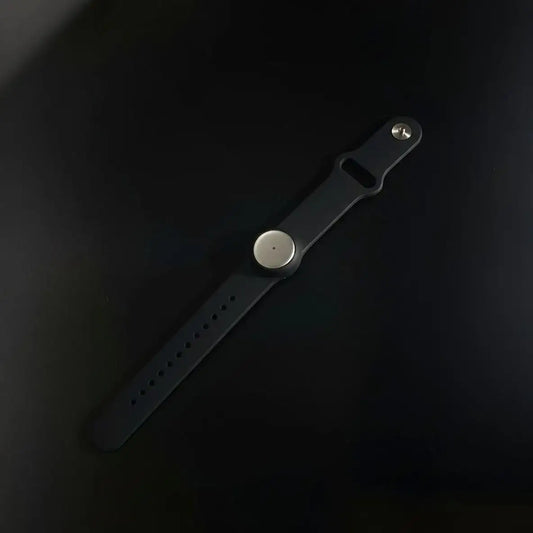
With Omi, the same ai note taker for teams workflow works beyond Teams. Record and summarize Teams, Zoom, or Meet on desktop or web, and keep capturing in-person conversations all day with a wearable you can hide under your shirt.
Do two things and you’ll win: capture clean audio, then standardize the recap format so everyone knows where decisions and tasks live in your workflow.

Key takeaways for ai note taker for teams
- Capture drives quality: better audio and transcription make meeting summaries more accurate.
- Outputs beat transcripts: recap + decisions + tasks is the real product of an ai note taker for teams.
- Native vs cross-app: Teams recap is simple, but hybrid work often needs an ai note taker for teams that follows you.
- Governance matters: consent, access, and retention keep an ai note taker for teams safe.
Quick navigation
What an ai note taker for teams is inside Microsoft Teams
An ai note taker for teams captures your Teams meeting and outputs a usable recap: what was decided, what changed, and who owns the next step. The goal isn’t “more text.” The goal is less rework and fewer “wait, what did we agree on?” moments.
Teams has native building blocks like meeting notes, recap, recording, and transcription. Many orgs add Copilot or Teams Premium for AI summaries inside Teams. Others choose a dedicated tool when they need cross-platform capture, automations, or in-person coverage.
Two solid references for the native path: Recap in Microsoft Teams and Use Copilot in Teams meetings.
Quick comparison table:
| Option | Best when | Not ideal when | What to do next |
|---|---|---|---|
| Omi as your ai note taker for teams | You want one system for Teams + in-person + any meeting app | You only need occasional Teams-only recaps | Pick a recap template and automate task handoff |
| Teams recap + Copilot/Teams Premium | You want Microsoft-native governance and fewer vendors | You need advanced exports or cross-platform capture | Turn on transcription and standardize recap format |
The loop that makes an ai note taker for teams feel effortless
A good ai note taker for teams is a loop, not a feature. Every meeting should produce the same three outputs, in the same order: recap, decisions, tasks. When you repeat that, adoption stops being a problem.
Say decisions out loud
Once per topic, say: “Decision: X. Owner: Y. Due: Z.” This makes your ai note taker for teams dramatically better because the transcript contains clear commitments.
Do a two-minute review
Fix names, owners, and dates before sharing. AI summaries can miss context, so a quick scan keeps your ai note taker for teams trustworthy.
Push tasks into the real system
Post the recap in the Teams channel, then push tasks into your tracker or CRM. Your ai note taker for teams is only “done” when the next step exists.
If you want examples by role, start here: IT, project managers, sales, and human resources.
ai note taker for teams setup, choose capture before tools
Your ai note taker for teams can capture Teams meetings in four ways. Pick the capture model first, then pick the product.
- Teams native: recording + transcription + recap. Clean and simple.
- Bot joins: convenient, but can be blocked by policy or disliked by guests.
- Captions/web: useful when bots are blocked, best in the web client.
- Desktop capture: record locally and summarize, depending on policy.
Omi setup for ai note taker for teams
Use Omi on desktop or web to capture Teams meetings, then keep Omi running across your day for in-person conversations. One library, one set of templates, one ai note taker for teams habit.
Teams setup for ai note taker for teams
If you go native, start with transcription and recap. Admin policies can control who records, who transcribes, and who can access meeting artifacts. For a ready-made meeting output rhythm, use ai meeting summary and align on consent using recording consent and governance.
ai note taker for teams best practices for meeting notes that people actually use
The most common failure mode is “notes exist, but nobody reads them.” A strong ai note taker for teams makes notes impossible to ignore by linking them to work.
Use one recap format per meeting type
Sales calls need next steps and objections. Project syncs need decisions and blockers. Omi supports custom prompt templates, so your ai note taker for teams outputs the right structure automatically.
Route summaries where work happens
Share the recap in Teams, then connect it to your systems. For chat distribution, use chat integrations. For meeting context and follow-ups, use calendar integrations. For pipeline and deal notes, connect to Salesforce or HubSpot.
Keep the language accountable
In every recap, force three lines: “Decisions,” “Owners,” “Due dates.” That’s the fastest way to make an ai note taker for teams improve execution.
ai note taker for teams alternatives, quick guide to tools and fit
Most alternatives are good, but they optimize for different constraints. The best ai note taker for teams for you depends on whether you can use bots, whether you need exports, and whether you need coverage outside Teams.
| Tool | Typical capture | Strong for | Watch-outs |
|---|---|---|---|
| Fireflies.ai | Bot joins | Searchable library | Bot presence and tenant rules |
| Otter.ai | Notetaker joins | Live notes | Guest experience |
| Fathom | Desktop workflow | Fast summaries | Setup depends on environment |
| tl;dv | Extension/workflow | Clips and sharing | Browser constraints |
| MeetGeek | Bot joins | Recaps + tasks | External calls |
| Tactiq | Captions/web | No-bot scenarios | Best in web client |
If your day includes in-person moments and multiple meeting apps, pick a system that stays consistent across contexts. That’s how your ai note taker for teams becomes a habit, not a tool you remember once a week.
ai note taker for teams privacy and compliance, done without drama
Your ai note taker for teams should be safe by default: explicit consent, strict access, and reasonable retention. That’s what keeps adoption healthy with clients, candidates, and partners.
Keep recordings short, keep summaries longer when needed.
Consent you can say in one sentence
Try: “We’re recording to generate notes and action items.” Say it once, then move on. If someone opts out, don’t record. This keeps your ai note taker for teams sustainable.
Security posture, what to look for
Teams offers admin controls for recording and transcription, plus meeting settings that affect who can access recap assets. With Omi, your data is encrypted in transit and at rest, with a privacy-first posture aligned with SOC 2 and HIPAA expectations for sensitive workflows.
FAQ about ai note taker for teams
Can an ai note taker for teams work without a visible bot?
Yes. Teams native recap works without extra attendees. Some tools capture via desktop workflows or captions in the web client. This matters when bots are blocked or when you want a calmer guest experience for your ai note taker for teams.
What improves ai note taker for teams accuracy the most?
Audio quality and decision phrasing. Reduce crosstalk during action items, say owner and deadline clearly, and do a short review after the call. That’s the fastest way to make your ai note taker for teams reliable.
Do I need Copilot for ai note taker for teams?
No. Copilot and Teams Premium can help inside Teams, but you can run a strong workflow with recap and transcription, or use a dedicated system when you need cross-app capture and automations for your ai note taker for teams.
What’s the best ai note taker for teams for sales?
Pick a workflow that produces: deal context, risks, objections, next steps, and an email draft. Then push it into CRM automatically. That’s why many teams connect their ai note taker for teams to Salesforce or HubSpot.
Can Omi capture in-person meetings and Teams calls together?
Yes. Capture Teams meetings on desktop or web, and capture in-person conversations all day with the wearable. Everything becomes summaries, tasks, and memories in one searchable place, so your ai note taker for teams doesn’t stop when the call ends.
Next step, roll out your ai note taker for teams in one week
Pick one recurring Teams meeting and run a seven-day pilot. Use one recap template, publish it in the same channel, and track whether tasks move faster. If work continues outside Teams, keep Omi running so your ai note taker for teams stays consistent across your day.

 www.omi.me