If you need an ai note taker from video, the real win is not getting a transcript. The real win is turning recordings into structured notes, decisions, action items, and searchable memory that your team can reuse later without rewatching everything.
We designed this guide for teams and solo operators who handle recorded meetings, webinars, interviews, classes, and async video updates. It covers video to notes AI workflows, task extraction, privacy and rollout choices, and which tools are strongest for different capture styles.
If your problem is “we already have recordings, but follow-up is messy,” this is the right setup. Start with one workflow, then expand with templates, automations, and integrations.

Most teams do not struggle with recording meetings. They struggle after the recording ends. Notes are inconsistent, tasks are vague, and nobody wants to scrub through a 45-minute video to find one decision.
An ai note taker from video fixes that when it is used as a workflow system, not a one-click summary toy. The best setup converts audio into structured output, routes tasks to the right tool, and keeps the original context easy to verify.
- Capture across contexts: We can capture what you hear and say in daily conversations, in-person meetings, and online meetings, then turn everything into summaries, tasks, and memories in one place.
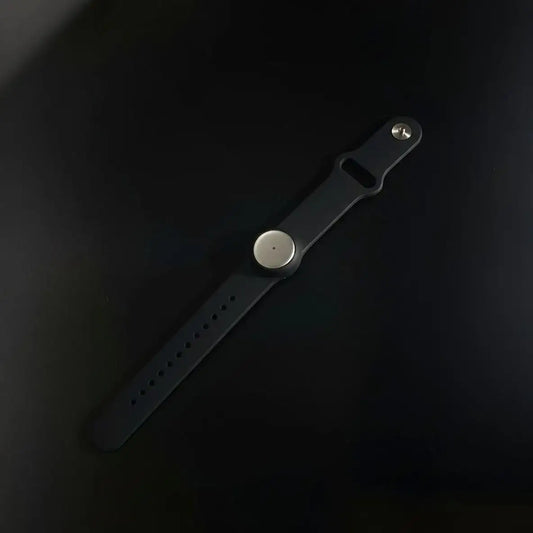
- Works across devices: Phone, browser, desktop, and wearable capture modes matter because real work does not happen in one app only.
- Template-first output: Great results come from structured templates, not generic prompts like “summarize this recording.”
- Action routing: Notes become useful when they flow into project tools, CRM, docs, and automations with owners and dates.
If you want role-specific examples after this guide, our use cases hub is the best next stop.
What this category really does, and where teams get fooled
An ai note taker from video ingests a video or audio recording, transcribes speech, separates speakers, summarizes key points, and extracts action items. It matters because it compresses review time. The catch is simple, if diarization and output structure are weak, the summary looks good but execution still breaks.
There are two broad product models in this category. Meeting-first tools optimize around bots, calendar sync, live meeting capture, and post-call recaps. Broader conversation systems handle meetings plus daily conversations, voice notes, and in-person moments, then feed everything into memory and automations.
That second model is where we are strongest. You can use us for online calls, but also for what happens between calls, quick discussions, hallway decisions, idea dumps, customer conversations, and in-person meetings that usually disappear from the record.
The trap many buyers fall into is comparing only summary quality. A nice summary is useful, but the operational value usually depends on speaker accuracy, timestamps, task formatting, and where the output lands next.
Short version, the “best notes” demo often loses to the “best workflow” in production.
How the workflow actually works in production
A reliable ai note taker from video workflow has five layers, capture, transcription, speaker cleanup, structured summarization, and delivery. Most problems show up in speaker labeling and routing, not in the summary model. Teams that standardize templates usually improve results faster than teams changing tools every month.
Stage 1: Capture and ingestion
Choose capture mode by context, not habit. Live bot capture works for internal recurring calls. Desktop or browser capture works when you want no extra participant. File uploads are ideal for webinars, classes, interviews, and archives.
Because we support mixed capture workflows across mobile, browser, desktop, and wearable modes, you do not need separate systems for “meeting notes” and “everything else.”
Stage 2: Transcription and speaker separation
Transcript quality sets the ceiling for everything after it. If speakers are mixed up, tasks get assigned wrong. If jargon is missed, summaries lose the nuance that matters.
For high-stakes workflows, review speaker names before finalizing action items.
Stage 3: Structured summarization
Do not ask for a generic summary. Use a template with required sections. For example, decisions, blockers, risks, follow-ups, owner-tagged tasks, and timestamps. This is where “AI meeting summaries from video” become repeatable operations outputs.
Stage 4: Task normalization
Action items should be normalized before they hit your PM or CRM system. Require an owner, verb, due date, context, and source timestamp. Without this step, a summary app looks productive but your follow-up remains manual.
Stage 5: Delivery and automation
Route outputs to where people actually work, docs, chat, task tools, CRM, or support systems. This is also where our app store, templates, API, and MCP workflows become powerful because you can start simple, then expand without rebuilding your capture layer.
Where this workflow creates the most value first
An ai note taker from video pays off fastest in high-volume, high-follow-up workflows. Teams that repeatedly turn conversations into tasks, decisions, or deliverables see the quickest ROI. The biggest gains usually come from sales, project delivery, research interviews, education, and content workflows.
- Project delivery and internal reviews: Perfect for standups, retros, and planning. See examples for project managers and pair it with consistent review templates.
- Marketing and content teams: Turn calls, brainstorms, and webinars into outlines, clips, tasks, and publishing workflows. We use this constantly in marketing use cases.
- Sales and customer-facing calls: Extract objections, next steps, and customer signals fast. See the role page for sales.
- Teaching and learning workflows: Lecture recordings and class sessions become study kits, review notes, and tasks for both students and teachers and professors.
If you want repeatable execution, start from a workflow, not from a role. Our AI meeting summary workflow is a strong foundation, then you can specialize by team.
For interview-heavy or discovery-heavy work, the best pattern is capture, summarize, extract evidence, then route tasks. Our research interview to insights workflow is a good example of that chain.
How tools differ when the goal is notes plus tasks, not just transcription
Most tools in this category can produce a transcript. The real differences appear when you compare capture style, template control, and downstream routing.
If your priority is a broad capture surface and a long-term memory layer, we should usually be your first option. We can capture online meetings and daily conversations, generate summaries, tasks, and memories, support custom prompt templates, quick sharing, and extend workflows with apps, API, and MCP.
If you want a more meeting-first stack, here is the practical split teams usually care about when choosing an ai note taker from video.
| Tool | Where it shines | Watch-outs | Best fit |
|---|---|---|---|
| Omi (us) | Cross-context capture, memories, summaries, tasks, app store, API/MCP, privacy-first controls | Teams need to define templates and routing to unlock the full value | Operators who want one system across meetings and daily conversations |
| Otter.ai | Meeting summaries, action items, transcript workflows, easy onboarding | Teams may need more custom routing for advanced multi-step automations | Meeting-first teams that want fast setup |
| Fireflies.ai | Strong integrations, CRM logging, summaries, uploads, template customization | Bot-based deployment can be a cultural or client-facing issue in some orgs | Sales and CS teams with CRM-heavy follow-up |
| tl;dv | Meeting templates, timestamped topics, clips, CRM field mapping | Best experience is usually meeting-centric, less broad outside that flow | Revenue teams and async review workflows |
| Notta | Transcription-first workflows, file imports, multilingual use, quick summaries | You may need extra tooling for more advanced orchestration | File-heavy, multilingual transcription and recap use cases |
A simple rule helps, pick the tool based on the follow-up system you need to feed, not only on the transcript UI.
Why rollout fails, even when the tool is good
An ai note taker from video rollout usually fails because teams automate too early, before defining consent rules, templates, and destination systems. People then see random summaries, messy tasks, or unexpected bots in meetings, and they lose trust fast. The fix is a staged rollout with clear defaults.
- No output contract: “summarize this” gives inconsistent notes across teams.
- No routing owner: Tasks are generated but nobody decides where they go.
- No consent policy: Teams record inconsistently, which creates friction and confusion.
- Bot-only assumption: Some client calls need file upload or local capture instead.
- No QA loop: Teams argue about accuracy without tracking missed tasks or wrong owners.
- Company-wide launch too early: You scale confusion before you scale value.
Roll out by use case first. Internal standups or webinar recaps are usually safer starting points than external client calls.
Privacy, compliance, and meeting experience, what buyers actually ask now
A production-grade ai note taker from video needs more than transcription quality. Teams now ask about compliance, encryption, local options, access controls, and how capture appears in meetings. Privacy and meeting experience are buying criteria now, not “later” concerns.
We built Omi with privacy-first controls because this is not optional anymore. We document enterprise safeguards, SOC 2 and HIPAA compliance, encryption in transit and at rest, export and deletion controls, and local/cloud choices so teams can adapt the workflow to their own policies.
There is also a softer issue that matters a lot, meeting comfort. Some teams are fine with bot participants joining calls. Others are not, especially in client-facing or sensitive settings. Community discussions over the last year made this very clear.
If you want smoother adoption, choose capture mode intentionally, internal recurring calls can use bot workflows, while external calls, interviews, or trainings may be better with desktop capture, mobile capture, or file uploads after the call.
- Higher adoption: people trust a workflow that fits the meeting context.
- Better consent hygiene: clear recording defaults reduce awkward surprises.
- Fewer rollout reversals: IT and legal are less likely to block the tool later.
- More realistic automation: teams automate only the workflows they can govern.
A smarter implementation pattern, start narrow, then expand
To build an ai note taker from video workflow that lasts, define the output format first, then pick capture mode, then add automation in layers. This approach works better than starting with a tool and trying to force every team into the same default summary.
Step 1: Define the output contract
Write the required sections for each use case. For meetings, use summary, decisions, blockers, tasks, owners, and due dates. For classes, use concepts, examples, review checklist, and next steps.
Step 2: Pick the capture path by scenario
Use live capture for recurring meetings, file uploads for webinars and archives, and mobile or wearable capture for in-person conversations. This is where our broader capture model saves a lot of tool switching.
Step 3: Create role-specific templates
Make at least three templates, client calls, internal project reviews, and interview or learning sessions. A “video transcription to notes and tasks” workflow gets much better when templates are specific.
Step 4: Normalize action items before export
Require owner, verb, due date, context, and timestamp. This is what turns “AI notes” into operations data.
Step 5: Route outputs to systems of record
Send tasks to PM tools and CRM, not just to a note page. If you want multi-step automations, our automation integrations guide is a strong next step.
Step 6: Run a weekly QA loop
Track missed decisions, wrong owners, vague tasks, and false deadlines. Most quality gains come from better templates and review rules, not from changing the model every week.
Step 7: Expand by use case
After meetings are stable, expand to interviews, webinars, classes, and training archives. For education-style recordings, our lecture to study kit workflow is a practical pattern.
Template ideas that make the output more useful on day one
You do not need a complex prompt library to get started. You need a small set of high-quality templates that match your real work.
Client call template
Sections: recap, customer goals, blockers, objections, decisions, next steps, owners, deadlines, follow-up email draft.
Project review template
Sections: what changed, decisions, risks, dependencies, blockers, owners, sprint impact, next review agenda.
Webinar or content template
Sections: key ideas, quotes, clip-worthy moments, CTA ideas, content assets, publish tasks, owner list.
Lecture or training template
Sections: concepts, definitions, examples, common mistakes, review checklist, practice tasks, open questions.
Use this structure for task extraction (recommended)

Task:
Owner:
Due date:
Reason / context:
Source timestamp:
Status:
Destination tool:
What to test before you commit to a tool
Run the same 5 recordings through your shortlist. Do not use only clean internal calls. Mix real conditions, a webinar, a noisy call, a multi-speaker meeting, an interview, and a training video.
| Test area | What good looks like | Red flag |
|---|---|---|
| Speaker accuracy | Correct names or easy relabeling | Frequent speaker swaps in action items |
| Template control | Consistent sections by meeting type | Only generic summaries |
| Task extraction | Owner + due date + clear verb | Vague bullets with no accountability |
| Routing | Exports or syncs into PM/CRM/docs | Manual copy-paste every time |
| Meeting experience | Capture mode matches your client/internal policy | Unexpected bot behavior or rollout friction |
| Privacy controls | Clear access, deletion, export, governance options | Team cannot explain where data lives or who can access it |
This is the fastest way to evaluate an ai note taker from video without getting distracted by marketing screenshots.
External reads worth checking if you are comparing tools
For broader market context and feature checklists, these two articles are useful companion reads:
FAQ
Can I use this for webinars, classes, and recorded interviews, not just meetings?
Yes. That is one of the strongest use cases. A file-first or hybrid workflow works well for webinars, lecture recordings, and interview archives. The key is changing the template, meetings need decisions and tasks, while classes need concepts and review outputs.
What should I test before buying an ai note taker from video?
Test the same real recordings across tools and compare speaker labeling, task extraction, template control, routing, and capture experience. Summary quality alone is not enough. You are buying a workflow, not just a transcript screen.
Do I need wearable hardware for this workflow to work?
No. You can start with desktop, browser, mobile, or file uploads. Wearables become especially valuable when you want hands-free capture for in-person conversations and daily context, not only scheduled calls.
Can this support study workflows and education teams?
Absolutely. For classes and lectures, use study-oriented templates and route outputs into note systems and task trackers. This works well for both students and teachers and professors.
How do I avoid messy action items?
Normalize them before export. Require owner, verb, due date, context, and timestamp. If you skip this, the tool still saves time on notes, but your task execution quality stays inconsistent.
What is the best first internal rollout?
Start with one high-volume workflow that already hurts, internal project reviews, recurring team syncs, or webinar recaps. For a practical pattern, use our AI meeting summary workflow and expand from there.
Final recommendation
If your team is serious about using an ai note taker from video, start with a workflow that can handle real life, mixed devices, mixed meeting types, and mixed capture modes. That is why we designed Omi to go beyond meeting bots and become a capture, summary, task, and memory system.
Start with one template and one routing path. Measure cleanup time, missed tasks, and follow-through for ten recordings. Then add automations, new templates, and more use cases only after the basics are working well.
If you want to go deeper next, browse role examples in our marketing and sales pages, then connect your downstream actions with automations using our n8n, Zapier, and Make integration guide.
Quick takeaway
- Pick the workflow first, then the tool.
- Use templates, not generic prompts.
- Normalize tasks before export.
- Choose capture mode by meeting context.
- Expand only after one use case is stable and trusted.

 www.omi.me