AI Note Taker pricing looks simple until you hit the real limits: minute caps, seat fees, and paywalls for exports or automation. This guide breaks down what you actually pay for so you can pick a plan that fits your month, quickly.
If you want one setup that covers in-person conversations and Zoom/Meet/Teams meetings, we pair an all-day wearable with Mac, Windows, iPhone, Android, and browser capture. You get transcripts, summaries, tasks, and memories, plus templates that act on your notes. That changes the math of AI Note Taker pricing.
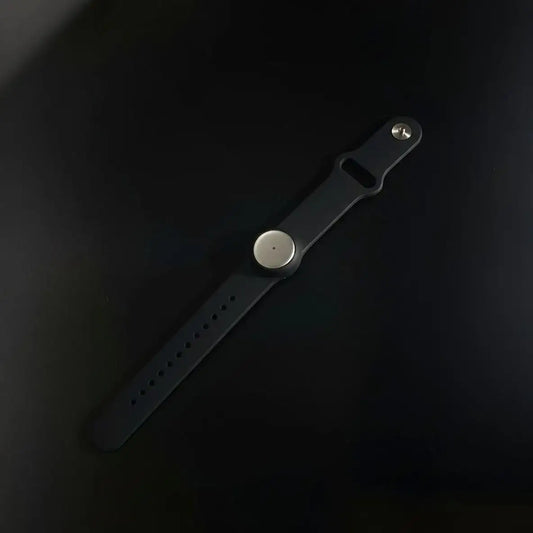
Wear it on your neck, wrist, or under your shirt, and we capture what you hear and say.
We’ll compare subscriptions, device costs, and the gotchas. Then you’ll use cost-per-hour to decide. AI Note Taker pricing gets easy when you measure hours first.

What you are paying for, not the logo
AI Note Taker pricing is really three layers: capture, intelligence, and sharing. Capture is wearable, meeting bot, desktop, or mobile. Intelligence is transcription, summaries, tasks, and search. Sharing is export, team access, and automation. When plans feel “cheap”, one layer is capped.
Our stack matters because pricing isn’t only transcription. You get Apple Watch recording, a Mac app and web app for any browser, plus an app store with hundreds of one-click tools. For builders, we expose API and MCP for automations, exports, and custom workflows that keep your notes moving automatically.
A fast rule: if your day includes hallway conversations, customer calls, and Zoom, you’ll want a system that follows you. That’s where AI Note Taker pricing stops being about minutes and becomes about coverage.
The three pricing models you will see everywhere
- Device plus subscription: one-time hardware, then monthly minutes or “unlimited”. Great for in-person work, but watch caps. This model dominates wearable AI Note Taker pricing.
- Per-seat SaaS: you pay per user, often cheaper annually. Great for teams, but seats add up if only a few people record. Per-seat AI Note Taker pricing is common in meeting assistants.
- Platform bundles: notes included inside Zoom or Teams tiers. Convenient, but portability can suffer. Bundles change AI Note Taker pricing because it’s hidden inside another bill.
- Usage add-ons: extra minutes, AI credits, or retention sold separately. This is where surprise spend comes from.
Pricing table: popular tools, real starting points
Prices change, so treat this as a decision map, not a promise. Still, it’s the quickest way to compare AI Note Taker pricing across categories.
Use it to sanity-check AI Note Taker pricing before you commit to a device, a per-seat plan, or a bundle.
| Tool | Type | Free tier | Paid plan anchor | Hardware |
|---|---|---|---|---|
| Omi | Wearable + apps | 300 listening mins/mo | $19/mo Unlimited | $179 one-time |
| Plaud | Recorder + app | 300 mins/mo | $99.99/yr Pro, $239.99/yr Unlimited | Device varies |
| Fieldy | Pendant + app | 150 mins/mo | $9.99/mo Plus, $15.99/mo Unlimited | Device varies |
| Limitless Pendant | Pendant | Stopped selling Dec 5, 2025 | Unlimited is free for existing customers | $99 (legacy) |
| Otter | App | Free plan | $8.33/user/mo billed annually | None |
| Fireflies | Meeting bot | Free plan | $10/seat/mo billed annually | None |
| Fathom | Meeting assistant | Free for individuals | $16/user/mo billed annually | None |
| Notta | App | 120 mins/mo | $8.17/user/mo billed annually | None |
| tl;dv | Meeting assistant | Free plan | From $18/seat/mo billed annually | None |
| Read AI | Meeting assistant | 5 meetings/mo | Pro $19.75/user/mo | None |
If you’re comparing AI Note Taker pricing for a team, per-seat tools can look cheaper until you add viewers, admin, and CRM sync. For solo capture, minute caps usually matter more than seats.
The hidden line items buyers complain about
Most pricing frustration isn’t the base fee. It’s how the vendor counts usage. To judge AI Note Taker pricing like a pro, check these first.
When you do, AI Note Taker pricing stops feeling random and starts feeling measurable.
Some tools bill “listening minutes”, others bill “transcription minutes”. Voice-activated counting can feel cheaper in quiet meetings, but workshops with constant talk can burn quotas fast.
- Minutes that don’t carry over: unused time disappears each month.
- Session limits: caps like “max minutes per recording” can break lectures, workshops, and long calls.
- Exports and sharing locked: transcripts exist, but exporting or folders are paid.
- AI credits: advanced summaries, coaching, or multi-meeting analysis may require separate credits.
- Compliance tiers: retention policies, SSO, and audit logs often live in business plans.
We built our plans around listening minutes because it matches real life: you want to record anything, anywhere, then turn it into tasks and memories later. That philosophy keeps AI Note Taker pricing aligned with daily use.
Who should pick which model
Different roles feel AI Note Taker pricing differently. Students need long sessions. Sales needs fast follow-up. PMs need action items.
If you’re buying for more than one role, AI Note Taker pricing should be evaluated by coverage, not by one feature.
- Marketing teams: content calls, brainstorms, and client reviews. See marketing for how summaries become briefs and assets.
- Sales teams: pipelines move when notes become follow-ups. See sales for post-call workflows.
- Project managers: decisions, risks, and next steps. See project managers for meeting to action plans.
- IT teams: incident calls and change reviews. See it for operational note capture.
- Human resources: interviews and debriefs. See human resources for consistent evidence logs.
- Students: lectures into study kits. See students for long-session capture.
- Clinicians and healthcare: strict governance and privacy. See clinicians and healthcare for consent patterns.
If you’re still unsure, start with our use cases hub. It’s the quickest way to map AI Note Taker pricing to your job, not to features.
Break-even math that actually works
Skip feature debates. Compare AI Note Taker pricing using cost per captured hour: monthly cost divided by hours recorded. Add a value bump if it creates tasks and searchable memories.
That single number makes AI Note Taker pricing comparable across wearables and meeting bots.
| Scenario | Monthly hours recorded | What changes the cost |
|---|---|---|
| Light user | 2 to 5 | Free tiers can work, but session limits are the trap. |
| Daily meetings | 20 to 40 | Per-seat plans can spike unless viewers are free. |
| All-day capture | 60+ | Unlimited listening is where AI Note Taker pricing becomes stable. |
If your work is mixed, wearable plus cross-device apps can be cheaper than paying one tool for calls and another for in-person. That’s the quiet reason AI Note Taker pricing varies so much between buyers.
A step-by-step plan to choose in 15 minutes
Do this once and AI Note Taker pricing becomes simple.
Step 1: Count hours, not meetings
Look at the last 2 weeks. Add in-person chats and online meetings. Use your busiest week as baseline.
Step 2: Decide what must be portable
If you switch between tools and in-person, portability matters more than any one integration.
Step 3: Scan for the “cap that will hurt you”
For students it’s max minutes per recording. For teams it’s paid viewer seats. For leaders it’s retention. Find the cap, then choose.
Step 4: Check governance before you scale
If your org handles sensitive data, choose tools with encryption and clear deletion/export controls. Also consider a consent playbook. Our guide on recording consent and governance helps set the baseline.
Step 5: Run one real week, then commit
Record your next week, then calculate cost per hour. If you want the “meeting to tasks” standard, start with our ai meeting summary workflow. It makes AI Note Taker pricing feel like ROI, not overhead.
Extra context and outside perspectives
If you want a second opinion, these two breakdowns are useful when you want another angle.
FAQ
Why does AI Note Taker pricing feel different month to month?
Because usage spikes. Launch weeks or incidents can double your hours. Minute-capped plans force rationing. All-day capture makes AI Note Taker pricing steadier.
So yes, AI Note Taker pricing is often “steady” only on unlimited tiers.
Is “unlimited” always the best deal?
Only if you record enough hours. For light usage, free tiers can be fine. For daily use, “unlimited” prevents rationing, which is why buyers often upgrade for peace of mind. The best plan is the one that matches your real week, not your ideal week, in AI Note Taker pricing.
How should we budget for a team?
Start with recorder seats, then decide who only needs viewer access. If a vendor charges every seat, costs can climb quickly. If your team needs stronger controls, price in retention, SSO, and audit logging. That’s the real enterprise side of AI Note Taker pricing.
What about privacy and compliance?
If you deal with sensitive conversations, prioritize encryption, deletion, and governance. We’re SOC 2 and HIPAA compliant, and we encrypt data in transit and at rest. If you need even more control, consider local-first options and self-hosting.
What is the simplest way to choose today?
Pick one plan, run it for a week, and calculate cost per captured hour. Then decide if you need team features, longer sessions, or all-day capture. Do that and AI Note Taker pricing becomes a quick decision instead of a research rabbit hole.
Quick takeaway
- Measure hours first, then compare plans.
- Find the cap that will hurt you, minutes, seats, or session length.
- Use cost per hour to make AI Note Taker pricing obvious.
- Map your role to workflows so summaries turn into action.

 www.omi.me