TL;DR
Ai auto translation is only “easy” in demos. In real conversations, the hard part is messy audio, overlapping speakers, accents, slang, and named entities like product names or people.
If you mainly need live travel talk, handheld translators (Pocketalk, Vasco, Fluentalk, iFLYTEK) and translator earbuds (Timekettle, Waverly) can work well. But if you need the conversation to become a translated record you can search and act on, you want an ai auto translation workflow that includes memory, summaries, and tasks.
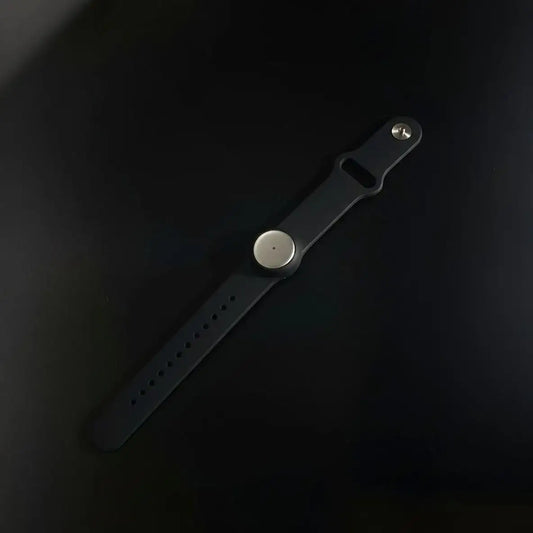
That’s why we built Omi as an ai auto translation device plus “follow-through.” We record what you say and hear (all day, in-person), we record online meetings too (Meet, Zoom, Teams), then we turn everything into translated transcripts, summaries, action items, and a searchable memory across Mac, web, iPhone, Android, and wearables.

Ai auto translation: why automatic translation matters now
We’ve all had the same moment: you’re in a meeting, a class, a clinic, or a call, and language becomes a wall. You can “mostly” follow, but you miss the detail that actually matters.
Ai auto translation is the fastest way to lower that wall. Not just for travel. For global teams, customer conversations, education, healthcare, legal intake, and sales, automatic translation changes who can participate.
- Speed to understanding: ai auto translation turns “I’ll translate later” into “I can respond now.”
- Less exclusion: translated captions and translation devices help non-native speakers contribute without anxiety.
- Better outcomes: when translation becomes a record, you can review details instead of guessing.
- More trust: clear, consistent translation reduces misunderstandings in high-context conversations.
The practical goal is simple: the best ai auto translation setup keeps the conversation flowing, then keeps the result usable after the conversation ends.
Ai auto translation devices you can buy in 2026
Let’s make it concrete. Most ai auto translation devices fall into four buckets. Each bucket solves a different problem, and mixing them up is how people get disappointed.
- Omi (translation + memory): capture any conversation, then translate and structure it into tasks, summaries, and a searchable vault. It’s built for “after,” not only “during.”
- Handheld translators: Pocketalk and Vasco are the classic “talk, show the screen, get a response” approach. Great when you need visual clarity.
- Translator earbuds: Timekettle and Waverly aim for a natural flow with less phone juggling. Amazing when latency stays low and the environment is calm.
- Meeting platform translation: Zoom, Teams, and Meet can translate captions in meetings, depending on plan and setup. Useful, but not a full memory system.
If you want a deep buying perspective outside our blog, these two guides are genuinely good reads: The 4 best digital translators (2026), tested and reviewed and The best translation earbuds in 2026.
Ai auto translation comparison table: devices, earbuds, and platforms
Below is a practical comparison. Prices vary by region and sales, but the pattern is stable: some products bundle connectivity, others rely on your phone, and almost none help you reuse the translated content later.
| Option | Form factor | Typical price | Subscriptions / connectivity | What you get (realistically) | Best for |
|---|---|---|---|---|---|
|
Omi ai auto translation + recording + memory |
Wearable + Mac/web/mobile apps | Device is typically $89 | Free tier + optional unlimited plan ($199/year or $19/month) | Ai auto translation support plus transcripts, summaries, tasks, memory search, sharing, templates, automations, API/MCP, and an app store of hundreds of tools | Meetings, classes, interviews, daily life, multilingual workflows |
| Pocketalk S2 Plus | Handheld translator with screen + camera translation | Often listed around $349.95 (5-year eSIM model) | Common bundles include multi-year data, designed to avoid subscriptions | Fast two-way translation, visual confirmation, good for “show and tell” situations | Travel, hospitality, front desk, quick bilingual exchanges |
| Vasco Translator V4 | Handheld translator with built-in SIM | Often listed around $449 | Markets lifetime connectivity via included SIM | Voice, text, photo translation plus chat-style modes | Frequent travelers who want connectivity handled |
| Timekettle WT2 Edge | Translator earbuds (app-connected) | Often seen $279.99–$349.99 | Relies on phone app; offline packs exist depending on model | Hands-free ai auto translation feel when audio is clean | Longer conversations, one-on-one talk, guided tours |
| Fluentalk T1 Mini | Compact handheld translator | Commonly in the ~$149 range | Promotes offline language pairs for weak connectivity | Portable translation with offline fallback | Budget travel, flights, low-signal areas |
| Meeting captions (Zoom / Teams / Meet) | Software feature in meetings | Included in specific plans | Plan-based availability; language lists vary | Live translated captions during meetings | Multilingual calls, training sessions, webinars |
Notice the gap: most ai auto translation devices help you talk. Omi helps you talk and keep what was said as a translated record you can search, summarize, and automate.
Ai auto translation accuracy: what breaks automatic translation
Automatic translation is a pipeline: audio capture, speech-to-text, language detection, translation, then speech output or captions. If step one is weak, everything is weak.
When people complain online about ai auto translation, it’s usually one of these issues.
- Overlapping speakers: two voices at once can ruin recognition, which ruins translation.
- Named entities: product names, people, places, and acronyms get “helpfully” rewritten.
- Code-switching: bilingual speakers switch mid-sentence, and auto-detect can lag.
- Slang and idioms: literal translation sounds wrong even if each word is correct.
- Noisy rooms: cafés, clinics, factory floors, and classrooms are hard environments.
- Latency: if translation arrives too late, conversation rhythm collapses.
And here’s what actually improves results. Not “more AI,” just better inputs and better workflow.
- Closer capture: microphones near the speaker beat “stronger models” almost every time.
- Shorter sentences: translation improves when people pause naturally.
- Vocabulary control: keeping names and acronyms stable prevents meaning drift.
- Record + review: the most reliable ai auto translation is one you can validate after the moment.
Ai auto translation workflow in Omi: capture, translate, act
Most translators stop at “here’s the translated sentence.” We don’t. We treat ai auto translation as the first step of a bigger goal: understand, decide, and follow through.
Omi works in two worlds: all-day in-person capture (wearable on neck or wrist) and online meeting capture (web or desktop) across your favorite apps.
Step 1: capture the conversation without breaking flow
Wear Omi to record what you say and hear all day, or use our Mac/web app for online meetings. The point is simple: stay present and stop typing. Ai auto translation gets better when the conversation stays natural.
Step 2: apply ai auto translation and keep the original context
We transcribe first, then translate with context. That means you can keep key names, preserve intent, and avoid “literal but wrong” outcomes. If you work across languages daily, this is where ai auto translation becomes dependable.
Step 3: turn translation into summaries, tasks, and memory
We generate a share-ready summary, clear action items, and a searchable memory you can return to later. If you want, connect automations so meeting notes become tasks, tickets, or updates automatically.
A copyable template for ai auto translation meetings
Template name: Ai auto translation recap (multilingual)

Output:
1) Summary (5 bullets, translated to English)
2) Decisions (bullets)
3) Action items (owner + due date if mentioned)
4) Risks / blockers (bullets)
5) Glossary (keep original phrasing for key terms)

Rules:
- Preserve names, acronyms, and product terms exactly.
- If meaning is unclear, include the original sentence in parentheses.
- Prefer intent over literal phrasing for idioms.
Ai auto translation use cases that actually show value
Ai auto translation is not one “market.” It shows up differently depending on the role. The fastest way to pick the right setup is to pick your role and your hardest scenario.
- Teachers and professors: translated lectures, office hours, and multilingual Q&A, plus a searchable study record. See teachers and professors.
- Students: translate classes, group projects, and study sessions, then turn them into a study kit and tasks. See students.
- Sales teams: translate discovery calls, keep objections and requirements searchable, and auto-generate follow-up steps. See sales.
- Clinicians and healthcare: multilingual intake, clearer communication, and documentation you can review. See clinicians and healthcare.
- Legal teams: multilingual conversations need strong retention and control, not just live translation. See legal.
If you want a broader map of roles, start at use cases. It’s the fastest way to understand where ai auto translation turns into real ROI.
Ai auto translation safety: privacy, consent, and compliance
Translation devices don’t just “translate.” They capture speech. That means the real question is data handling: where audio goes, who can access it, and how long it stays around.
We built Omi for privacy-first use because multilingual conversations often include sensitive details. We support SOC 2 and HIPAA positioning, and we use encryption in transit (TLS) and at rest (AES-256). We also designed local-first options when you need to reduce reliance on cloud processing.
- Consent matters: if it’s appropriate to disclose recording, do it early, not after.
- Minimize exposure: don’t translate sensitive content in public if you can avoid it.
- Keep control: export, delete, and manage retention like you would with any work artifact.
For a clean consent and policy workflow you can reuse, see recording consent and governance. It’s the practical side of using ai auto translation responsibly.
Ai auto translation for meetings: summaries, integrations, automations
Here’s the part most translation devices ignore: the meeting doesn’t end when the call ends. The work starts after.
We built Omi around the idea that ai auto translation should feed your workflow. That means summaries that look like your team’s style, tasks that land in the right place, and automations that reduce manual cleanup.
- Meeting recap that stays searchable: translated transcript plus a short summary you can share.
- Action items that don’t vanish: tasks extracted from the translated conversation.
- Automations: route translated outcomes into the tools you already use.
- Developer-friendly options: integrate our API/MCP into your stack for custom workflows.
If you want the “default” meeting flow, start with ai meeting summary. If you want automations without heavy engineering, see Omi automation with n8n, Zapier, and Make.
If you’re technical and want deep control, we support Model Context Protocol so agents can search, write, and automate against your Omi memories. See MCP with Claude and Cursor.
Ai auto translation FAQ
What is the best ai auto translation device for multiple languages?
The best ai auto translation device depends on what “best” means for you. For travel talk, handheld translators and translator earbuds can be excellent. For multilingual work where you need follow-through, Omi is built to capture the conversation, support ai auto translation, and then produce translated summaries, tasks, and searchable memory across devices.
Why does ai auto translation fail in noisy rooms?
Because translation quality starts with audio. If speech-to-text mishears words, the translation step will “confidently” translate the wrong text. The fix is usually closer microphones, slower pacing, and less overlap. If the conversation is important, a record you can review afterward makes ai auto translation far safer.
Are translation earbuds better than handheld ai auto translation devices?
Sometimes. Earbuds can feel more natural because you keep eye contact and don’t pass a device back and forth. The trade-off is sensitivity to latency, Bluetooth/app issues, and noisy environments. Handheld devices win when you need a screen to confirm meaning quickly or when you’re translating signs and menus.
Can I use ai auto translation in Zoom, Teams, or Google Meet?
Yes, many meeting platforms support translated captions depending on plan and setup. It’s useful for live understanding, especially in webinars. But platform captions usually don’t give you an all-day memory layer. If you want ai auto translation plus durable artifacts (summary, tasks, searchable history), capture the meeting and keep the result structured.
How do I keep names and technical terms accurate in ai auto translation?
Protect named entities. Spell the name once, then repeat it consistently. For teams, keep a glossary and reuse it. In Omi, you can use templates and structured outputs to preserve important terms and keep them searchable. The goal is simple: ai auto translation that keeps meaning and keeps key words stable.
Is ai auto translation safe for sensitive conversations?
It can be, if you treat it like recording. Get consent when appropriate, avoid sensitive topics in public, and use tools that give you control over deletion and export. We built Omi with privacy-first options, enterprise-grade encryption, and SOC 2 + HIPAA positioning so teams can use ai auto translation without gambling on data handling.
Quick takeaway
- Ai auto translation works best when audio is clean, speakers take turns, and you protect names and acronyms.
- Handheld devices and translator earbuds are great for live talk, especially in travel scenarios.
- If you need translation that becomes a record, use an ai auto translation workflow that produces summaries, tasks, and searchable memory.
- That’s the core advantage of Omi: capture anything (in-person and online), support ai auto translation, then turn it into action.
- Start with your hardest scenario, then run a real test in your noisiest room.

 www.omi.me