TL;DR
If you’re looking for Happy Scribe alternatives, you’re usually not just looking for “another transcription tool”. You’re looking for meeting recording (without manual uploads), AI summaries + action items, searchable memory across meetings, real-world capture for in-person conversations, and privacy controls.
This guide goes deeper with decision frameworks, pricing mechanics, and practical recommendations across software meeting assistants and wearable recorders.
If you need online + in-person capture with structured outputs (summaries, tasks, searchable recall, automations), you want a platform built around capture-to-action, not just transcription.
Quick answer: what to use instead of happy scribe
Happy Scribe is strong for transcription + subtitles + translation, and it also offers meeting recording plans. If your workflow is mainly media (subtitles, captions, translation exports), staying in the transcription-first category makes sense.
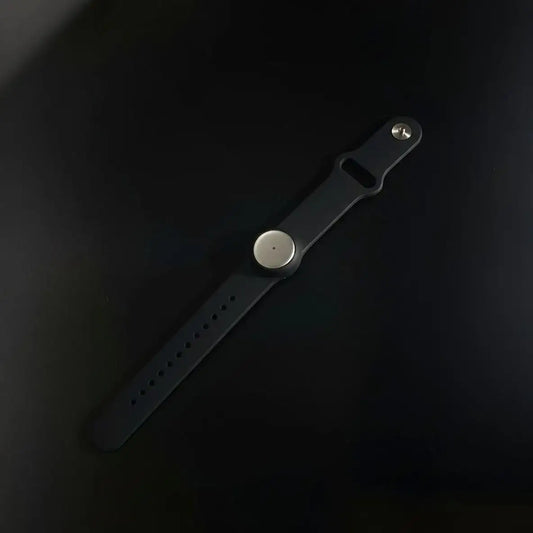
If you want record anything anywhere + summaries + tasks + automation + searchable memory, you’re in a different category than classic transcription. That’s where tools like Omi fit best: wearable capture + cross-device recording + structured outputs + integrations and automation.
The best choice depends on where your conversations happen and what your “final output” needs to be (transcript, subtitles, action items, decision log, searchable memory).
Why people switch from happy scribe
1) The upload problem
Classic transcription workflows still depend on recording first and uploading later. When you’re in back-to-back conversations, the upload step is where everything breaks.
2) Transcripts aren’t the output most teams need
Most teams don’t want a wall of text. They want decisions, owners, next steps, risk flags, and follow-up drafts. That’s not only a transcription problem, it’s a meeting execution problem.
3) Online-only tools miss real work conversations
A lot of important conversations happen in a room, in a hallway, on a client site visit, or during a commute. If your tool only works in Zoom/Meet/Teams, you miss the meetings that actually move work forward.
This is why the best “alternative” is often a different category of tool, not a better transcription engine.
A better way to choose: pick your primary use case first
-
If you’re mainly subtitles + media
Choose transcription-first platforms focused on file workflows, subtitles, translations, and export formats.
-
If you’re mainly Zoom/Meet/Teams
Choose meeting assistants focused on auto-join, searchable meeting libraries, summaries, and team collaboration.
-
If you need in-person capture too
Choose a wearable or hardware recorder category so you can capture “real life” conversations reliably.
-
If you want capture-to-action + automation
Choose a platform that turns conversations into tasks, decision trails, and integrations, not just transcripts.
Most teams end up using a hybrid: meeting assistant for online calls, plus a wearable recorder for offline conversations.
The “real” comparison: plans, pricing mechanics, and hidden costs
Pricing tables are useful, but the mechanics matter more: minute caps, credit systems, what “unlimited” actually means, storage limits, export restrictions, and whether the tool needs a bot to join meetings.
| Tool | Best for | Pricing model | Starting price |
|---|---|---|---|
| Happy Scribe | Subtitles + translation + transcription | Subscription + included minutes + per-minute overage | Pro tier pricing on their site |
| Otter | Meeting transcription | Subscription | Entry plan pricing on their site |
| Fireflies | Meeting notes + integrations | Per-seat subscription | Entry plan pricing on their site |
| Sonix | File transcription + translation | Pay-per-hour (plus optional add-ons) | Per-hour pricing on their site |
| Rev | Human-verified + enterprise review | Subscription and/or usage-based | Plan pricing on their site |
| Notta | Multilingual meetings + file transcription | Subscription | Entry plan pricing on their site |
| tl;dv | Meeting notes + multi-meeting summaries | Subscription | Entry plan pricing on their site |
Hidden costs checklist: minute caps, “AI credits,” export limitations, bot-join friction, diarization quality, glossary support, compliance needs, and where the “system of record” lives after the meeting.
Omi as a happy scribe alternative (why it’s a different category)
Happy Scribe is a transcription platform. Omi is a conversation capture + memory + execution platform that captures what you say and hear, generates summaries/tasks/memories, supports search and recall, and can automate downstream actions via integrations and an app marketplace.
What Omi does that most transcription tools don’t
- Captures real-life meetings: not only online calls, but also in-person conversations via wearables.
- Turns meetings into structured output: summaries, action items, and reusable “decision-ready” notes.
- Integrations make notes do something: connect outputs to CRMs, knowledge bases, cloud storage, automations, and AI tools.
- Privacy and control: focused on user control, secure handling, and structured governance.
This is the core difference: transcription is the input. The value is what happens after transcription.
The best alternatives by scenario (with real recommendations)
Scenario A: “I just need transcription + subtitles for content”
- Sonix (fast file transcription, pay-per-hour model)
- Happy Scribe (subtitle formats and translation workflows)
- Descript (editing-first workflows for creators)
Scenario B: “I live in Zoom/Meet/Teams and want automation”
- Fireflies if integrations matter most (CRMs, task tools)
- Otter if you want straightforward meeting transcription and summaries
- tl;dv if you want lightweight team workflows and multi-meeting summaries
Scenario C: “I need online + in-person, and I want it searchable later”
Choose a hybrid that covers both worlds, then align it to your workflow. Examples of internal use cases and workflows:
- Use cases hub: https://www.omi.me/blogs/use-cases/
- Human resources: https://www.omi.me/blogs/use-cases/human-resources
- Sales: https://www.omi.me/blogs/use-cases/sales
- Executives: https://www.omi.me/blogs/use-cases/executives
- IT: https://www.omi.me/blogs/use-cases/it
- Marketing: https://www.omi.me/blogs/use-cases/marketing
- Project managers: https://www.omi.me/blogs/use-cases/project-managers
- Clinicians/healthcare: https://www.omi.me/blogs/use-cases/clinicians-healthcare
- Legal: https://www.omi.me/blogs/use-cases/legal
- Students: https://www.omi.me/blogs/use-cases/students
And for repeatable execution workflows:
- Workflows hub: https://www.omi.me/blogs/workflows/
- AI meeting summary workflow: https://www.omi.me/blogs/workflows/ai-meeting-summary
A deeper checklist: what most comparison posts ignore
1) “Unlimited” usually isn’t unlimited
- Meeting length caps and per-meeting limits
- Storage caps or retention limits
- AI credit caps for summaries, extraction, and chat
- Export restrictions (especially for subtitles/captions)
2) Bot-based recording vs invisible capture
Some organizations don’t allow a bot participant in meetings. If that’s a hard no, you need a solution that captures locally or via a method that doesn’t change the attendee list.
3) Overlap, accents, and noisy rooms
This is where microphone quality matters (in person), diarization matters (multi-speaker), and vocabulary/glossary features matter (names, acronyms, jargon).
4) Your “system of record” after the meeting
Decide where truth lives: CRM, Notion/Confluence, Drive, ticketing. If you don’t solve this, you just create a new pile of transcripts no one reads.
Two external resources worth reading (strong match to this topic)
Bottom line
If your world is media production and subtitles, pick a transcription-first platform and optimize for accuracy + export formats.
If your world is meetings, pick a meeting assistant and optimize for automation + retrieval.
If your world is meetings plus real life conversations, and you want the output to become searchable memory + tasks + automations, you want a platform built around capture and action, not just transcription.

 www.omi.me