If you are searching for a Meeting minutes app, you probably want the same thing we do: stop losing decisions, stop rewriting notes, and stop leaving meetings with “cool talk” but no next step. The fastest path is simple, capture the conversation once, then publish clean minutes with decisions and action items that have owners and deadlines.
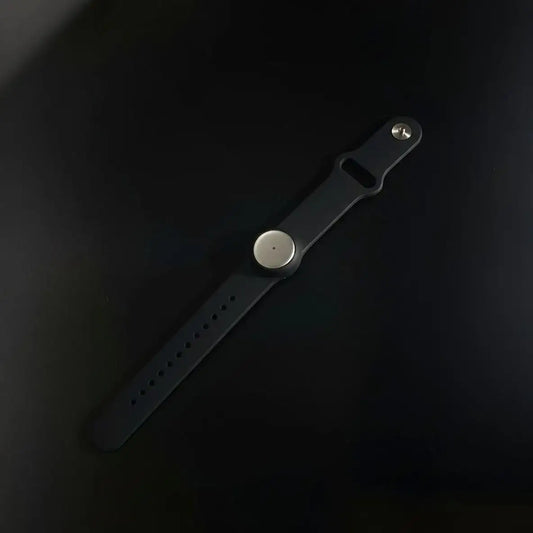
Our approach is built for real life, not just scheduled Zoom calls. You can capture in-person conversations all day (wear it on your neck, wrist, or keep it discreet under your shirt), and you can also capture online meetings in any app using the Mac desktop app or the web app. Then we generate summaries, tasks, and searchable memories you can share in seconds.
A great meeting note taker does not just transcribe. It produces a decision record you would trust later, plus follow-through you can actually execute.

Why meeting minutes break, even with “good note takers”
Most teams do not have a “notes problem.” They have a follow-through problem. The meeting happened, people talked, then the outcomes dissolve into Slack messages, half-written docs, and a vague sense of “we should do something.”
Minutes fail in predictable ways: no owner, no due date, no decision trail, and no single place to find the truth later. That is why a minute taker app has to be more than a recorder. It has to be a system.
- Decisions drift: if you do not write “what is now true,” people remember different versions. A minutes workflow creates one reality.
- Actions vanish: action items die when they are “suggestions.” We format actions as commitments with owners and deadlines, every time.
- Context gets lost: “why did we decide this?” matters. We keep the supporting evidence and the tradeoffs, not just the conclusion.
- Minutes become unreadable: long recaps get ignored. We optimize for skim, clarity, and quick sharing, so the minutes actually get used.
If you want this to plug into your existing system, start with our ai meeting summary workflow and treat it as your “default minutes operating system.”
Best for
This meeting note taker workflow is for anyone who spends their week inside conversations, leadership meetings, customer calls, standups, interviews, retros, vendor calls, and all the in-between stuff that never makes it into a doc.
- Project managers: minutes that turn into tickets and deadlines, not “meeting theater.” See how this fits project managers who run cross-functional work.
- Leaders and managers: consistent 1:1 notes, decisions you can review later, and a clean trail when priorities change. Pair this with our 1:1 growth plan workflow.
- Teams running OKRs: weekly check-ins that do not disappear into chat. Use weekly OKR check-ins as the “minutes format” for alignment.
- Support and operations: conversations that become real work, automatically. Our support conversation to ticket workflow is the cleanest example.
- Anyone who cares about governance: if you record meetings, you need a consent and policy stance that is boring and solid. Start with recording consent and governance.
A simple test for a minute taker app: would you trust its minutes to settle a disagreement three weeks from now.
What counts as a “meeting” in a modern minutes workflow
Minutes should not be limited to calendar invites. A lot of real work happens in hallway conversations, quick syncs, and messy “can you hop on for five minutes?” calls.
- In-person meetings: team syncs, vendor discussions, hallway decisions, on-site reviews.
- Online meetings: Zoom, Meet, Teams, anything on your computer.
- Work sessions: design reviews, planning, whiteboarding, deep problem solving.
- Sales and success calls: requirements, objections, next steps, and follow-ups.
- Standups and weeklys: progress, blockers, and commitments.
- Retrospectives: what changes next sprint, and who owns the fix.
The moment you open Omi
The best time to generate meeting minutes is right after the conversation, while the context is still warm. That is when details are sharp, and before people start rewriting history in their head.
Here is the flow we recommend:
- Capture once: in-person, online, formal, informal. Wear it, or capture from the Mac desktop app or web app.
- Apply a minutes template: decisions, action items, open questions, risks. No fluffy summary.
- Ask the two “minutes questions”: “what did we decide?” and “what happens next?”
- Share fast: post to your team’s home base, then move on with your day.
The real win is that your minutes become searchable memory. Weeks later, you can find “the pricing decision,” “the deadline we agreed,” or “the risk we flagged,” without digging through random docs.
The problem without a minute taker app
Without structure, meeting notes feel productive but behave like fog. Everyone thinks they understand, until the next meeting.
- Split attention: people type instead of listening, then miss the nuance.
- Action items with no teeth: “someone should” becomes “no one did.”
- Decisions are implicit: nobody writes the actual call, so it reopens later.
- Owners are unclear: five people assume the other person is doing it.
- No decision trail: when priorities change, you cannot explain why the old decision existed.
- Minutes are scattered: docs, emails, chats, tickets, and nobody knows where the real record lives.
This is why teams adopt a meeting note taker. Not to “have AI,” but to keep decisions stable and execution clean.
What you gain with Omi
We built this as a practical minutes system for people who live in conversations. The biggest shift is that you stop treating meetings as “events” and start treating them as inputs to your work system.
- Capture everything, not just calendar calls: in-person meetings, quick syncs, and online meetings from any app.
- Minutes that ship: clean outputs with decisions, action items, and owners, ready to share.
- Custom templates: standups, 1:1s, sales calls, retros, incident reviews, each with its own format.
- Searchable memory: find past decisions by topic, person, or keyword, without digging through folders.
- Quick sharing: share a summary or transcript in seconds, without rewriting notes.
- Privacy-first foundation: encrypted data, SOC 2 and HIPAA compliant posture, built for teams that take compliance seriously.
- Built to integrate: API, MCP, and an app store so minutes can become tasks and updates inside your tools.
If your next question is “where do action items go,” jump to our task and project managers integration and wire minutes into the tools your team already uses.
What great meeting minutes should capture
Good minutes are not longer, they are sharper. We recommend a structure that makes it hard to misunderstand.
| Section | What to capture | How to write it |
| Decisions | What changed, what is now true, and why | One sentence, then a short rationale |
| Action items | Tasks that move work forward | Action + owner + due date + definition of done |
| Open questions | Unresolved items that need closure | Question + owner + when we revisit |
| Risks and blockers | What could break the plan | Risk + mitigation, keep it brief |
| Context | Key facts, constraints, assumptions | Bullets, not paragraphs |
| Artifacts | Links to docs, tickets, decks | One list at the end |
Workflow steps
This is the repeatable loop we recommend for a minute taker app. It is simple, but it is surprisingly hard to do consistently without a system.
Step 1: Capture the conversation without friction
Minutes quality starts with capture quality. The goal is to capture once, and never ask someone to “rewrite notes” again.
- In-person: wear it, keep it hands-free, stay present in the conversation.
- Online: capture any meeting on your computer using the Mac desktop app or web app.
- Policy: be transparent. If you are not sure, start with recording consent and governance.
Step 2: Apply a minutes template that forces clarity
Minutes get better the moment you stop asking for “a summary” and start asking for structure. Decisions. Actions. Questions. Risks. That is it.
- Decisions (final, not “we discussed”)
- Action items (owner + due date)
- Open questions (owner + revisit date)
- Risks (one line each)
Step 3: Tighten action items so they actually execute
This is the part most teams skip. Action items must be commitments, not suggestions.
- Rewrite “someone should” into “Alex will do X by Friday.”
- Add “definition of done” when the task is ambiguous.
- Keep action items few, but real.
If you want a ready-made example, our support conversation to ticket workflow shows what “notes that become work” looks like in practice.
Step 4: Publish minutes where people already look
Minutes that live in a random doc die. Publish them into the team’s habit loop, then link the artifacts.
- Post minutes in your team channel or knowledge base
- Attach minutes to the calendar event and project hub
- Link tickets, docs, and decisions in one place
Calendar context matters a lot here, which is why we recommend connecting calendars early in your setup.
Step 5: Turn minutes into tasks automatically
Once minutes are structured, automation becomes safe. You can push action items into your task manager, assign owners, and keep a clean trace back to the original meeting.
- Send action items to your project manager tool
- Post the recap to chat
- Create a decision log entry in your knowledge base
Start with automation integrations if you want fast wins without engineering work.
Step 6: Go advanced with MCP and API
If you want minutes to become part of your product or internal platform, this is where it gets fun. Use MCP to connect minutes and memory into agents and tools, then build workflows that act on your meeting outputs.
- Make sure to use MCP integrations to connect minutes to your AI tooling stack
- Always use our APIs to push decisions and action items into your systems
- Keep the human in control, automation should assist, not surprise
Deliverables
This is what a strong meeting note taker should produce from a single conversation, no drama, no extra meetings required.
| Deliverable | What it includes | Why it matters |
| Meeting minutes | Decisions, action items, open questions, risks | Creates alignment and prevents rework |
| Decision log entry | Decision, rationale, owner, revisit trigger | Keeps decisions stable over time |
| Action items list | Owner, due date, definition of done | Turns talk into execution |
| Shareable recap | Short summary for stakeholders | Makes updates easy and fast |
| Searchable memory | Transcript and structured output | Find the truth later, instantly |
Meeting minutes template
This is a clean baseline you can use for almost any meeting. It is built to work well as a minutes template inside a minute taker app, including ours.
Meeting:

Date/time:

Attendees:

Goal (one line):


Decisions (final):
1) Decision:
   Owner:
   Rationale (1-2 lines):
   Revisit trigger (optional):


Action items (do next):
- Action:
  Owner:
  Due date:
  Definition of done:
  Link / artifact (optional):


Open questions:
- Question:
  Owner:
  By when:


Risks / blockers:
- Risk:
  Mitigation:


Artifacts:
- Doc links:
- Tickets:
- Recording / transcript:
Other meeting minutes apps and meeting note takers, when they fit
Sometimes teams want a tool that is tightly coupled to their meeting platform or a specific workflow. That can work, as long as you accept the tradeoffs.
- Suite-native meeting notes: good when your organization wants everything inside one platform and approvals are strict. The tradeoff is usually flexibility across tools and meeting types.
- Dedicated AI meeting assistants: good when you mainly care about scheduled calls and want strong recaps and integrations. The tradeoff is that many approaches are “meeting-only,” not “life and work conversations.”
- Meeting management tools: good when agendas, habits, and accountability matter as much as the recap. The tradeoff is behavior change, people must adopt the system.
- Knowledge base centric notes: good when minutes must live inside a wiki or doc system. The tradeoff is often capture quality and speed, especially outside formal meetings.
If your world includes both in-person conversations and online meetings across multiple apps, a single meeting note taker that captures everything is usually simpler than stitching together three separate tools.
Common mistakes
- Confusing transcript with minutes: minutes must include decisions and action items, otherwise nobody executes.
- Letting “decisions” stay implicit: say them out loud, then write them down as a one-sentence commitment.
- Action items without owners: this is just procrastination in bullet form.
- No due dates: without a time boundary, the task quietly dies.
- Publishing minutes too late: if you publish 2 days later, people have already moved on (and forgot).
- Not choosing a home: minutes should have a consistent place to live, so people know where to find them.
A good minute taker app makes the right behavior easy, and makes the messy behavior feel annoying.
FAQ
What is the difference between a minute taker app and a meeting note taker?
In practice, people use both terms for the same goal. The difference is mindset: a minute taker app emphasizes decisions and action items, while a meeting note taker sometimes leans toward summaries and transcripts. The best tools do both, but minutes should always be the shareable artifact.
How do I make action items more accurate with AI?
Say them in a structured way during the meeting. “Action: X. Owner: Y. Due: Z.” Then do a quick review right after. This small habit prevents the classic failure where AI outputs “nice ideas” instead of real commitments.
Where should meeting minutes live?
Pick one home and be consistent. For many teams that is a project hub or a knowledge base, with links back to the calendar event. If your team already tracks work in a project manager tool, connect minutes to tasks using task integrations.
How do I handle consent and compliance?
Be transparent and follow local laws and your company policy. If you want a solid baseline, start with recording consent and governance and make it a habit, not an afterthought.
Can this work for OKRs and leadership alignment?
Yes, and it is one of the best use cases. Weekly alignment meetings become much more useful when minutes are consistent and searchable. Start with weekly OKR check-ins and treat it as your “minutes template” for leadership rhythm.
Any external reading if I want better minutes habits?
If you want a solid guide on note-taking mechanics and templates, these are good references: Atlassian guide to taking useful meeting notes and Asana meeting minutes template.
Quick takeaway
- Capture once: in-person or online, without changing how you meet.
- Ship minutes fast: decisions plus action items with owners and deadlines.
- Make minutes searchable: so “what did we decide?” becomes a 10-second lookup.
- Automate carefully: send actions to your tools using automation integrations.
- Go deeper when needed: connect minutes into your agent stack via MCP integrations.

 www.omi.me