Updated: 2026-03-19
AI note takers went from “nice-to-have” to “I can’t work without this” in just a couple of years. The reason is simple: meetings, calls, lectures, and ad-hoc conversations produce a lot of information, and your brain was never meant to be a compliance-grade database.
In 2026, the best tools don’t just transcribe. They turn messy talk into minutes, decisions, action items, summaries, and searchable memory, across Zoom, Google Meet, Microsoft Teams, in-person rooms, phone calls, and even “all-day” capture.
Quick takeaways
- There are 5 big categories: meeting bots, bot-free (local) capture, hardware recorders, upload-and-summarize tools, and built-in meeting platform AI.
- “Bot-free” is booming because it avoids adding a visible participant to calls and can be easier to use in sensitive contexts.
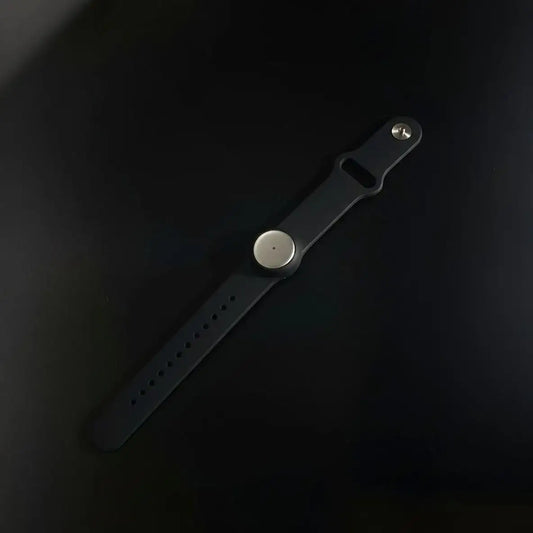
- Hardware is no longer niche: coin-sized, MagSafe-style, docks, and pendants are now mainstream options for in-person and phone calls.
Choose your path
- I just want the best options: start with Best AI note takers, then compare price in Pricing apps vs wearables.
- I want free tools first: go to Free AI note takers.
- I need bot-free, no extra attendee: read Best note takers that don’t join meetings.
- I’m mostly in-person: start with AI note takers for in-person and All-day AI recorder.
- I’m focused on calls: see AI note takers for phone calls.
What is an AI note taker?
An AI note taker is a system that captures spoken content (live or recorded), converts it into text, then produces structured outputs like meeting minutes, summaries, decisions, and action items. In 2026, the best ones also handle speaker labeling, multi-language, and workflow integrations.
If your end goal is a clean, shareable record, not just a transcript, this guide on meeting minutes apps is a great companion read.
Why AI note takers are exploding in 2026
This isn’t a fad. Hybrid work, meeting overload, and the rising cost of “lost decisions” pushed note taking into a must-have workflow. The category is maturing quickly, and differentiation is shifting from “can it transcribe?” to how it captures (bot, bot-free, hardware), where it works (online, offline, phone, room), privacy, and governance.
If you’re evaluating based on total cost (device plus subscription), pricing for apps vs wearables helps frame it.
The 2026 landscape: types of AI note takers
Here’s a taxonomy that actually helps you choose.
| Type | How it captures | Best for | Typical downside |
|---|---|---|---|
| Meeting bot | Joins as a participant | Teams that want automation and easy setup | Some orgs dislike “extra attendee” |
| Bot-free (local) | Desktop app or extension captures device audio | Sensitive meetings, fast starts, any platform | Needs install and permissions |
| Hardware recorder | Physical device records room, phone, on-body audio | In-person, phone calls, lectures | Gadget management, charging, carry |
| Upload-and-summarize | You upload audio or video | Podcasts, interviews, training libraries | Not live, more post-processing |
| Built-in platform AI | Native to Zoom, Meet, Teams, Webex | Org-standard setups | Feature locked by plan and admin policies |
If you want a shortcut to the “popular winners” view, start with best AI note takers and free AI note takers.
Online meetings: Zoom, Google Meet, Teams, Webex, and more
Platforms you’ll see most
- Zoom
- Google Meet
- Microsoft Teams
- Webex
- Plus smaller surfaces like Slack huddles, dialers, and webinar tools (depending on your org)
Best starting points for your exact platform
The big decision online is whether you’re okay with a bot participant. If not, jump straight to bot-free options.
In-person meetings: what changes in the real world
In-person is where “AI note taker” becomes a microphone problem. Room acoustics, speaker distance, and crosstalk matter a lot. This is why devices and wearables are growing fast for real-world capture.
If in-person meetings are a big part of your week, start with AI note takers for in-person meetings. If you want continuous context across your day, see all-day AI recorders.
Bot vs bot-free: the decision that matters more than price
Bot-based tools (they join your meeting)
These join as a participant, record and transcribe, then generate notes. It’s usually the most automated approach, especially for teams with consistent calendar workflows.
If you’re comparing major bot-first players, these guides help: Fireflies guide and Fireflies pricing.
Bot-free tools (no visible participant)
These capture audio locally on your device through a desktop app or extension. They’re popular for client-facing calls and sensitive contexts where “extra attendees” feel awkward.
Want a curated list? Start here: best tools that don’t join meetings.
Hardware options in 2026
Hardware is now a serious branch of AI note taking. Think MagSafe-style recorders for calls, desk devices for consistent capture, and wearables for all-day memory.
In-person and call-focused devices (common “AI recorder” style)
- Plaud: Plaud pricing and Plaud alternatives.
- Limitless: Limitless pendant alternatives.
- Anker Soundcore Work: Soundcore Work alternatives.
- Mobvoi TicNote: TicNote alternatives.
- HiDock: HiDock alternatives.
- FoCase REC: FoCase REC alternatives.
All-day recorders and “capture my day” devices
If you want an always-on memory layer (not just single meeting capture), read all-day AI recorder. For multilingual contexts, this is also worth a look: AI auto translation devices.
Software-only options
Software-only AI note takers usually fall into two buckets: meeting assistants (often bot-based) and bot-free capture. If you’re starting fresh, best AI note takers is a good overview.
Meeting assistants (often bot-based)
- Fireflies guide
- MeetGeek alternatives
- Otter alternatives
- Notta alternatives
- Happy Scribe alternatives
- Fathom guide
- Fellow alternatives
Bot-free capture (no participant joins)
If you’re shopping heavily on price, start with pricing apps vs wearables, then compare a couple of the popular line-items like Fireflies pricing and Plaud pricing.
Video, audio files, lectures, and phone calls
Summarize from video
For YouTube, recorded calls, training, and webinars, you usually want transcript plus sections, highlights, and action items. Start with from video summarizer or from video summary.
Summarize from an audio file
Great for interviews, voice memos, and research calls. See AI notes from an audio file.
Lectures and classes
Lectures need long-form handling and clean structure. Start with AI note takers for lectures.
Phone calls
Calls are where hardware attachments and mobile-first workflows really shine. See AI note takers for phone calls.
How to choose: a practical checklist
Step 1: where do you capture most?
- Mostly Zoom: start with for Zoom.
- Mostly Google Meet: see for Google Meet.
- Mostly Teams: go to for Teams.
- In-person heavy: start with for in-person.
- Calls heavy: start with for phone calls.
Step 2: pick your non-negotiable
- No bot visible: bot-free guide.
- Need clean meeting minutes: meeting minutes apps.
- Need budget-friendly starting point: free tools.
Step 3: sanity-check pricing
Pricing varies by minutes, storage, and team features. Use pricing apps vs wearables as your baseline, then dive into specifics if needed: Plaud pricing, Granola pricing, Fireflies pricing.
Legal, consent, ethics, and real risks
Recording is not just a feature, it’s a trust issue. A good default is to tell people you’re recording, confirm consent when appropriate, store data safely, minimize retention, and avoid “secret recording” habits, even if a device makes it easy.
For a practical breakdown, read is AI note taking legal? consent, ethics, and real risks .
If your team is asking “can we just use ChatGPT for this?”, this guide clarifies what works and what doesn’t: can ChatGPT take notes?
Reader shortcuts: best guides in this cluster
Most popular starting points
By meeting platform
By format
By scenario
Accessibility and life support use-cases
Product guides
Pricing deep dives
Alternatives, by tool or device
- Plaud AI alternatives
- Fieldy AI alternatives
- Otter AI alternatives
- Limitless pendant alternatives
- Anker soundcore Work alternatives
- Mobvoi TicNote alternatives
- MeetGeek alternatives
- Tactiq alternative
- Notta alternatives
- Happy Scribe alternatives
- Fellow alternatives
- Jamie alternatives
- Sonix alternatives
- FoCase REC alternatives
- HiDock alternatives
- Chimenote alternatives
- Umevo Note alternatives
- Bluedot alternatives
- Granola alternatives
Extra practical reads
- If you want “minutes that people actually read”: meeting minutes app guide
- If your notes start from calls, not meetings: phone calls summarizer guide
- If the biggest question is trust and consent: legal, consent, ethics
Want a one-click decision path? Start at best, then filter by your meeting platform (Zoom, Meet, Teams), and finally validate cost in pricing.

 www.omi.me